TM
pebblebee.com
9
iOS USER MANUAL – AUGUST 2019
Using the Finder
®
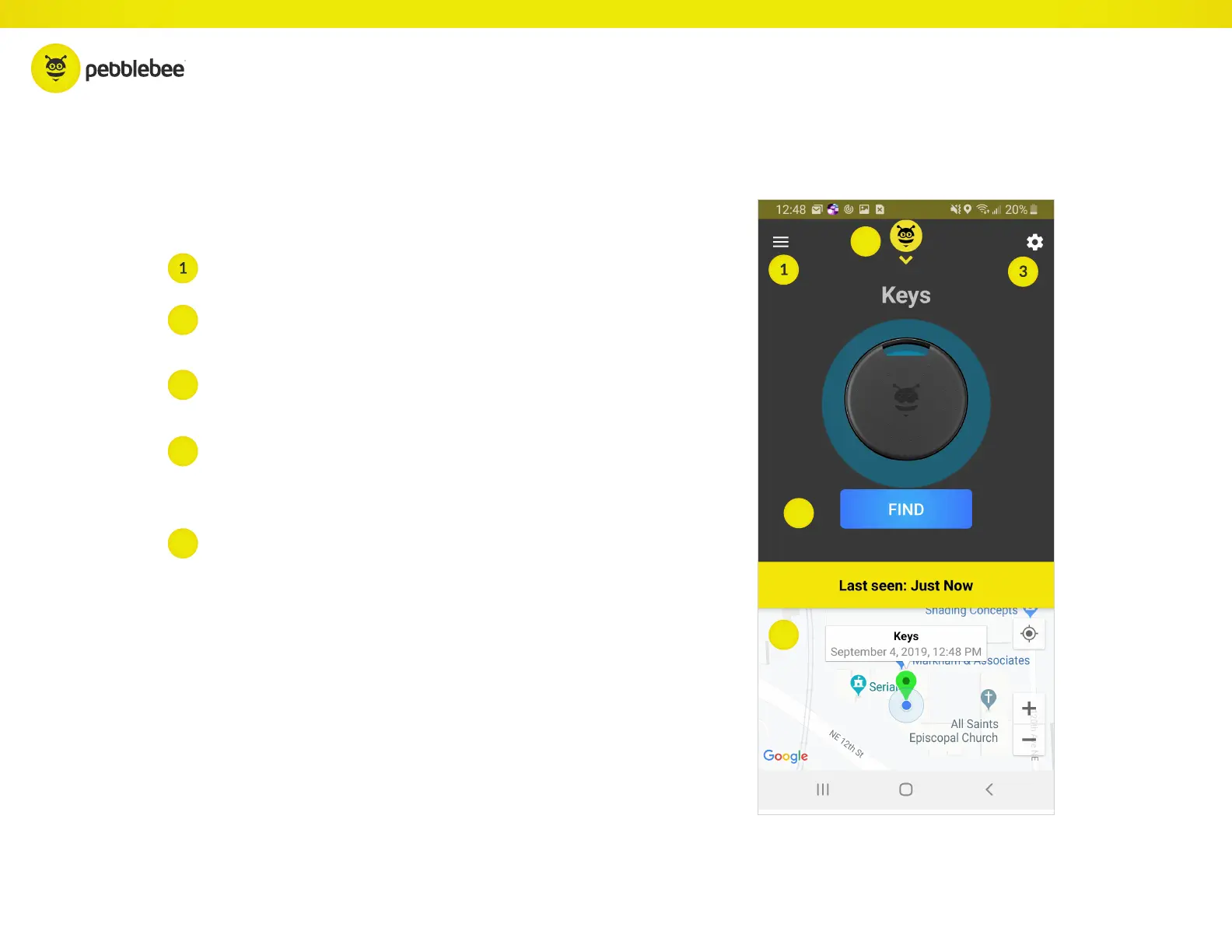
From this screen, you can do just about anything
Menu - Tap here to see overall account information.
Settings - Tap here to view settings for the
currently selected device.
Device List - Tap here to see all claimed devices and navigate
between devices. New devices can also be claimed here.
Find - Tap on FIND to Beep and Flash your Finder when it’s
within range of your phone. While beeping, the Finder’s alarm
can be stopped by pressing the Finder’s button.
Map - The map will show the last known location of the Find-
er, which is the last time it was within range of the app. Tap on
the map to expand it.
3
2
2
4
4
5
5



 To Next Page