IPMTB-GS Motherboard Reference Guide 11
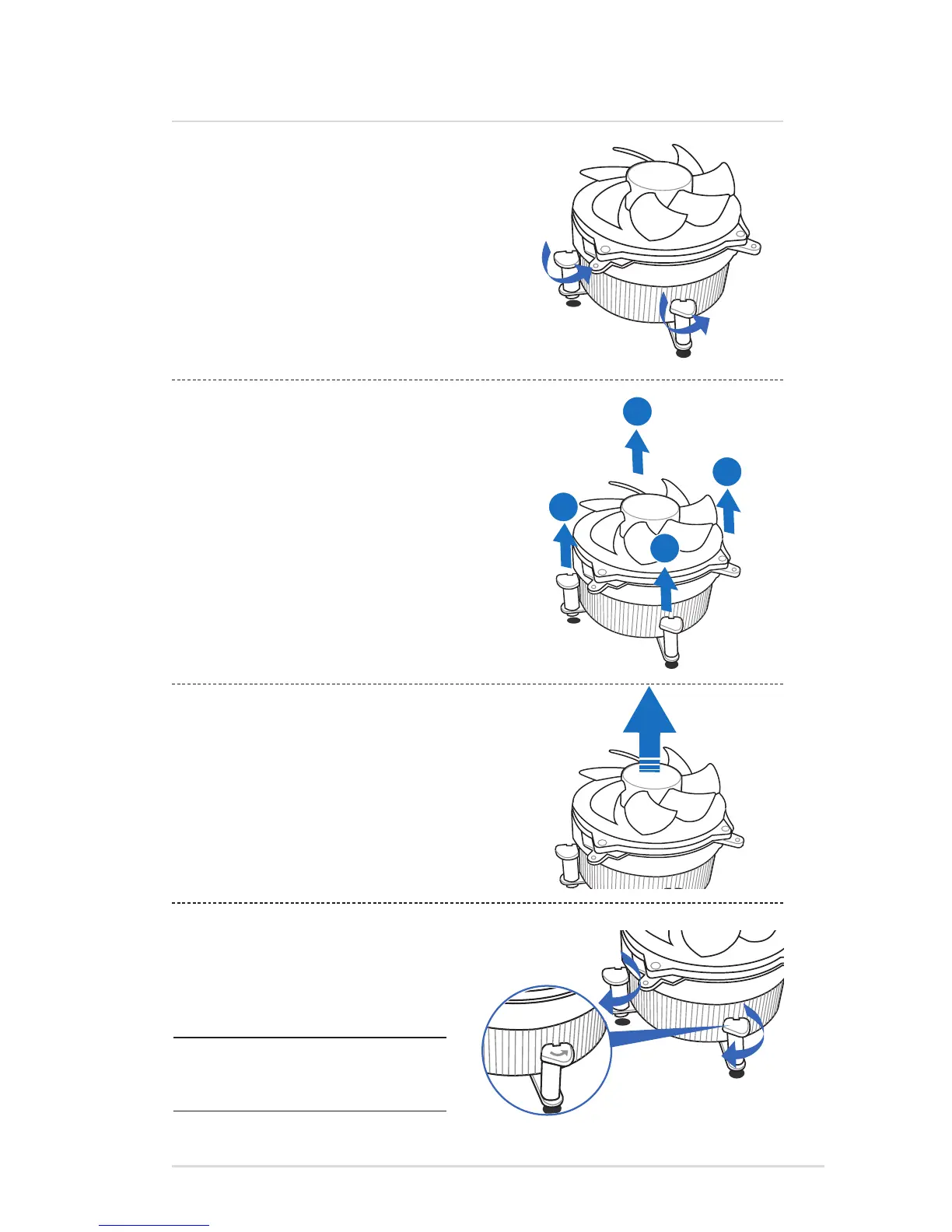
Uninstalling the CPU heatsink and fan
3. Pull up two fasteners at a time in a diagonal sequence to disengage
the heatsink and fan assembly from the motherboard.
4. Remove the heatsink and fan assembly from the motherboard.
5. Rotate each fastener clockwise to reset the
orientation.
NOTE: The narrow end of the
groove should point outward after
resetting.
1. Disconnect the CPU fan cable from the connector on the
motherboard.
2. Rotate each fastener counterclockwise.
3 Central Processing Unit (CPU)



 To Next Page