14
ADJUSTING THE
TOUCHSCREEN
•
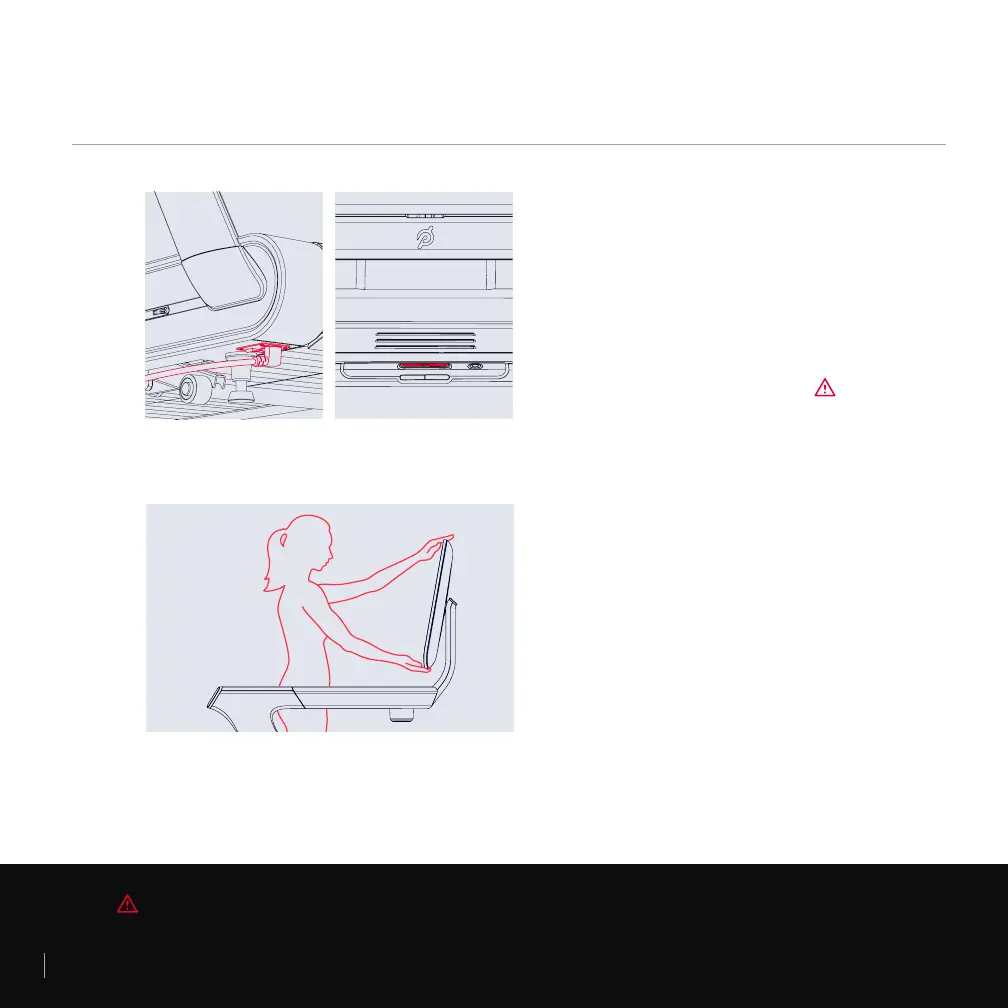
Hold the top and bottom of the screen and
tilt back or forward.
•
You should be able to look at the screen
comfortably, without tilting your head up or
down, from the middle of the platform.
SETTING UP THE TREAD CONTINUED
PLUGGING IN /
POWERING ON AND OFF
•
Plug in the power cord.
•
Switch the Tread on.
•
Press the center button to wake the Tread.
•
To power down, press and hold the center
button. Then switch the Tread off.
WARNING Always switch power off and unplug the Tread before cleaning and when it is not in use.



 To Next Page