PressureMAT User Guide
Revision 8
Page 6/48
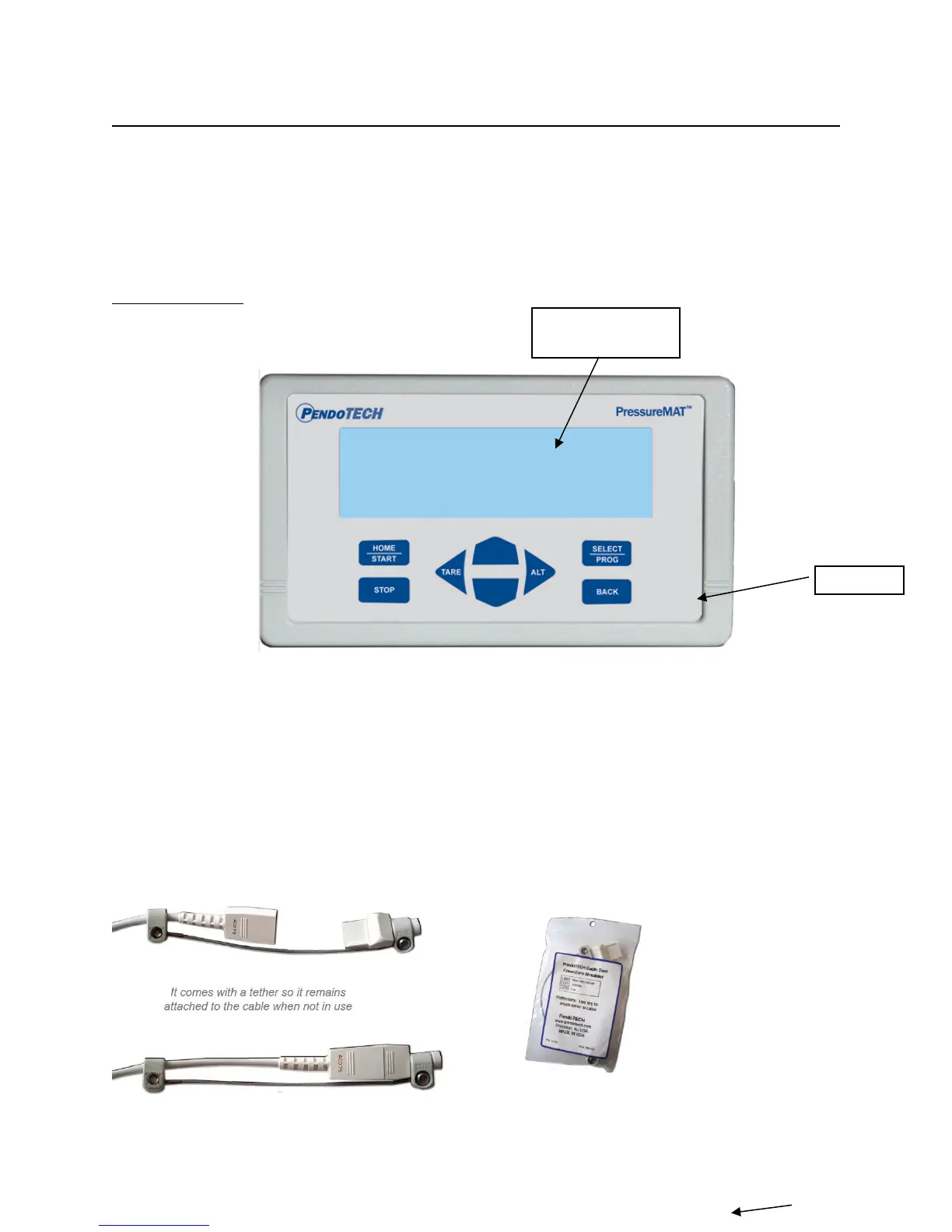
1.2.1. Hardware Details
There is no power switch so the system cannot be accidentally turned off. When the wall power
supply is connected to the system and plugged into a wall outlet, the system will turn ON. Instructions
to power down the system without unplugging are in Section 1.2.2 (System Power). The Front and
Back Panels details are as shown:
FRONT PANEL:
Note: If a pressure sensor is not connected or is disconnected during operation of the system,
the pressure reading will drift and eventually go to a value greater than 75psi/5.17 bar and an
alarm condition will occur. The time until the high alarm occurs may vary and this feature
should not be used to control a process due to the time variance. Associated relays will switch
and the analog output will send greater than 20mA.
The Sensor Cable Dust Cover / Zero Simulator for PressureMAT (PDKT-650-298CVR) can be used
to:
1) Maintain a zero pressure when a channel is not in use
2) Protect the pins on the re-usable cable


 To Next Page