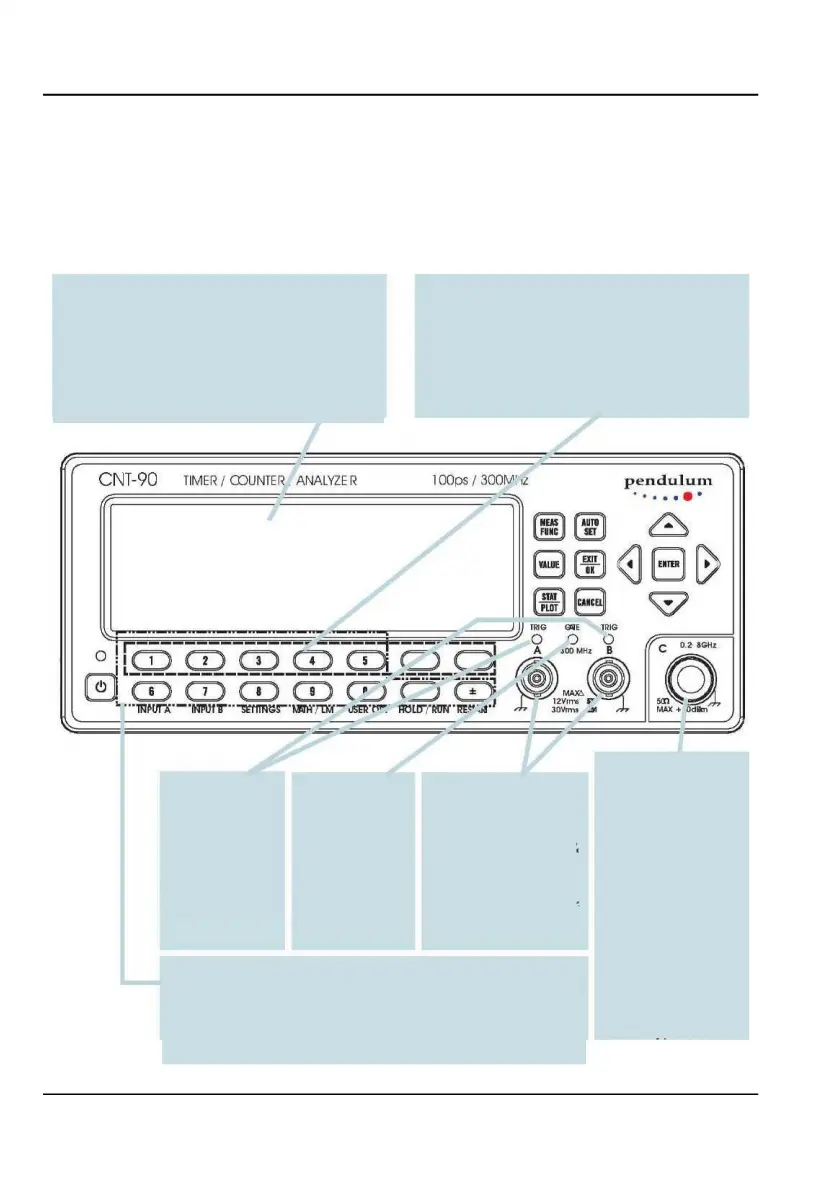
320 x 97 pixels LCD with backlight for showing
The function of these seven keys is menu de-
measurement results in numerical as well
as
pendent. Actual function is indicated on the LCD.
graphical format. The display is also the center of the
Depressing a softkey is often a faster alternative to
dynamic user interface, comprising menu trees,
moving the cursor to the desired position and then
indicators and information boxes.
Blinking LED
dicates correct
in-
A pending mea-
surement causes
are used for all types of
Sometimes you may want to enter numeric values like the constants
and limits asked for when you are utilizing the postprocessing
features in MATH/LIMIT mode. These twelve keys are to be used for
this purpose.
INPUT
CNT-90/91(R): A
number of optional RF
prescalers are
CNT-90XL: One of
a
number of
microwave
converters is
mounted.
Conn. type dep.
on
frequency
spec.
USER MANUAL ● CNT 9x Series ● Rev.22 February 2020
CNT-90
TI
MER/
COUNTER
ANALVZE
R l
OOps
/
300rv<:
,z p
endulum
l
~@
..
8 .
/
~iii~EJG>
~8
G



 To Next Page