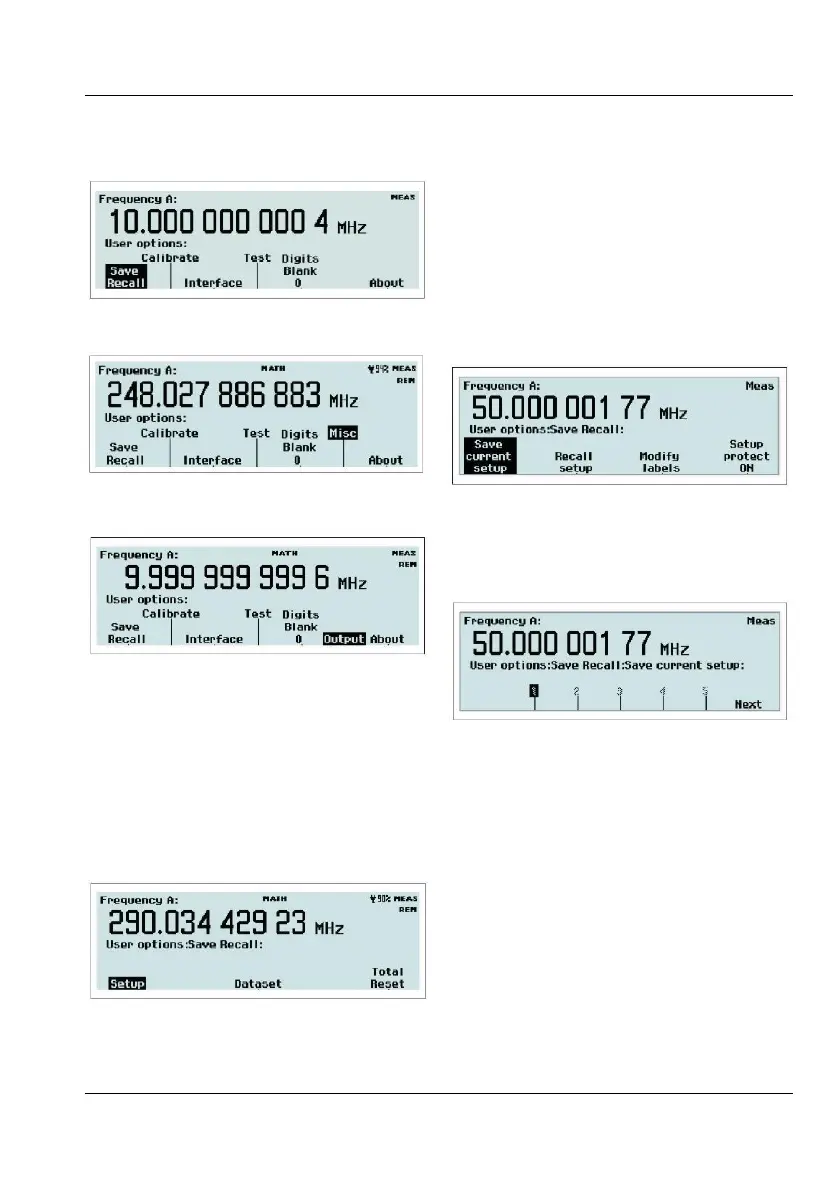
CNT-90: The User Options menu.
CNT-90XL & CNT-90 with Option 23/90:
The User Options menu.
CNT-91(R): The User Options menu.
From this menu you can reach a number of
submenus that do not directly affect the
measurement. You can choose between a
number of modes by pressing the
corresponding softkey.
Twenty complete front panel setups can be
stored in non-volatile memory. Access to the
first ten memory positions is prohibited when
Setup Protect is ON. Switching OFF Setup
Protect releases all ten memory positions si-
multaneously.
The different setups can be ind
ividually la-
beled to make it easier for the operator to re-
member the application.
Fig. 2-32 The memory management menu
after pressing Setup.
The following can be done:
Selecting memory position for saving
a measurement setup.
Browse through the available memory positions
by using the
RIGHT/LEFT arrow keys. For
faster browsing, press the key
Next to skip to
the next memory bank. Press the softkey below
the number (1-20) where you want to save the
setting.
The menu appearance after pressing
Save/Recall.
USER MANUAL ● CNT 9x Series ● Rev.22 February 2020



 To Next Page