Arctica 4806xp switch Installation Guide Chapter3 Device Installation
3
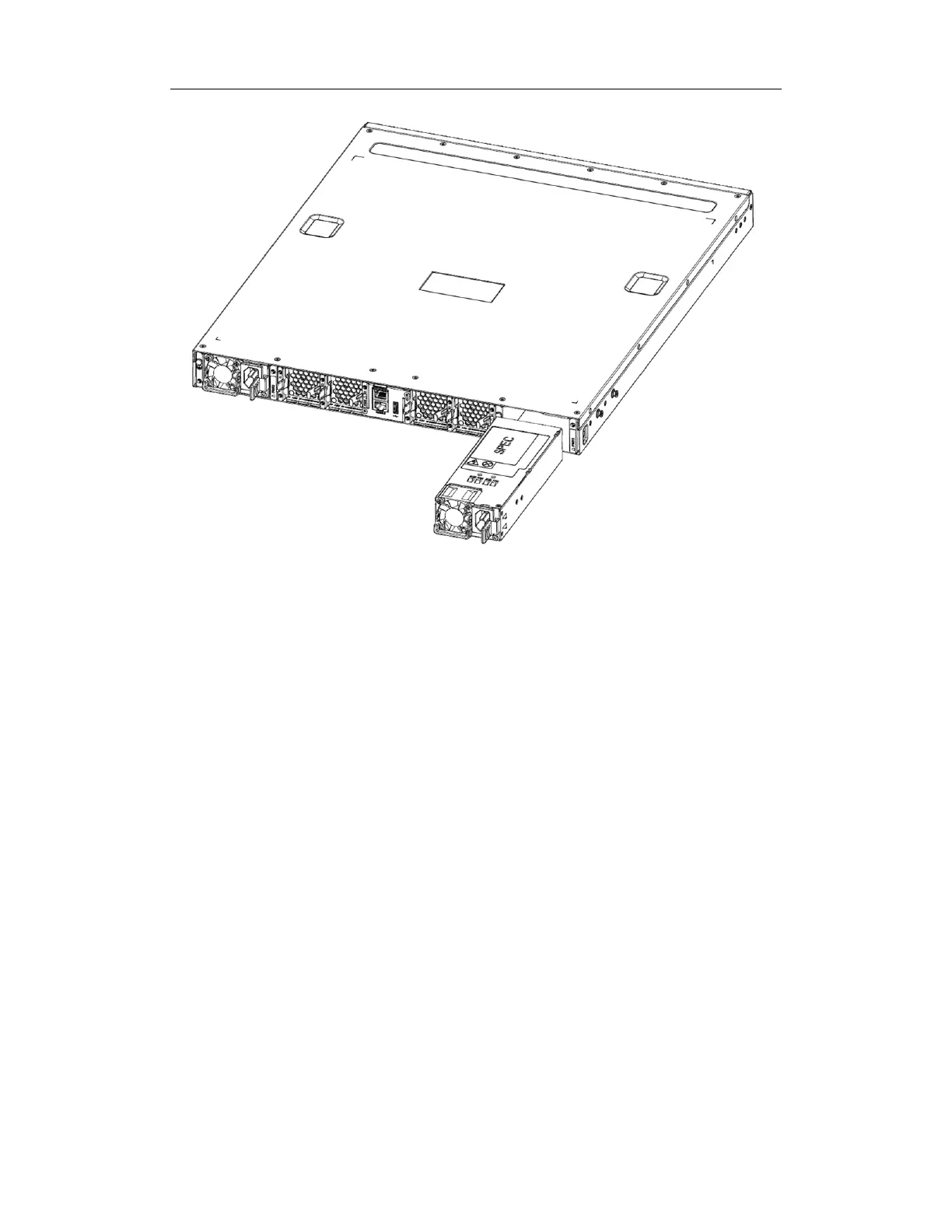
Figure 3-3 The figure of Arctica 4806xp switch power supply installing
Please install the power supply module according to the following approach:
1. The golden finger is entad and aim at the power supply rabbet of the machine to
insert to the end downwards. You can hear the lock sound of “click”.
2. Force the board on the side of AC cable bore to the direction of fan when taking
out the power supply module. And draw the power supply forth.
3.2.3.Installing the Fan
Arctica 4806xp switch has 4 fans in standard configuration.


 To Next Page