Chapter 4 User Guide
4-5
4.2.4 Gesture
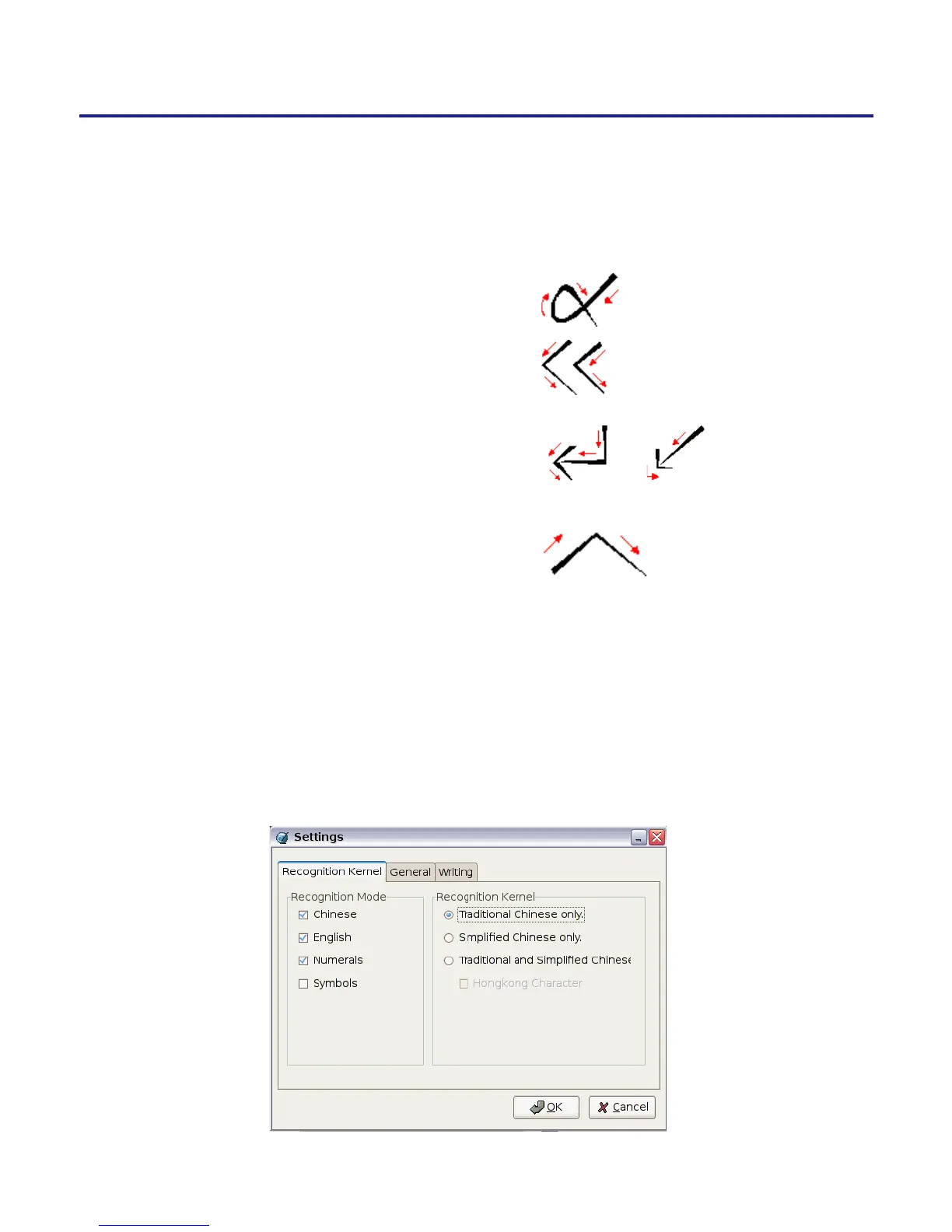
Penpower Jr. handwriting system supports four standard inking gesture.
You can handwriting these gestures to simulate keyboard input.
1. Delete: simulate DELETE key.
2. Backspace: simulate BACKSPACE key.
3. Enter: simulate ENTER key. or
4. Space: simulate SPACE key.
4.3 Setting
Click on the Setting button from the tool bar to open the settings window.
You can congure the recognition kernel, output format or writing inking here.



 To Next Page