Chapter 3 Hardware Operation
3-1
Chapter 3 Hardware Operation
3.1 Calibration
After nishing installation, you should be able to hand write right away. If
you found that the inking you wrote is not corresponded with screen, you need
to calibrate your handwriting pad to remap the active area.
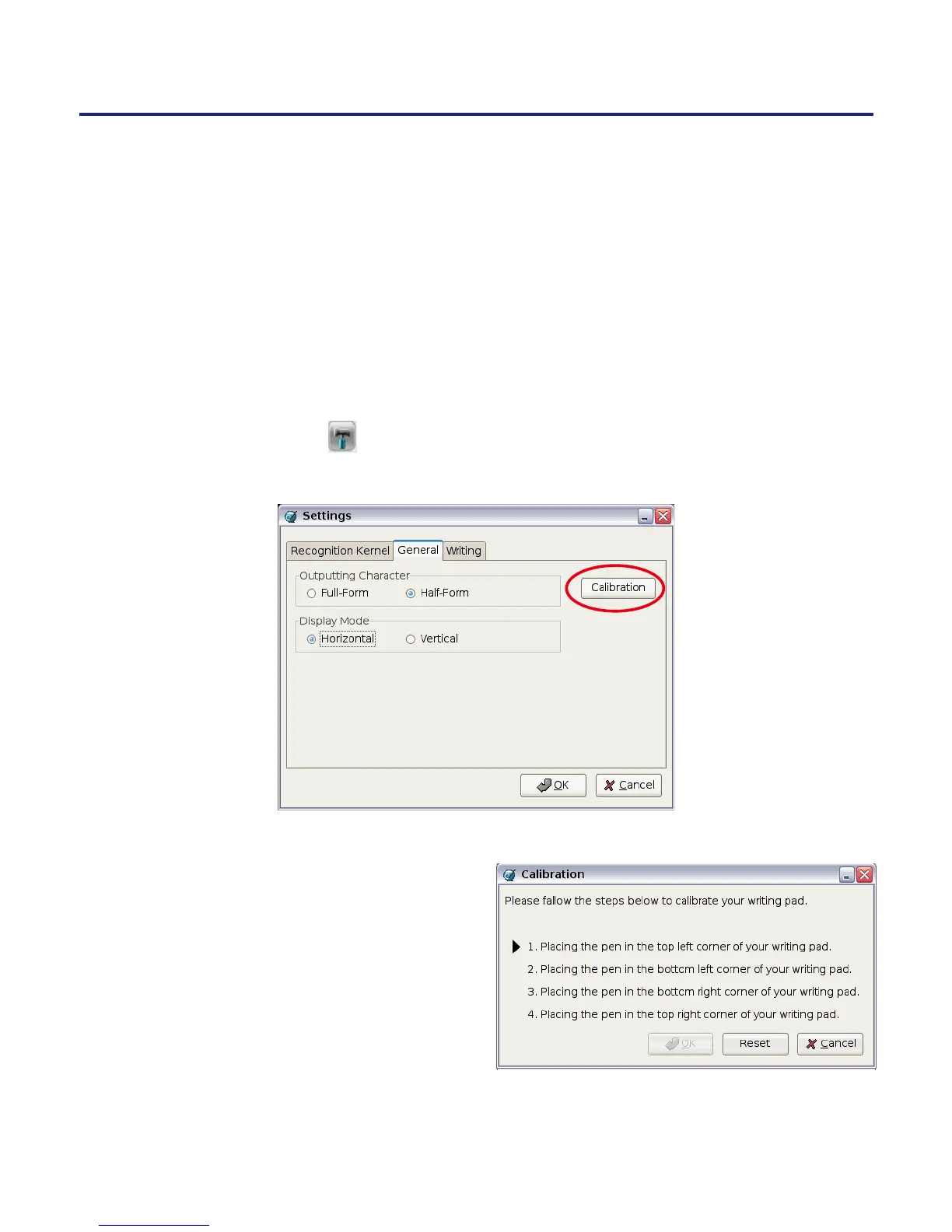
1. Please click Settings from the Penpower Jr. tool bar, and select Cali-
bration under the General tag to run Calibration.
2. Please click on the four corners
of handwriting pad starting from
top-left in counterclockwise
direction. After calibration, the
new conguration would take ef-
fect immediately. You do not need
reboot or reload Penpower Jr.
handwriting recognition system.



 To Next Page