
EasyManua.ls Logo

Pentair HAFFMANS ICC - User Manual

Pentair HAFFMANS ICC
54 pages
Print Icon
To Next Page IconTo Next Page
Loading...
HAFFMANS
FOODANDBEVERAGE.PENTAIR.COM
INSTRUCTION MANUAL
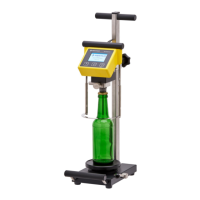
INPACK 2000 CO
2
CALCULATOR
TYPE ICC

Questions and Answers

  • C
    Caleb BaileyAug 3, 2025
    Why does my Pentair HAFFMANS ICC Calculator display “LLL” or “HHH”?
    • S
      Shannon BallardAug 4, 2025
      The Pentair Calculator displays “LLL” or “HHH” when the calculated CO2 value is out of range, typically due to out-of-range pressure or temperature values measured. Please refer to table 1, Appendix II for further assistance.
  • M
    Michael PerezAug 8, 2025
    What to do if values measured remain unstable on Pentair Calculator?
    • B
      Brenda WalkerAug 8, 2025
      If the values measured by your Pentair Calculator remain unstable, the issue might be due to: * Moisture in connector joints: Loosen, dry, and clean the pressure transducer connection cable, or clean the temperature sensor connection. * Defective pressure transducer: Check its operation using the calibration procedure and ensure stability under atmospheric pressure. The measured value should not vary by more than 2 digits. * Defective temperature sensor: Measure the resistance between the pins of the PT100’s connector. The resistance should be: Between pin 1 and 2: 110 ?, pin 1 and 3: 110 ?, pin 1 and 4: 0 ?, pin 2 and 3: 0 ?, pin 2 and 4: 110 ?, pin 3 and 4: 110 ?.
  • J
    Jesus GrayAug 13, 2025
    What to do if Pentair Calculator does not react or starts and stops within seconds?
    • A
      Adam MatthewsAug 13, 2025
      If your Pentair CO2 Calculator does not react or starts and stops within a few seconds, it could be that the battery voltage is less than 7 Volts. To resolve this, connect the charger as described in paragraph 9.2.
  • E
    estesjessicaAug 18, 2025
    Why is the air volume measured improbably high on my Pentair HAFFMANS ICC?
    • A
      adrianajacobsonAug 19, 2025
      An improbably high air volume measurement on your Pentair Calculator indicates that the lye is saturated (white) and is no longer absorbing CO2. To fix this, renew the lye.
  • E
    Emily CampbellAug 25, 2025
    How to fix pressure drop in Pentair HAFFMANS ICC Calculator?
    • M
      Maria SanchezAug 25, 2025
      If you're experiencing a pressure drop in your Pentair Calculator, it may be due to: * Upper needle leakage: Replace the O-ring (see paragraph 9.1). * Piercing leak: Check the rubber cone.
  • J
    Joseph KingAug 28, 2025
    What to do if IAM tap leaks on Pentair HAFFMANS ICC Calculator?
    • B
      Barbara LeachAug 28, 2025
      If the IAM tap on your Pentair Calculator is leaking, it's likely due to insufficient sealing. Try tightening the red nut on the tap.

Summary

Technical Specifications

Inpack 2000 CO2 Calculator Specifications

Details the technical specifications for the Inpack 2000 CO2 Calculator.

Inpack Air Meter Specifications

Details the technical specifications for the Inpack Air Meter.

Introduction to the Inpack 2000

Intended Use of the ICC-2000 and IAM

Explains the exclusive intended use of the Inpack 2000 CO2 Calculator and Air Meter.

Safety Information

Safety Symbols Explained

Defines the meaning of attention, warning, and danger symbols used in the manual.

Essential Safety Instructions

Provides critical safety instructions for operating the equipment and handling materials.

General Product Information

ICC-2000 Instrument Overview

Describes the ICC-2000 as a modular, ergonomic instrument for measuring CO2 content.

ICC-2000 Measuring Principle

Explains the CO2 measurement principle based on Henry's Law.

IAM Instrument Overview

Describes the IAM as an instrument for measuring air content in bottles or cans.

IAM Measuring Principle

Explains the IAM's measurement principle based on CO2 absorption in lye.

Measurement Methods

Outlines methods for CO2 measurement with or without the IAM.

Settings Configuration

Details user-adjustable settings for the ICC-2000, including formula constants.

Reading and Operating the Display

Describes the ICC-2000 display features, keys, and operating levels.

Installation Procedures

Unpacking the ICC-2000

Instructions for checking the delivery contents for completeness and damage.

Mounting PET-Bottle Holder

Instructions for mounting the optional PET-bottle holder on the ICC-04.

Operating the CO2 Calculator

Operating the Air Meter

Preparing the Lye Solution

Detailed steps for preparing the KOH or NaOH lye solution for the IAM.

Preparations for IAM Use

Steps for preparing the IAM and connecting it with the ICC-2000.

Uses of the Air Meter (IAM)

Describes the three possible uses of the IAM instrument.

Calculating CO2 with Air Correction

Explains the formula and method for calculating CO2 content with air correction.

Calibration and Compensation

Calibration Procedure

Information regarding the calibration of the ICC-2000, focusing on the pressure sensor.

Setting Atmospheric Pressure

Steps to set the atmospheric pressure during calibration.

Setting Low Pressure Calibration

Procedure for setting the low pressure point during calibration.

Setting High Pressure Calibration

Procedure for setting the high pressure point during calibration.

Instrument Compensation

Explains how to compensate for systematic deviations by adjusting parameter 'A'.

Maintenance and Cleaning

Semi-annual ICC-2000 Maintenance

Procedure for semi-annual maintenance, including seal replacement.

Battery Charging

Instructions on how to charge the built-in rechargeable NiMH battery.

Weekly IAM Maintenance

Procedure for weekly maintenance of the IAM, focusing on the sealing tap.

ICC-2000 Cleaning Procedure

Recommended daily cleaning procedure for the ICC-2000.

IAM Cleaning Procedure

Recommended daily cleaning procedure for the IAM.

Trouble Shooting Guide

Troubleshooting the ICC-2000

Lists common problems with the ICC-2000 and their solutions.

Troubleshooting the IAM

Lists common problems with the IAM and their solutions.

Appendix I Haffmans CO2 Formula

Appendix II Tables

Appendix III Customer Service

Appendix IV Terms of Guarantee

Appendix V Spare Parts List

Appendix VI Operation Overview

Appendix VII Software Summary

Appendix VIII Drawings

Pentair HAFFMANS ICC Specifications

General IconGeneral
BrandPentair
ModelHAFFMANS ICC
CategoryCalculator
LanguageEnglish