53
4
Taking Pictures
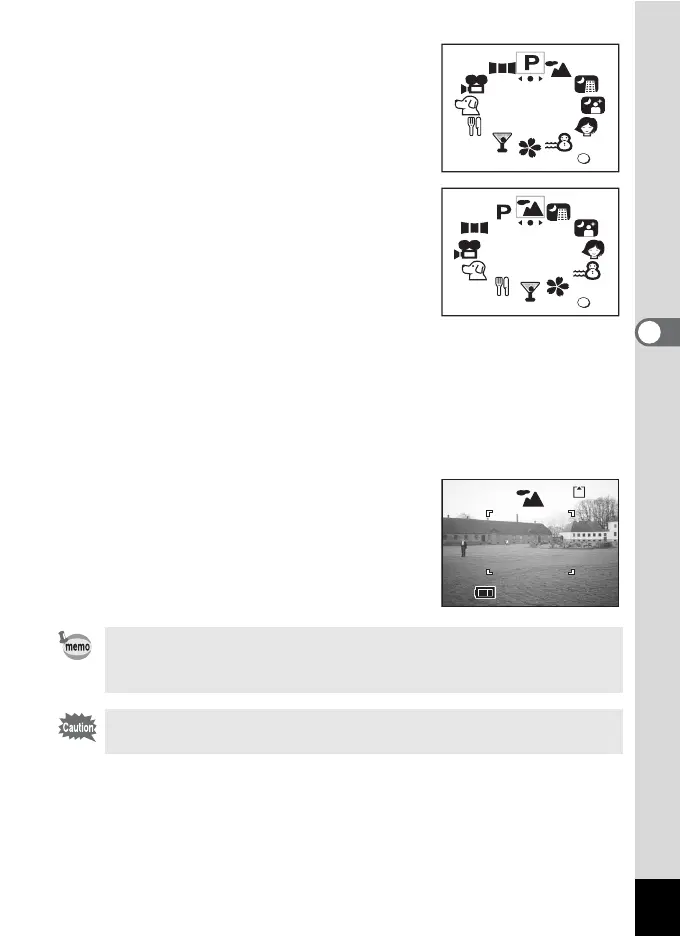
1 Press the four-way controller (3)
in Capture mode.
The virtual mode dial appears.
2 Use the four-way controller (45)
to select the Picture mode.
3 Press the OK button.
The Picture mode is selected.
The example shows the images when the H (Landscape mode) is
selected.
4 Press the shutter release button halfway.
The focus frame on the LCD monitor will light green when the camera
is in focus.
5 Press the shutter release button.
The picture is taken.
In Picture mode, the EV compensation, saturation, contrast,
sharpness, and white balance are automatically set to the optimum
values for each mode. You can change the settings.
To avoid camera movement in [Night-Scene] or [Night-Scene
Portrait] mode, you are recommended to fix the camera on a tripod.
OK
OK
OK
OK
100
11:20
10/10/2004
10/10/2004
11:20



 To Next Page