EasyManua.ls Logo

Pentax 67 - Maintenance

Pentax 67
56 pages
Print Icon
To Next Page IconTo Next Page
To Previous Page IconTo Previous Page
Loading...
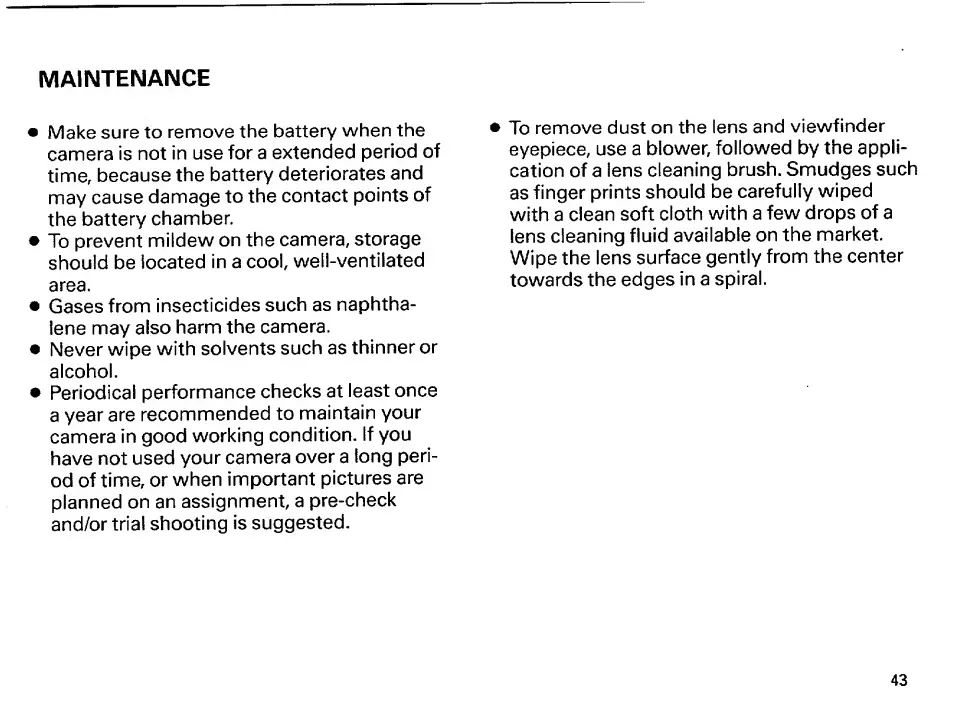
MAINTENANCE
Make
sure
to
remove
the
battery
when
the
camera
is
not
in
use
for
a
extended
period
of
time,
because
the
battery
deteriorates
and
may
cause
damage
to
the
contact
points
of
the
battery
chamber.
To
prevent
mildew
on
the
camera,
storage
should
be
located
in
a
cool,
well-ventilated
area.
Gases
from
insecticides
such
as
naphtha¬
lene
may
also
harm
the
camera.
Never
wipe
with
solvents
such
as
thinner
or
alcohol.
Periodical
performance
checks
at
least
once
a
year
are
recommended
to
maintain
your
camera
in
good
working
condition.
If
you
have
not
used
your
camera
over
a
long
peri¬
od
of
time,
or
when
important
pictures
are
planned
on
an
assignment,
a
pre-check
and/or
trial
shooting
is
suggested.
To
remove
dust
on
the
lens
and
viewfinder
eyepiece,
use
a
blower,
followed
by
the
appli¬
cation
of
a
lens
cleaning
brush.
Smudges
such
as
finger
prints
should
be
carefully
wiped
with
a
clean
soft
cloth
with
a
few
drops
of
a
lens
cleaning
fluid
available
on
the
market.
Wipe
the
lens
surface
gently
from
the
center
towards
the
edges
in
a
spiral.
43

Other manuals for Pentax 67

Related product manuals