- 9 -
4) Apply heat sink grease (RM-3505) to the places on the new lamp bulb as shown in Fig-2 (①Side,
②Bottom,③Top side,④Top inside,⑤Filter ring inside). And assemble the lamp block in reverse
order of 2).
Hint: When fixing Front heat sink, adjust its angle by rotating it so that the lamp cartridge does not rock on
the flat top.
Caution: 1) Use only the lamp that PENTAX supplies, because PENTAX uses lamps that have a specific
ignition property and luminance.
2) It is not good to apply too much heat sink grease. This may cause lamp ignition failure. Apply
the grease so that the metal part can be seen under the grease.
3) When you apply grease, do not contaminate the top of the bulb and IR cut filter with the grease.
4) When you attach Front heat sink, pay attention to IR cut filter. Do not remove it. Do not
contaminate it with a finger print and so on. Do not scratch it.
5) Filter ring has a hole. The hole must come up (See Fig-2 Right hand side).
6) Screw the three screws and fasten the hook firmly. Otherwise it may cause lamp ignition failure.
5) Attach the new lamp block firmly in the reverse order of above.
Note: If you perform a lamp replacement using a lamp block, procedures from 2) to 4) can be skipped.
6) Reset the lamp life meter with the following procedures a) to i).
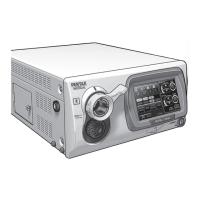
a) Power on the EPK-i, press the “Menu” key of the exclusive keyboard to show the menu cabinet.
Note: The menu cabinet will appear on the monitor that has been selected with “SD Monitor” or “HD Monitor” of
“Keyboard Menu Output” in the second page of the 3 pages of “System” operated with the touch panel.
b) Select “Setup” menu by pressing the left or right arrow key.
c) Select “Lamp Data” item by pressing the up or down arrow key.
d) Actuate “Lamp Data” menu by pressing the right arrow key.
e) Select “Life Count Time Reset” item by pressing the down arrow key.
f) Actuate “Life Count Time Reset” item by pressing the right arrow key.
g) Select “Yes” answer by pressing the up arrow key and press “Enter” key.
h) Answer “Life Count Time Reset. True?” by selecting “Yes” by pressing up arrow key and “Enter” key.
i) Press “Esc” key twice to exit the menu.
Fig-2 Places where heat sink grease applied
Hole in Filter ring faces up
RM-3505


 To Next Page
 Loading...