- 10 -
6.2 Pump
6.2.1 Pump replacement
1) The pump is located underneath Switching Power Supply (PS1). Thus you need to remove Switching
Power Supply with the following procedures:
a) Remove Cove for power supply.
b) Remove Switching Power Supply by unscrewing the four screws and disconnecting the two connectors.
c) Remove Switching Power Supply Tray by unscrewing the three screws. Then the pump cover is visible.
2) Remove the pump cover by unscrewing the four screws.
3) Disconnect the pump cable from CN16 on Mother Board (E700).
Note: The rear panel should be removed for easy operation.
Caution: Do not detach another connector by mistake.
4) Disconnect the pump tube from Pump (PU1).
5) Remove Pump (PU1) by unscrewing the four screws.
6) Assemble the new pump in reverse order of above.
6.2.2 Pump air flow adjustment
<Equipment>
For the Pump air flow adjustment, the following equipment is necessary.
1) Air flow meter (8300MM-0-Rc1/4-Air-10SLM-1-1-00.1MPa http://www.kofloc.co.jp/)
2) Air pressure meter (Nagano Keiki GC-16-170-1000 http://naganokeiki.co.jp)
Note: Please order the meters with the complete model code shown above. And the air inlet adapter that meets
ST-7022 will come with the meters.
3) Connecting tube (ST-7022)
<Procedures>
1) Attach the air flow meter to the air outlet using the tube ST-7022 (Refer to Photo-4).
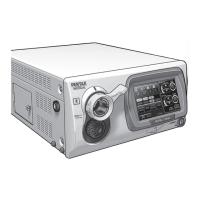
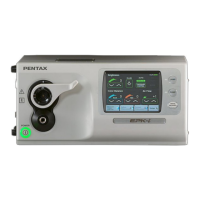
2) Turn on the EPK-i and wait until the system is ready. Then tap “Set up” button on the touch panel
(Refer to Photo-5 Left).
3) Tap “Printer” button on the next screen (Refer to Photo-5 Middle).
4) Tap the place “A” three times and then tap the place “B” twice on the next screen(Refer to Photo-5
Right).
Photo-4 Air flow & pressure meter
Flow meter
ST-7022
Photo-5 Touch panel operation
Tap “Set up” button
Tap “Printer” button
“B”
“A”
Tap place “A” three times
and then tap place “B” twice.

 To Next Page
 Loading...