33
2
Getting Started
Initial Settings
The first time the camera is turned on after purchasing, the Initial Settings
screen appears on the LCD monitor. Follow the procedure below to set the
language displayed on the LCD monitor and the current date and time.
Once setting is done, these will not need to be set again when turning your
camera on.
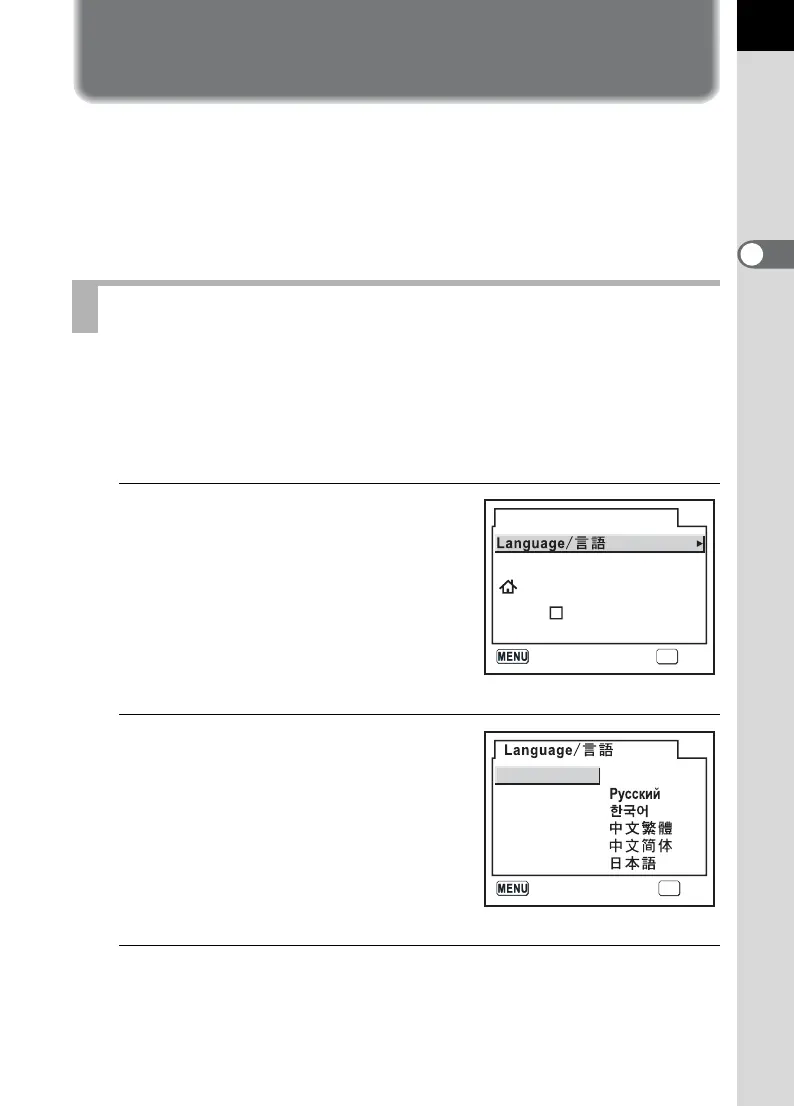
You can choose the language in which the menus, error messages, etc.
are displayed from the following: English, French, German, Spanish,
Italian, Swedish, Dutch, Russian, Korean, Chinese (traditional/simplified)
and Japanese.
1
Press the four-way controller
(p).
2
Use the four-way controller
(mnop) to select the
desired language.
The default setting is English.
3
Press the 4 button.
Setting the Display Language
OK
English
New York
DST
Initial Settings
OKCancel
English
Deutsch
Español
Italiano
Nederlands
Svenska
OK
OK
Français
Cancel



 To Next Page