77420 - 9/107 -
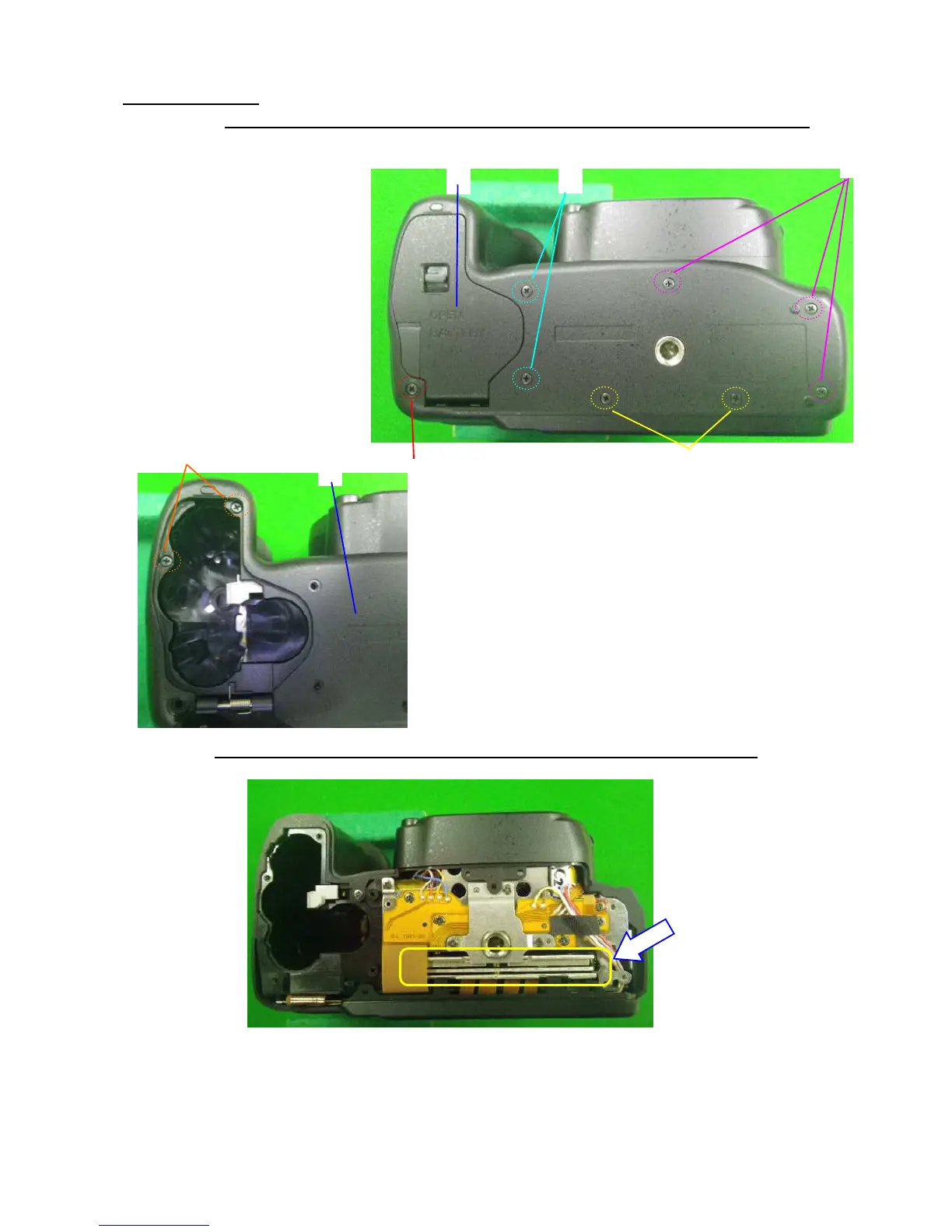
2. Removing A401
[CAUTION] There is strong magnet in the CCD/SR blocks therefore please do not place a screw or
magnetic card near the camera after outside cover is removed.
①Open the battery cover.
②Unscrew U4 (1.7x7.0)
③Unscrew A34 x3 (1.7x5.0)
④Unscrew A255 x2 (1.7x4.5)
⑤Unscrew A185 x2 (1.7x3.5)
⑥Unscrew A191 x2 (1.7x6.0)
⑦A401
[CAUTION] Do not make impact to SR/CCD block on bottom side as shown in figure below.
⑤



 To Next Page
 Loading...











