77420 - 33/107 -
3. 0-A101 (Front housing assy.)
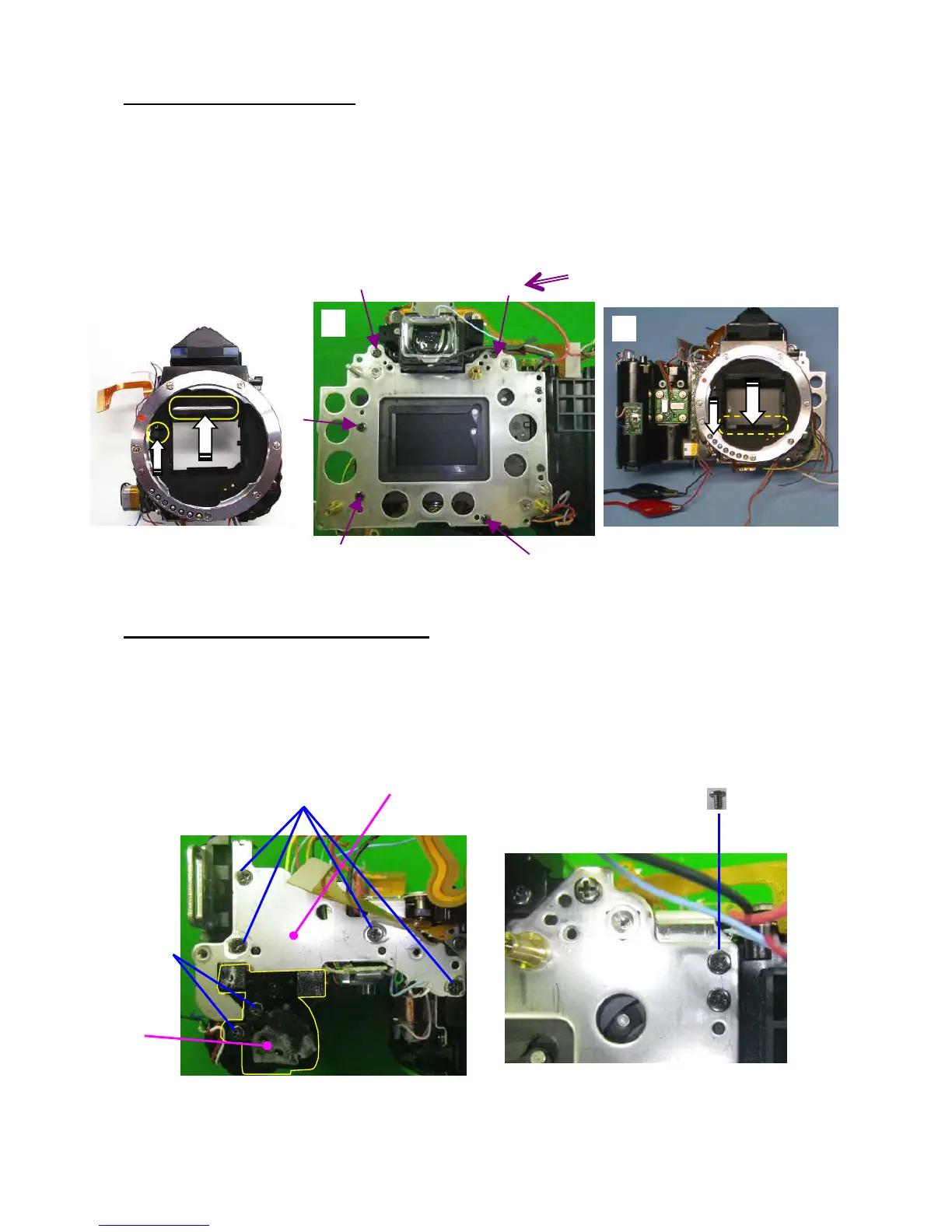
①Apply DC 2V to the mirror, and set mirror up position. (Red---Positive/Black---Negative)
②Install body to the Front housing assy. Do not pinch lead wires and flexible board.
③TY-CNM2.0x5.0 (x5)
--- Tighten screw in order of number as shown in figure.
④Apply Voltage to the mirror motor and set mirror down position.
[CAUTION] Do not scratch on eyepiece lens during working.
4. A6 and A19 (L upper plate and others)
①Install A6 while arranging the lead wires and flexible board.
②TY-CSM1.7x4.0 x4
③CNL-D1.7x2.5
④A19
⑤TY-CNL-D1.7x4.0 x2
①



 To Next Page
 Loading...











