77420 - 53/107 -
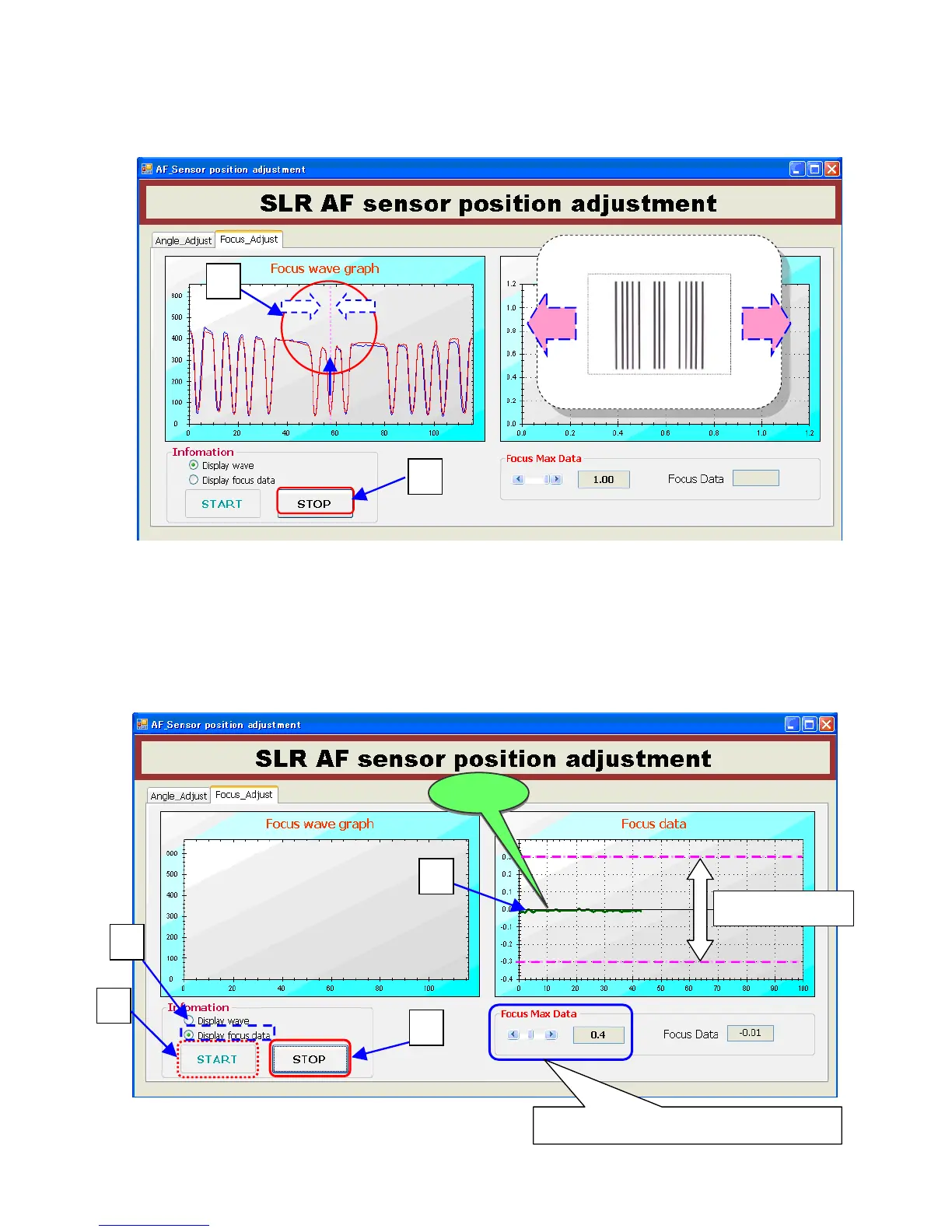
⑤Align the center by moving camera position and match the center of red line with center of waveform.
⑥When match the center of red line with center of waveform click [STOP].
⑦ Click [Display focus data]
⑧ Click [START]
⑨ Turn the adjustment three screw (No.1-3) evenly by HD driver (HD-M1.5) until green is indicated on
Value window(OK).
⑩ When green (OK) is displayed, click [STOP].
AF_Chart No.1.
⑤



 To Next Page
 Loading...











