61
Playback/Erasing
Setting the Printing Service
You can print the images on the CF card using a DPOF (Digital Print
Order Format) printer or at a printing service.
Printing Single Image
Set the following items for each image.
● Copies
Set the number of prints up to a maximum of 99.
● Date
Specify whether you want the date inserted on the print or not.
● Trimming
You can have prints made in a different size to that of the original image.
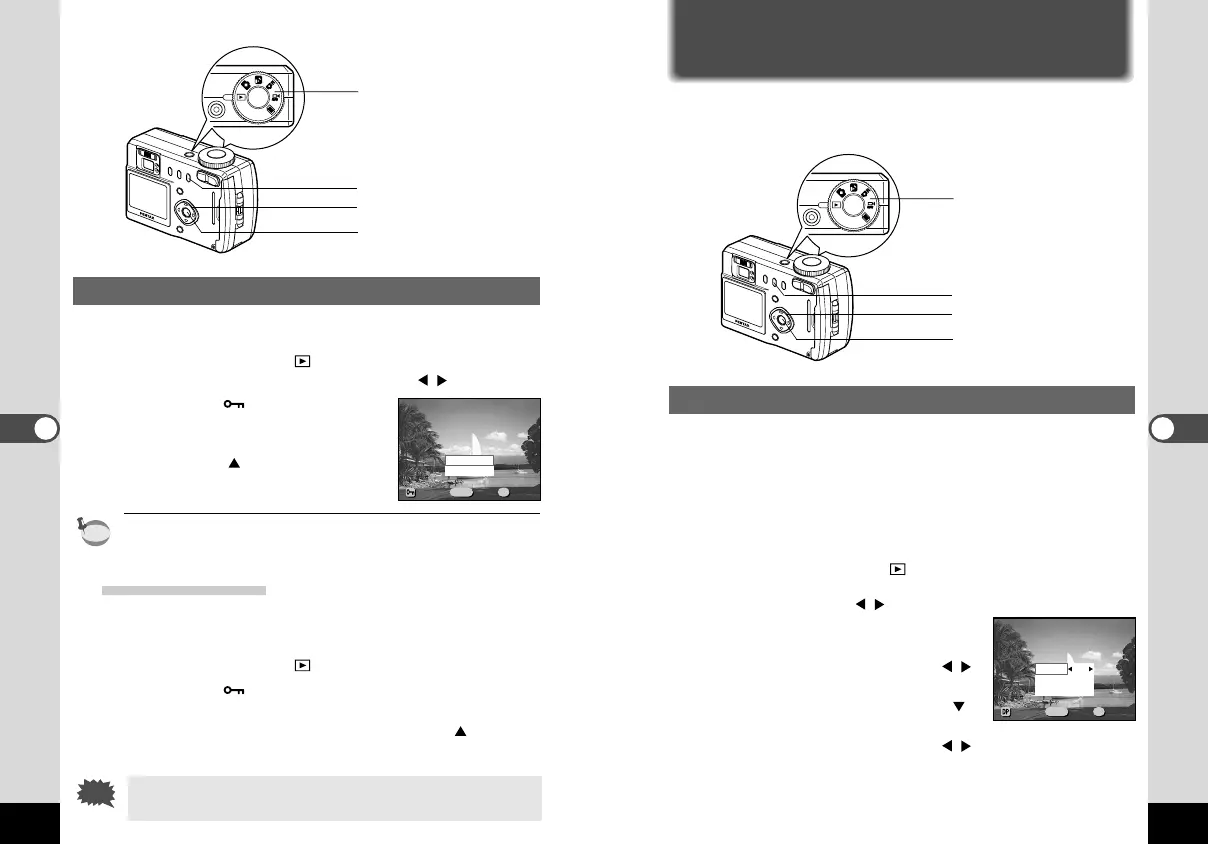
z Set the mode dial to and choose the image for which
you want to specify the number of prints with the four-
way controller ( ).
x Press the DPOF button.
The [DPOF] menu will be displayed.
c Use the four-way controller ( )
to change the number of prints.
v Press the four-way controller ( ).
The frame will move to [Date].
b Use the four-way controller ( ) to select whether to
insert the date or not.
On : The date will be printed
Off : The date will not be printed
60
Playback/Erasing
Protecting Images from Deletion (Protect)
You can protect images from being accidentally erased.
z Set the mode dial to and choose the image you want
to protect with the four-way controller ( ).
x Press the button.
The [Protect] menu will be displayed.
c Select [Protect] with the four-way
controller ( ).
v Press the OK button.
Protect release is selected in the same way as [Unprotect.]
Protecting All Images
You can protect all the images.
z Set the mode dial to .
x Press the button twice.
The [Protect (All)] menu will be displayed.
c Select [Protect] with the four-way controller ( ).
v Press the OK button.
Even protected images will be erased by formatting a CF
card.
100-0020100-0020
Unprotect
Protect
MENU OK
ExitExitExit
PrProtectotectProtect
All ImagesAll Images
OkOkOk
Trimming
Date
Copies
Off
On
1
100-0020100-0020
MENU OK
ExitExitExit
DPOFDPOFDPOF
All ImagesAll Images
OkOkOk
c
z
x
Mode dial
,
zcvbnm
x
Mode dial
KB320(53-71)E.QE33 9/12/01 6:36 PM Page 60



 To Next Page