108
6
Playback/Deleting/Editing
The digital filters consist of eight color filters (black-and-white, sepia, red,
green, blue, black-and-white + red, black-and-white + green, black-and-
white + blue), a soft filter, five illustration filters and two special effect
filters. The Digital Filter mode enables you to edit pictures using these
filters. When the special effect has been created, the image appears on
the LCD monitor and is saved.
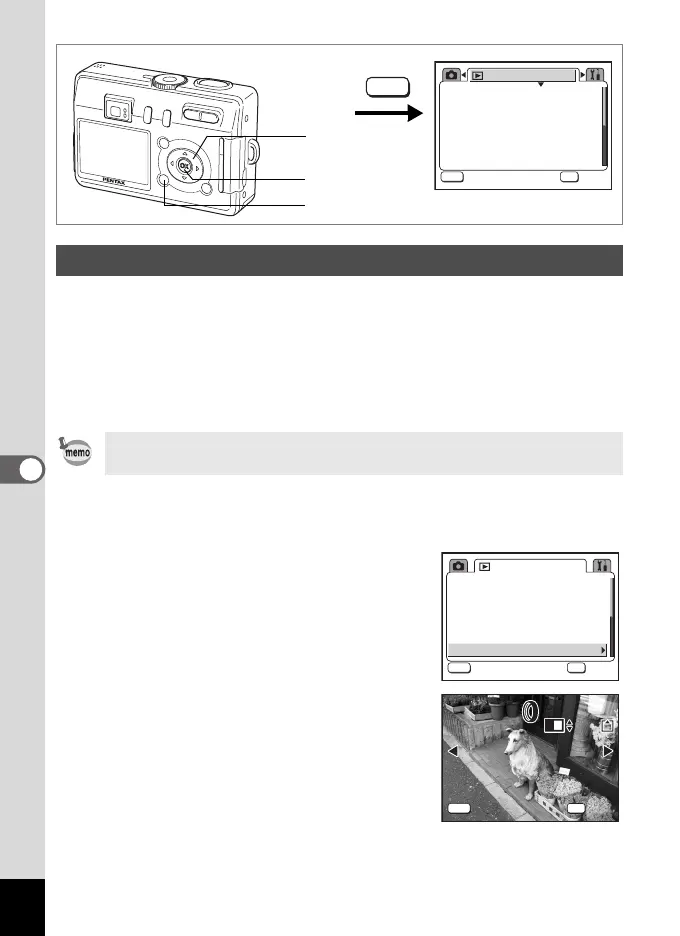
1 Press the MENU button in Playback mode.
The [Q Playback] menu appears.
2 Use the four-way controller (23)
to select [Digital Filter].
3 Press the four-way controller (5).
An image that can be edited with the digital
filters appears.
4 Use the four-way controller (45)
to choose the image to edit.
Editing Pictures with Digital Filters
Images that have been edited with the digital filter are saved as “Better
(D)” regardless of the quality of the original image.
1
6, 8
3sec
Protect
DPOF
Slideshow
Resize
Copy image/sound
Digital Filter
Playback
MENU
OK
OK
OK
Exit
Exit
MENU
2, 3, 4, 5, 7
3sec
Protect
DPOF
Slideshow
Resize
Copy image/sound
Digital Filter
Playback
MENU
OK
OK
OK
Exit
Exit
100-0003
100-0003
MENU
OK
OK
OK
Exit
Exit
e_kb376.book Page 108 Tuesday, August 10, 2004 1:46 PM










 To Next Page