80
5
Recording and Playback
Recording and Playback
Recording Sound (Voice Recording Mode)
You can record sound. The recordable time appears on the LCD monitor
according to how much space is available on the SD Memory Card or the
built-in memory.
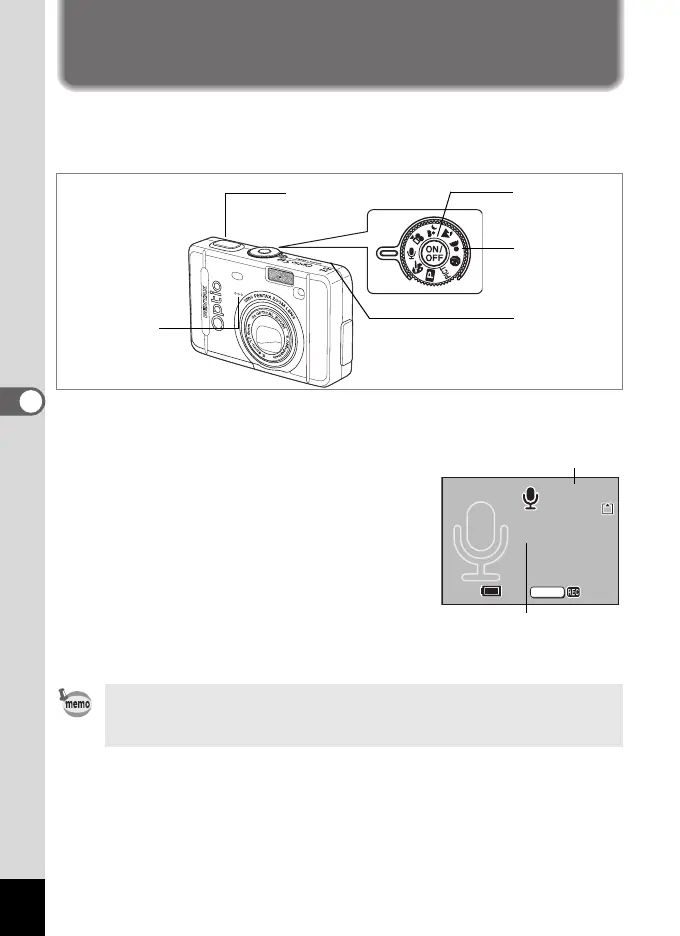
1 Set the mode dial to O and press the power switch.
The recordable time appears on the LCD monitor.
1 Remaining recordable time
2 Recording time
2 Press the shutter release button.
Recording starts. The self-timer lamp and
flash status lamp blink during recording.
3 Press the shutter release button.
Recording stops. The remaining recordable
time appears.
4 To exit Voice Recording mode, turn the camera off.
• Sound is saved in WAVE monaural files.
• The microphone is located on the front of the camera. Aim the camera
to obtain the best sound.
2, 3
1
Speaker
Microphone
4
0
0:
01:
22
00 : 01 : 22
01:30:22
01:30:22
SHUTTER
Start
Start
1
2
e_kb376.book Page 80 Tuesday, August 10, 2004 1:46 PM










 To Next Page