83
5
Recording and Playback
You can set the camera not to record voice memos while playing back
still images to prevent any voice memo from being recorded.
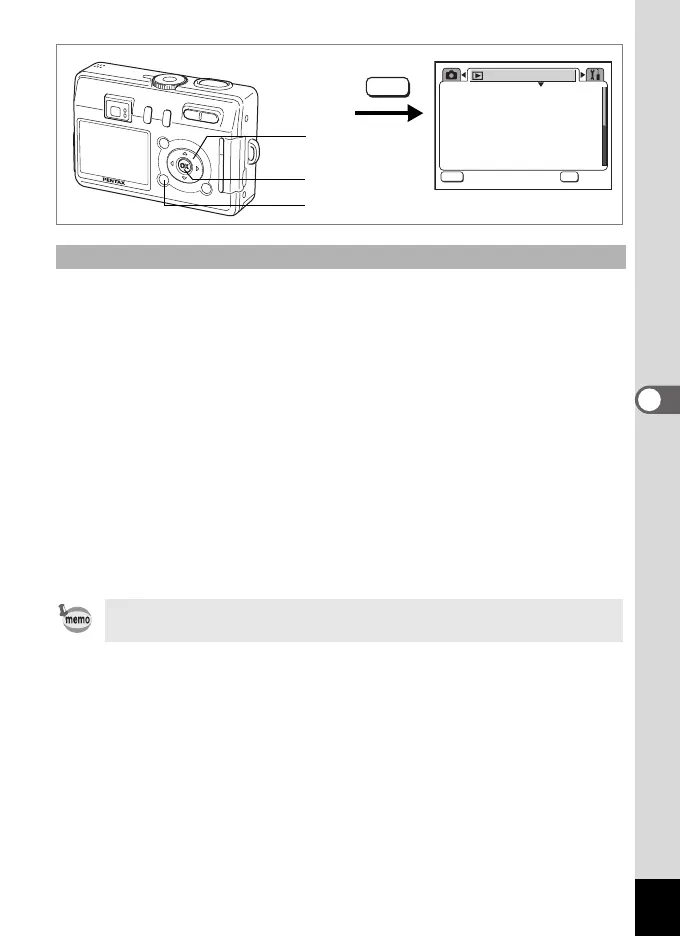
1 Press the MENU button in Playback mode.
The [Q Playback] menu appears.
2
Use the four-way controller (
23
) to select
[
Record Voice Memo
].
3 Use the four-way controller (45) to select [On] or [Off].
On : Voice memos can be recorded while playing back still images.
(Default setting)
Off : Voice memos cannot be recorded while playing back still images.
4 Press the OK button.
The camera is ready to take or play back images.
Setting the Voice Memo Recording Function
When voice memo recording is set to off, O is not displayed while
playing back still images.
3sec
Protect
DPOF
Slideshow
Resize
Copy image/sound
Digital Filter
Playback
MENU
OK
OK
OK
Exit
Exit
MENU
1
2, 3
4
e_kb376.book Page 83 Tuesday, August 10, 2004 1:46 PM










 To Next Page