96
6
Playback/Deleting/Editing
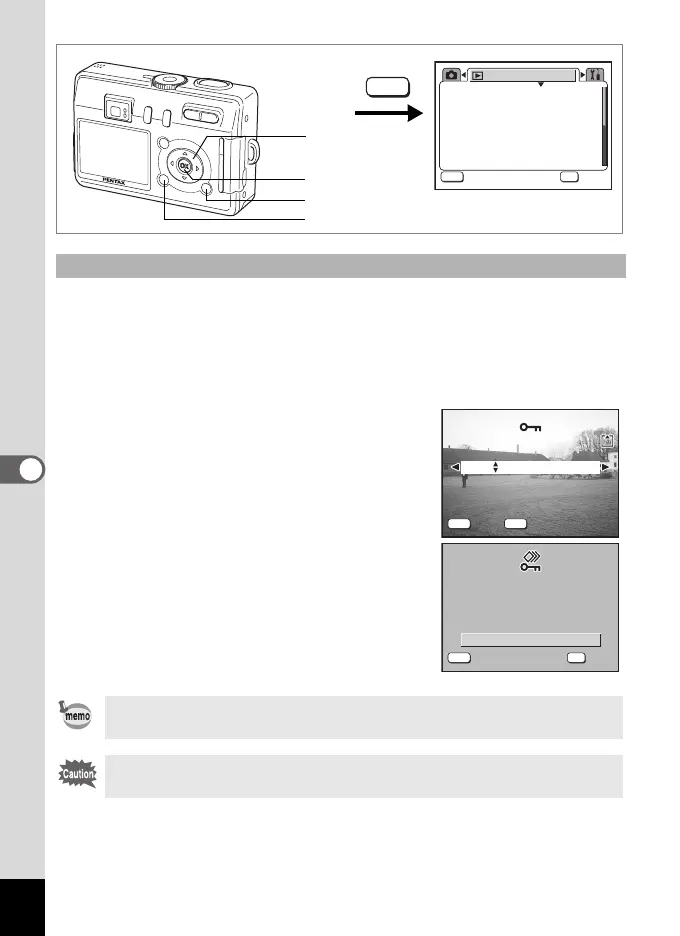
You can protect all the images and sounds.
1 Press the MENU button in Playback mode.
The [Q Playback] menu appears.
2 Use the four-way controller (23) to select [Protect].
3 Press the four-way controller (5).
The Protect screen appears.
4 Press the DISPLAY button.
The Protect All screen appears.
5 Use the four-way controller (2) to
select [Protect].
6 Press the OK button.
Protecting All Images and Sounds
Select [Unprotect] in Step 5 to cancel the Protect setting on all the
images and sounds.
Even protected images and sounds will be deleted by formatting the SD
Memory Card or the built-in memory.
3sec
Protect
DPOF
Slideshow
Resize
Copy image/sound
Digital Filter
Playback
MENU
OK
OK
OK
Exit
Exit
MENU
1
2, 3, 5
6
4
DISP
MENU
Exit
Exit All
All
Unprotect
100-0004
100-0004
Protect
Unprotect
OK
OK
OK
Protect all images
P r o t e c t a l l i m a g e s
& sounds
Protect all images
& sounds
MENU
Exit
Exit
e_kb376.book Page 96 Tuesday, August 10, 2004 1:46 PM










 To Next Page