Operator’s manual Pentruder RS2 wall saw and Pentpak 3 HFi power pack – Original instructions Page 38
5.3.2 Change channel on the radio remote control (RRC)
1. Make sure the RRC is off.
2. Press and hold the WS and MS switches.
3. While still pressing the WS and MS switches,
press ON/OFF on the RRC.
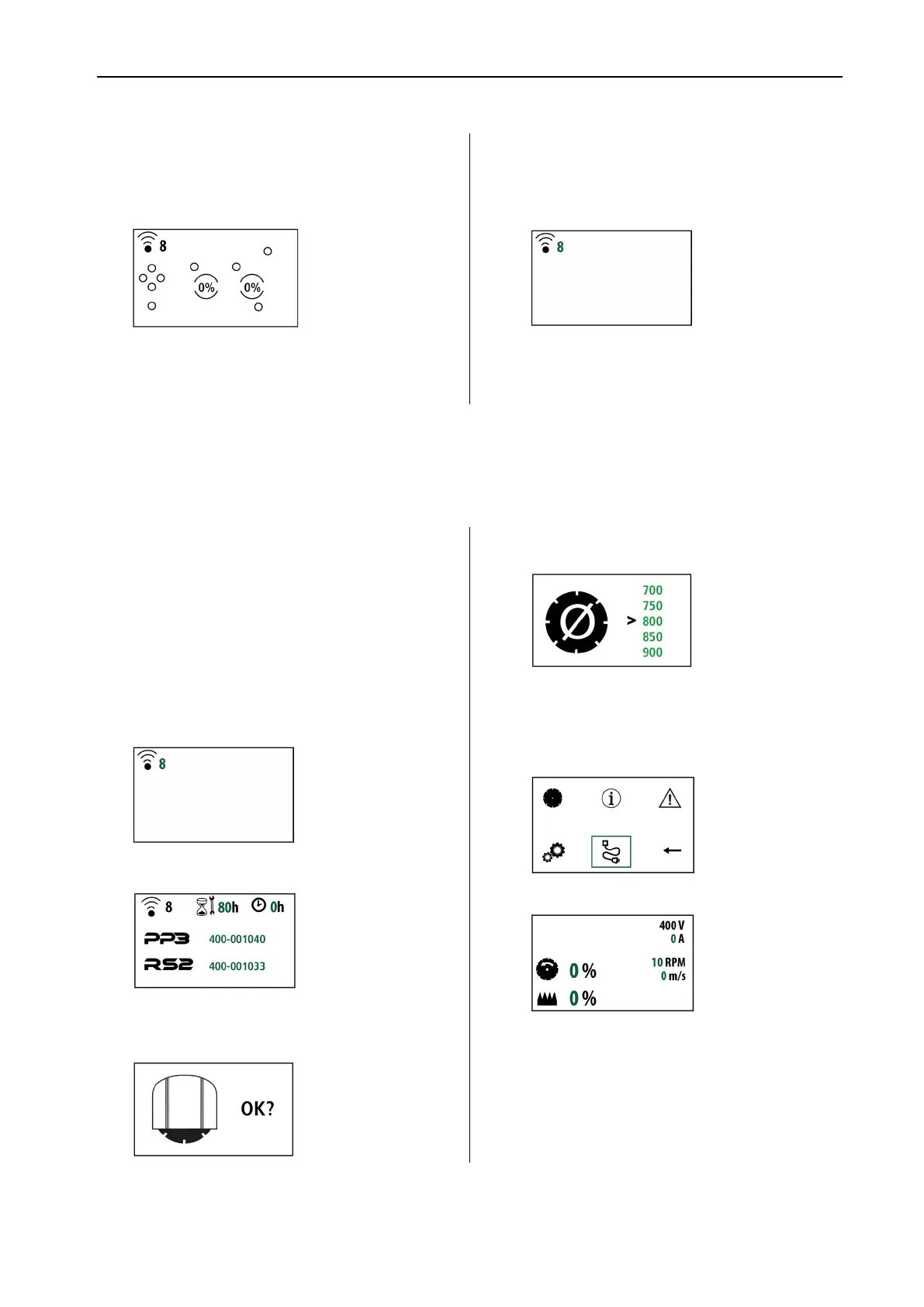
4. Release switches when the display is shown.
5. To change channel, press and hold the WS
switch.
6. Press + (plus) or - (minus) to change channel.
Choose any channel from 1-16.
7. To save the channel, press – (minus) and
hold, then press enter and release both
switches.
8. When the display with radio symbol is
shown, the channel is changed.
9. The RRC and Pentpak 3 need to be re-paired
after changing channel. See 5.3.3
5.3.3 Pairing Radio remote control (RRC) with Pentpak 3 (PP3)
Your Pentpak is paired with the Radio remote control when delivered from your Pentruder distributor. To re-pair,
follow this sequence:
1. Make sure the Pentpak 3 is disconnected from
the power supply.
2. Make sure the RRC is off.
3. Connect the RRC to the Pentpak 3 with the CE-
RRC cable for radio remote control.
4. Make sure the emergency stop on Pentpak 3 is
out and that the stop button on
RRC is out.
5. Turn on the RRC with the ON/OFF push button.
See display:
6. Connect the Pentpak 3 to electrical power. See
display.
7. Press green button on Pentpak 3
8. Press – (minus) and hold, then press enter and
release both switches. (Blade guard symbol)
9. Press enter again on the RRC (Blade size symbol
– no need to choose blade size)
10. Press the emergency stop on Pentpak 3
11. Press the enter button on the RRC to enter the
menu.
12. Move the “marker” using the + and – buttons to
the pairing symbol, and press enter to pair.
13. If the pairing was successful the display will go
back to D6 Cutting display.
14. If pairing was not successful, change channel on
the RRC, see 5.3.2, and then try pairing again.



 To Next Page