EasyManua.ls Logo

Perfect Aire PORT8000 - User Manual

Perfect Aire PORT8000
20 pages
Print Icon
To Next Page IconTo Next Page
Loading...
Distributed by:
Perfect Aire, LLC
5401 Dansher Rd.
Countryside, IL 60525
844-4PA-AIRE | 844-472-2473
www.perfectaire.us
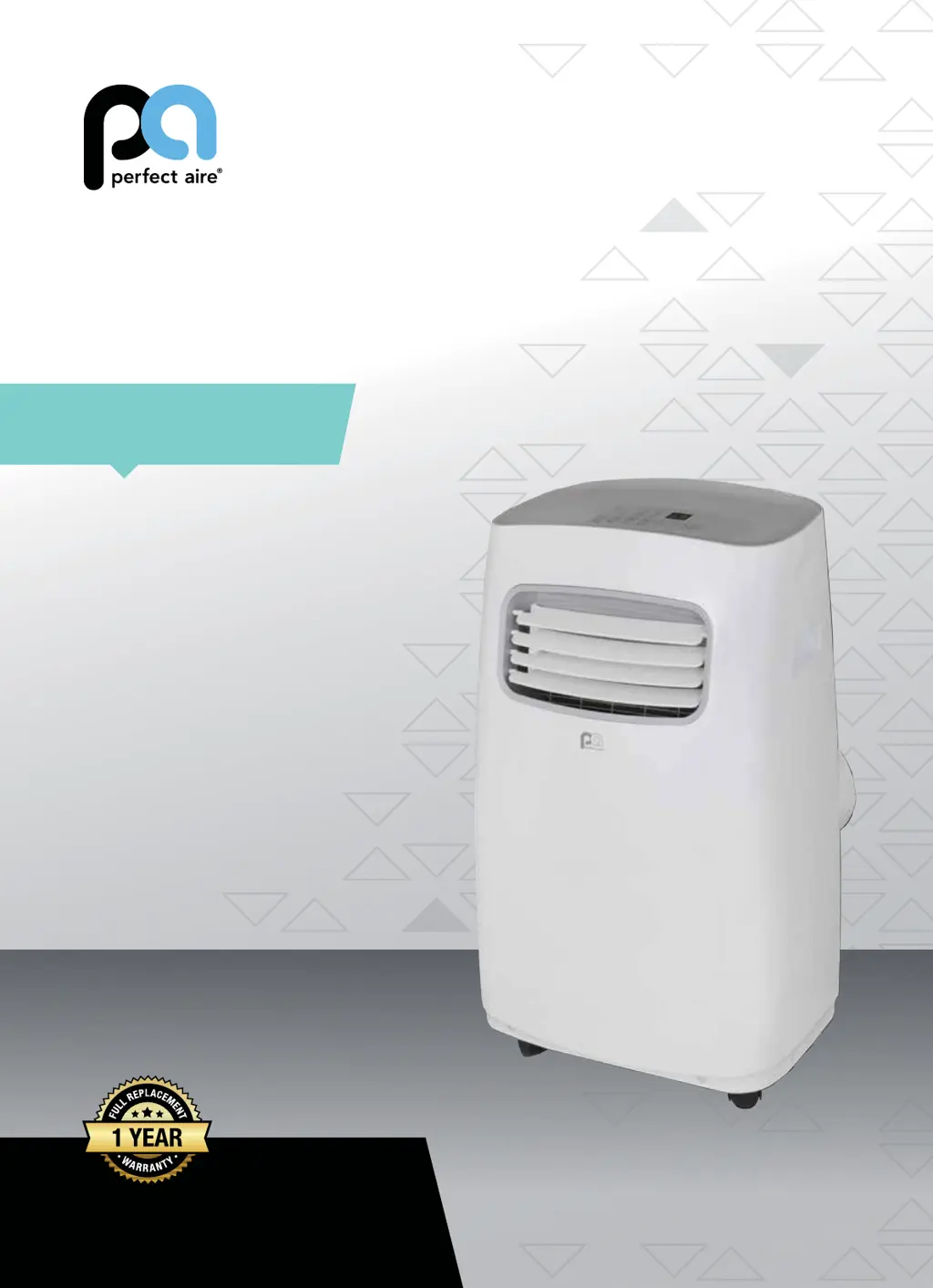
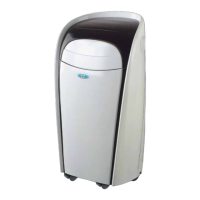
PORTABLE
AIR CONDITIONER
FOR MODELS:
PORT8000
PORT10000
PORT12000
PORT14000
Before using your air conditioner, please
read this manual carefully and keep it for
future reference, along with your receipt.
Specification and performance data is subject to change without notice.
Printed in China
PA/User_PORTs/11212017
USER MANUAL

Questions and Answers

  • J
    Jeffrey FreemanAug 18, 2025
    Why is my Perfect Aire Air Conditioner not cooling the room?
    • E
      Erica WilliamsonAug 18, 2025
      If your Perfect Aire Air Conditioner isn't cooling the room or blowing cold air, try these steps: First, unplug the unit for at least 5 minutes and follow the reset instructions on the plug. If you're using the Follow Me remote feature, move the remote away from the unit. Make sure the unit is set to COOL mode with an appropriately low temperature setting. Ensure all doors, windows, and curtains are closed, and that nothing is blocking the front grille. Check that the filter is clean, and the louvers are fully open and directed correctly. Allow sufficient time for the room to cool, especially if it's very hot outside. If the unit is near a heat source, consider moving it. If the air feels cool, double-check the mode, temperature, and that the unit is not in Follow Me mode.
  • A
    Adam MercadoAug 21, 2025
    How to fix Perfect Aire Air Conditioner not cooling room?
    • J
      James GuerreroAug 21, 2025
      If your Perfect Aire Air Conditioner isn't cooling the room or blowing cold air, ensure the unit's size is appropriate for the room. Verify all doors, windows, and curtains are closed. Allow sufficient time for the room to cool, especially in high outside temperatures. Check that the filters are clean, and the louvers are fully open and directed correctly. Make sure the unit is in Cool Mode with an appropriate temperature setting. Relocate the unit if it's near a heat source. If the air is cool to the touch, the unit is working; recheck the initial steps. If using Follow Me, move the remote away from the unit. As a last resort, unplug the unit for at least 5 minutes, following the reset instructions on the plug.
  • J
    Julie JonesAug 23, 2025
    What to do if Perfect Aire PORT8000 will not turn on?
    • M
      matthew78Aug 23, 2025
      If your Perfect Aire Air Conditioner won't turn on, first reset the circuit breaker, ensuring the circuit isn't overloaded with other appliances. Check the plug connection and ensure the outlet switch is 'on,' if applicable. Try plugging the unit into a different outlet. Finally, unplug the unit for at least 5 minutes and follow the reset instructions on the plug.
  • B
    Benjamin MooreAug 26, 2025
    What to do if my Perfect Aire PORT8000 Air Conditioner will not turn on?
    • A
      Andrew JohnsonAug 26, 2025
      If your Perfect Aire unit won't turn on, try these steps: Reset the circuit breaker and ensure that the circuit isn't overloaded with too many devices. Check the plug connection to make sure it is secure. If the outlet is controlled by a switch, ensure the switch is turned on. Try plugging the unit into a different outlet. As a last resort, unplug the unit for at least 5 minutes, then follow the reset instructions on the plug.
  • A
    Anthony Gibson DDSAug 28, 2025
    Why does my Perfect Aire PORT8000 Air Conditioner keep cycling on and off?
    • D
      dawnwrightAug 28, 2025
      If your Perfect Aire Air Conditioner is cycling on and off too frequently, make sure the unit is appropriately sized for the room. Ensure that nothing is blocking the louvers. Also, check for any dirt or debris inside the unit or on the filters.
  • J
    Jon HernandezAug 30, 2025
    Why does my Perfect Aire Air Conditioner keep blowing fuses?
    • A
      Amanda StevensAug 30, 2025
      If your Perfect Aire Air Conditioner blows fuses or pops the circuit breaker, ensure the circuit has enough available amps for the air conditioner. Large units operating on 230v will require a dedicated 20 or 30 amp circuit.
  • N
    nmoralesSep 1, 2025
    How to fix Perfect Aire PORT8000 making noises?
    • H
      Henry LivingstonSep 1, 2025
      If your Perfect Aire Air Conditioner is making noises, check to ensure the unit is free from debris and that nothing is obstructing it. Inspect the fan blade for cracks or chips. Make sure the window slider kit is properly and securely mounted inside the window. Clean the air filter.
  • C
    Christopher KimSep 4, 2025
    Why is the remote sensing deactivating on my Perfect Aire Air Conditioner?
    • L
      Lisa YatesSep 4, 2025
      If the remote sensing or Follow Me feature on your Perfect Aire Air Conditioner is deactivating prematurely, place the remote control within 20 ft and a 180º radius of the front of the unit. Remove any obstructions that may be blocking the remote control signal. If problems persist, replace the batteries in the remote control with a fresh set.
  • T
    Timothy DiazSep 6, 2025
    Why is ice forming on my Perfect Aire PORT8000 Air Conditioner?
    • D
      davisalexaSep 6, 2025
      If your Perfect Aire Air Conditioner is cooling, but the room is too warm and ice is forming on the cooling coil, the following could be the reasons: the outdoor temperature is below 64ºF (18ºC), the air filter may be dirty, or the thermostat is set too cold for night-time cooling. To defrost the coil, set the unit to FAN only mode. Clean the filter if it's dirty. If the thermostat is set too low, increase the temperature setting.
  • M
    Matthew LewisSep 8, 2025
    How to fix a noisy Perfect Aire Air Conditioner?
    • S
      Shane KramerSep 8, 2025
      If your Perfect Aire Air Conditioner is making unusual noises, check the following: Ensure the unit is free from any obstructions or debris. Inspect the fan blade for cracks or chips. Verify that the window slider kit is properly and securely mounted. Also, clean the air filter.

Summary

Perfect Aire Portable Air Conditioner User Manual

Model Identification and Warranty

Lists the specific models covered and highlights the 1-year replacement warranty.

Consumer Product Information

Safety Precautions

General Safety Warnings

Essential safety guidelines to prevent injury, electric shock, and fire hazards during operation.

Electrical Safety and Grounding

Ensuring proper electrical service, grounding, and receptacle use for safe operation.

Installation Safety Guidelines

Specific safety instructions for proper installation to avoid damage and hazards.

Identification of Parts and Tools

Included Accessories

Lists all accessories provided in the package for installation and use.

Tools Needed for Installation

Details the essential tools required for setting up the air conditioner.

Parts Diagram and Refrigerant Information

Visual identification of unit parts and information on refrigerants used.

Installation Instructions

Unit Placement and Window Kit Installation

Guidance on selecting location and installing the window slider kit.

Exhaust Hose Assembly

Steps for preparing and connecting the exhaust hose assembly to the unit.

Exhaust Hose Connection to Window

Connecting the exhaust hose to the window slider adapter for proper venting.

Hung Window Installation Procedure

Step-by-step guide for installing the unit in a hung window type.

Sliding Window Installation Procedure

Step-by-step guide for installing the unit in a sliding window type.

Water Drainage Procedures

Continuous Drainage Setup

Instructions for setting up continuous water drainage using a hose.

Manual Drainage of Bottom Tray

Procedure for draining the internal water tray when the 'P1' error occurs.

Care and Maintenance

Cleaning Air Filters

Detailed steps for cleaning and maintaining the unit's air filters for optimal performance.

Unit Enclosure Cleaning and Long-Term Storage

Guidelines for cleaning the exterior and preparing the unit for extended non-use.

Air Conditioner Features

Control Panel Overview

Explanation of the buttons and indicators on the air conditioner's control panel.

Filter Indicator and Reset

Information on the filter indicator light and how to reset it.

Operating Instructions

Cool, Dry, and Fan Operation Modes

Instructions for operating the unit in COOL, DRY, and FAN modes.

Auto and Follow Me Operation

Explanation of AUTO mode and the remote-controlled 'Follow Me' feature.

Timer and Sleep Operation Modes

How to set timer functions and activate the sleep mode for temperature adjustment.

Error and Protection Codes

Troubleshooting Error Codes (E1-E7, EC)

Details common error codes and their recommended solutions.

Bottom Tray Full Error (P1)

Specific guidance for resolving the 'P1' error indicating a full water tray.

Troubleshooting

Cooling Performance Issues

Solutions for when the unit is not cooling or cooling inefficiently.

Unit Power and Noise Troubleshooting

Guidance on addressing unit power issues, circuit breaker trips, and unusual noises.

Remote Sensing and Control Problems

Troubleshooting steps for problems with the remote sensing or 'Follow Me' feature.

Perfect Aire PORT8000 Specifications

General IconGeneral
BrandPerfect Aire
ModelPORT8000
CategoryAir Conditioner
LanguageEnglish

Related product manuals