13
IDS-710 Hardware Installation Guide
SFP Connections
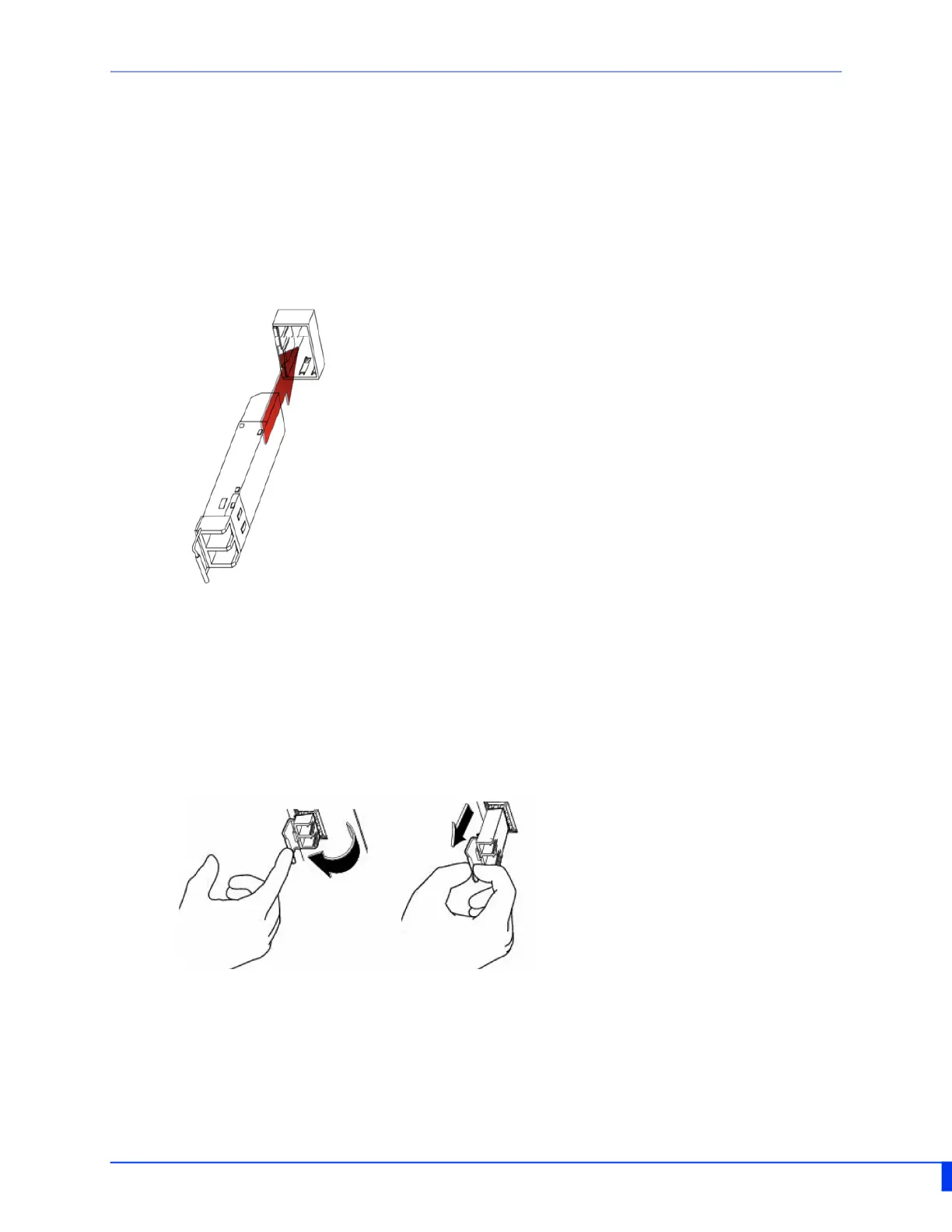
Inserting the SFPs
SFP modules are inserted in the SFP slots on the front of the IDS switch.
1. Align the SFP module in front of the slot to establish alignment.
2. Insert the module and push inwards with your thumb until you hear a click. Do not
force the SFP module in. SFP modules are keyed so you can only insert them one way.
3. If the SFP module is equipped with a clasp, ensure the clasp is in the locked posi-
tion.The appropriate fiber cable can now be connected to the SFP module.
Removing SFPs
SFP modules are inserted in the SFP slots on the front of the IDS switch.
1. Disconnect the fiber cable from the SFP module.
2. If the SFP module is equipped with a clasp, move it to the unlocked position and use
the clasp to pull the SFP towards you.
3. If the SFP module is not equipped with a clasp, then with your fore finger and thumb,
firmly grip the SFP and pull towards you.


 To Next Page