
 Need help?
Do you have a question about the Perlesmith PSTVMC05 and is the answer not in the manual?
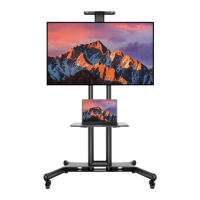
Instructions to prevent tipover accidents with the TV cart.
Connecting AV shelf supports to the AV shelf using fixing rings.
Securing the AV shelf assembly to the main post with bolts.
Choosing the appropriate bolt size for TV bracket mounting.
Guidance on using spacers for monitor bracket attachment.
Mounting the brackets onto the TV.
Securing the camera tray to the camera bracket with a bolt.
Fastening the camera bracket assembly to the main post.
 General
| Product Name | Perlesmith PSTVMC05 |
|---|---|
| Category | Outdoor Cart |
| Material | Steel |
| Weight Capacity | 110 lbs |
| Weather Resistance | Yes |
| Assembly Required | Yes |
| Color | Black |
| Mobility | Portable |
| Wheel Type | Lockable Casters |
| VESA Compatibility | 200x200 mm to 600x400 mm |
| TV Compatibility | 32 to 70 inches |

 To Next Page