12
blank value. If you select yes for the cell blank, the test is necessary. Put blank samples in each cell before
test, the system will record the measurement values of each cell automatically.
If you select “yes” for both reagent blank and cell blank, you can perform cell blank for each cell and
take the sample in No.1 cell as the blank to correct the measured values of other cells.
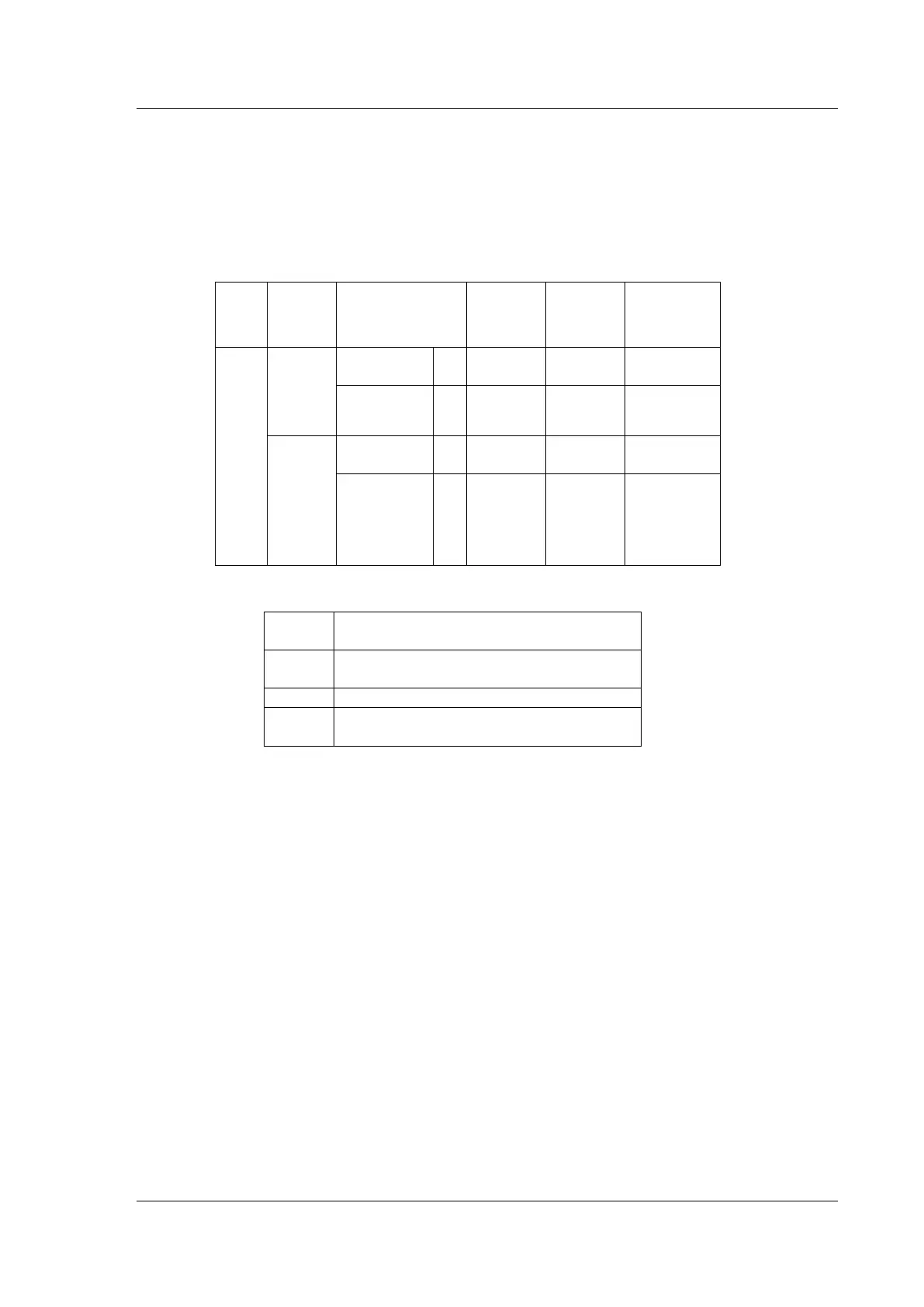
Blank correction is a kind of data processing. The following table shows the calculation.
Reagent blank and
Cell blank are
“NO”
Only the
reagent
blank
“YES”
Only the
cell blank
“YES”
Both blank
correction
“YES”
NO. n
sample
cell
(n=2---8)
Tn * t1 / tn *
T1
×
100(%)
NO. 1
sample
cell (as
the
reagent
sample
cell)
The Abs of NO. n sample cell without
correction
The transmittance of NO. n sample cell
without correction
The blank value of NO. n sample cell (Abs)
The blank value of NO. n sample cell
(transmittance)
⊙ Move Cell
Press 【▲】 and 【▼】 to move the cursor to the required option, then press 【ENTER】. The sample
cell will move forward one cell by pressing【ENTER】each time. When it moves to the maximum cell
number, next it will return to No.1 cell automatically. If the user selects fixed cell, the option is
inoperative.
⊙ Factor K
Input the required magnified multiple times of the measurement value.
Press 【▲】 and 【▼】 to move the cursor to the required option, then press 【ENTER】 to set
factor K. At the bottom of this page, enter the factor K by pressing the numeric keys (0~9), decimal point
【.】and negative sign【-】. Press【RETURN】key to clear the mistakes, and press【CE】 to clear step
by step, then press【ENTER】key to confirm . If nothing is to be entered, press 【RETURN】 key to quit
this page directly. The range is from -99 to 99. If the entered figure exceeds the range, the system will
delete what has been entered automatically and you should start a new entry again.
⊙ Cell Init.
If the user moves the cell during measurement, cell init. should be performed.
Press 【▲】 and 【▼】 to move the cursor to the required option, then press 【ENTER】 to perform
cell init. It will return to No.1 cell.


 To Next Page