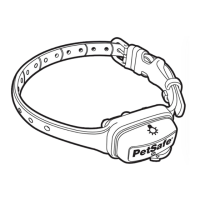
not be worn for more than 12 hours out of every 24-hour period. Leaving the collar on too long could lead to skin
irritation.
Find the Best Stimulation Level for Your Pet
Important: Always start at the lowest level and work your way up.
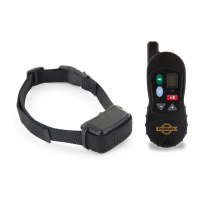
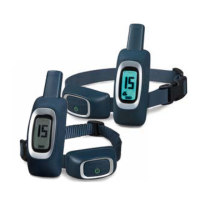
The Remote Trainer has 1 tone, 1 vibration, and 15 static stimulation levels. This allows you to choose the stimulation
level that is best for your pet. We recommend training with tone and vibration, or the lower levels of static correction
when needed. In most cases static levels 1–7 will be adequate for your training needs. Levels 8–15 are locked as a
reminder that you are moving to higher stimulation levels. Once you have placed the training collar on your pet, it is
time to find the “recognition level”. The “recognition level” is the stimulation level that your dog begins to notice. It
should not make your pet uncomfortable.
YOUR PET SHOULD NOT VOCALIZE OR PANIC WHEN RECEIVING STIMULATION. IF THIS HAPPENS, THE
STIMULATION IS TOO HIGH AND YOU NEED TO GO BACK TO THE PREVIOUS LEVEL.
Follow the steps below to find your pet’s recognition level:
1. Choose level 0, and press the upper right button continuously for 1 to 2 seconds.
2. If your pet shows no reaction, repeat this several times before moving to static stimulation.
3. Choose level 1 and press the upper right button continuously for 1 to 2 seconds.
4. If your pet shows no reaction, repeat this stimulation level several times before moving up to the next level.
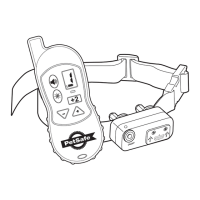
5. Move up through the static stimulation levels until your pet reliably responds to the stimulation. NOTE: The
Remote Trainer is preset with the levels 8-15. To unlock, press and hold both the up and down buttons on the
left simultaneously.
6. If your pet continues to show no response at Level 15, check the fit of the training collar. See “Fit the Training
Collar”. You might also want to test it on your hand at a lower level to ensure the collar is working.
If all of these steps have been done and your pet continues to show no reaction to the stimulation, please contact our
Customer Care Center. For troubleshooting, videos on how to train your dog using your PetSafe® Brand training
collar, or to download a complete product manual visit PetSafe.com.
Other Important Information
Use of this product implies acceptance of any and all terms, conditions and notices related to this product including,
but not limited to, those found in this guide and the complete product manual available at PetSafe.com. Please see
the complete product manual for important regulatory compliance information. For a list of patents protecting this
product, please visit radiosystemscorporation.com/patents.
Radio Systems Corporation
10427 PetSafe Way • Knoxville, TN 37932
1-800-732-2677 • PetSafe.com
©2019 Radio Systems Corporation
Read More About This Manual & Download PDF:
File Downloads



 To Next Page