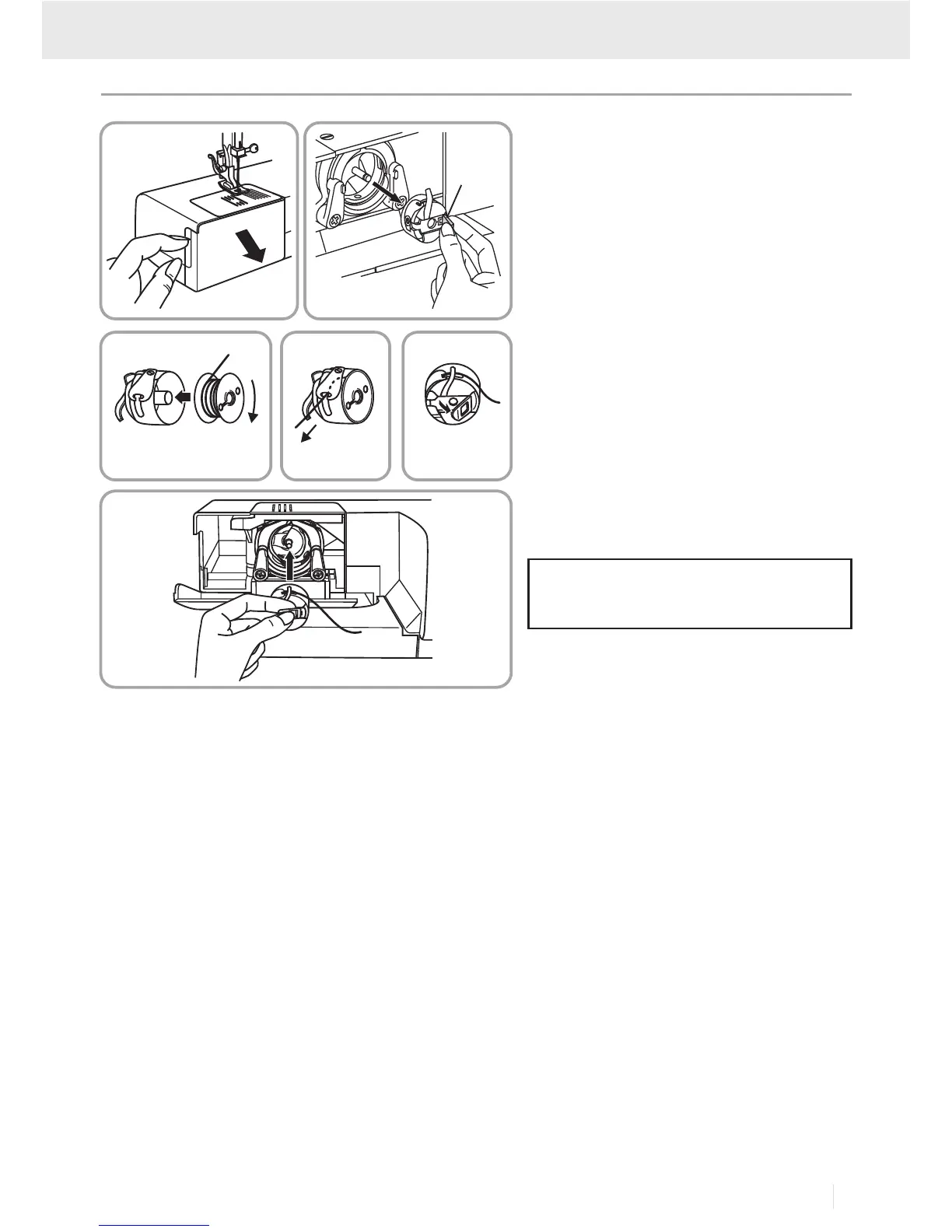
When inserting or removing the bobbin,
the needle must be fully raised.
Attention:
- Remove the extension table, then open
the hinged cover. (1)
- Pull the bobbin case tab (a) and remove
the bobbin case. (2)
- Hold the bobbin case with one hand.
Insert the bobbin so that the thread runs
in a clockwise direction (arrow). (3)
- Pull the thread through the slit and under
the finger. (4) Leave a 6 inch tail of
thread.
- Hold the bobbin case by the hinged latch.
(5)
- Insert it into the shuttle. (6)
Turn power switch to off ("O") before
inserting or removing the bobbin.
Inserting the Bobbin
Threading the Machine
12
6
3
4
5
a
33
GB/IE



 To Next Page