EasyManua.ls Logo

Phanteks GLACIER ONE 240 T30 - User Manual

Phanteks GLACIER ONE 240 T30
2 pages
Print Icon
To Next Page IconTo Next Page
Loading...
Pump & Fan cables
A) Connect the Fans together with the Daisy-chain cables
and use the Fan PWM Extension Cable to reach the
motherboard.
Choose between 2 congurations:
B1) Use the PWM Splitter Cable to connect the pump
and fans to a single motherboard CPU header.
B2) If 2x CPU headers are available on the motherboard,
the pump and fans can also be connected individually
(without PWM Splitter Cable) for more precise control.
GLACIER ONE HIGH PERFORMANCE CLOSED LOOP CPU LIQUID COOLER
GLACIER ONE 240 T30
Innity Mirror Cap
240x38 mm Radiator
2x 120mm T30 Fans
Package Contents
5. Install Infinity Mirror Cap and Tube Clips
6. Connect cables
As a Phanteks customer, you are priority number one. We have a dedicated team of employees across the globe to deliver the
experience you deserve.
CUSTOMER CARE
RMA AND TECHNICAL SUPPORT AMERICAS
Hours : Monday-Friday 9:00-5:00 PST
Phone number : +1(909)598-2115
Email : support@phanteksusa.com
Facebook : @Phanteks
For spare parts and optional upgrades please visit:
www.axpertec.com (EU) | www.phanteksusa.com (US)
RMA AND TECHNICAL SUPPORT INTERNATIONAL
Email : support@phanteks.com
Facebook : @Phanteks
7. Support & Warranty
4x AM4 Stand-o
4x 115x/1200 Stand-o
4x 2066 Stand-o
4x Thumb Nut
8x 39mm Halos Screws
8x 36mm Fan Screws
8x 5mm Radiator Screws
8x Washers
Manual V1.0
Accessories
Screws:
A) The Innity Mirror Cap
simply snaps into place
via strong magnets.
Make sure the D-RGB
cable stays clear from
the Thumb Nut.
B) OPTIONAL: Install the (3x) included
Tube Clips for a tidy tube routing.
Simply snap the clips on the tubes.
D-RGB Cables
D-RGB cable connection
The D-RGB lighting can be controlled through a D-RGB
equipped Phanteks chassis/controller or motherboard.
A) To Phanteks D-RGB Chassis/Controller
Connect the chassis D-RGB connector to the Innity Mirror
Cap and/or Halos.
B) To D-RGB Motherboard
Use the 3-Pin D-RGB Motherboard Adapter to connect the
D-RGB cable to a D-RGB equipped motherboard (A-RGB*).
*follow motherboard manual for instruction on D-RGB control
Fan cables can be routed through the
middle of the Tube Clips
4-Pin PWM Splitter Cable, 2x
80mm
4-Pin Fan PWM Extension Cable,
500mm
3-Pin D-RGB Motherboard
Adapter, 600mm
PH-NDC Thermal Compound
3x Tube Clips
Intel 115x/1200/1366
Backplate
AMD AM4 Bracket
(Intel Bracket is pre-installed)
3 x
daisy chain fans
to PWM Splitter Cable
Fan PWM Extension Cable
to Motherboard
CPU header
to Pump
to Fans
Pump PWM Cable
D-RGB Chassis
or D-RGB controller
innity mirror cap
and/or HALOS
to 3rd Party
D-RGB products
(optional)
to D-RGB Motherboard
D-RGB
Lighting
Product
3-Pin D-RGB Motherboard Adapter
To D-RGB Lighting Products
All Phanteks D-RGB lighting products can be daisy-chained
together
D-RGB Lighting ProductD-RGB Lighting Product
0%
100%
PWM signal
1200 RPM
500 RPM
2000 RPM
3000 RPM
Advanced mode
Performance mode (recommended)
Hybrid mode
RPM
50%
1. T30 Fan preparation
The T30 fan supports 3 dierent fan proles via a switch on
the fan hub. Please choose your preferred fan prole before
installing the fan into your system.
We recommend the default ‘Performance mode.
Mode switch
Question and Answer IconNeed help?

Do you have a question about the Phanteks GLACIER ONE 240 T30 and is the answer not in the manual?

Summary

Install Infinity Mirror Cap and Tube Clips

Infinity Mirror Cap Installation

Snaps into place via strong magnets, ensure D-RGB cable stays clear from the Thumb Nut.

Optional Tube Clip Installation

Install included tube clips for a tidy tube routing by snapping them onto the tubes.

Connect Cables

D-RGB Cable Connection

Connects the D-RGB lighting to a Phanteks chassis/controller or motherboard.

Pump and Fan Cable Connections

Connects fans and pump to motherboard for power and control, offering configuration options.

Support and Warranty Information

Customer and Technical Support

Contact details for customer care, RMA, and technical support across regions.

Warranty Period

Indicates the product comes with a 6-year warranty.

T30 Fan Preparation

Fan Profile Selection

Choose preferred fan profile (Advanced, Performance, Hybrid) via switch before installation.

Motherboard Preparation

AMD Socket AM4 Preparation

Steps to remove stock brackets and secure AM4 stand-offs to the motherboard.

Intel Socket Preparation (115 X;1200;1366)

Prepare Intel backplate and secure 115x/1200/1366 stand-offs to motherboard.

Intel Socket Preparation (2011;2066)

Secure Intel 2011/2066 stand-offs to the motherboard.

Install the Pump Block

AMD AM4 Pump Block Installation

Specific steps for installing the pump block on AMD AM4 sockets.

Securing Pump Block to Stand-offs

Attach the pump unit to motherboard stand-offs using thumb nuts.

Mount the Radiator and Fans

Fan Installation Recommendation

Install fans to the radiator before mounting the radiator into the chassis.

Screw Usage for Mounting Options

Details on using 5mm, 36mm, and 39mm screws for radiator and fan mounting.

Overview

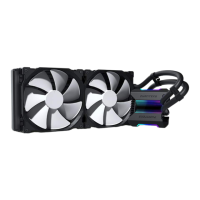
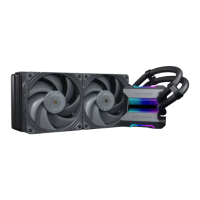
The Phanteks Glacier One is a high-performance closed-loop CPU liquid cooler designed for efficient thermal management of CPUs. This device comes in a 240 T30 configuration, featuring an Infinity Mirror Cap, a 240x38 mm radiator, and two 120mm T30 fans.

Function Description:

The Glacier One functions as a CPU cooling solution, utilizing a liquid-based system to dissipate heat from the CPU. The pump block, which integrates the thermal compound, is mounted directly onto the CPU. Heat is then transferred from the CPU to the liquid, circulated through the radiator, and finally expelled by the fans. The Infinity Mirror Cap provides an aesthetic element with D-RGB lighting, which can be controlled via a Phanteks chassis/controller or a compatible motherboard.

Important Technical Specifications:

  • Radiator: 240x38 mm
  • Fans: 2x 120mm T30 fans
  • Fan Profiles: The T30 fans support three distinct fan profiles selectable via a switch on the fan hub:
    • Advanced mode: Up to 3000 RPM
    • Performance mode (recommended): Up to 2000 RPM
    • Hybrid mode: Up to 1200 RPM
    • Minimum RPM: 500 RPM
  • Compatibility:
    • AMD Sockets: AM4
    • Intel Sockets: 115x, 1200, 1366, 2011, 2066
  • D-RGB Lighting: Compatible with Phanteks D-RGB chassis/controllers and D-RGB equipped motherboards (A-RGB).
  • Pre-applied Thermal Compound: The pump block comes with thermal compound pre-applied, and additional compound is included for future installations.

Usage Features:

  • Easy Installation:
    • Infinity Mirror Cap: Snaps into place magnetically, ensuring the D-RGB cable is clear of the thumb nut.
    • Tube Clips: Three included tube clips help manage cable routing for a tidy setup.
    • Fan Installation: Fans can be installed onto the radiator before mounting the entire assembly into the chassis.
    • Pump Block Mounting: The pump block secures to the motherboard stand-offs using thumb nuts.
  • Flexible Cable Management:
    • Fan Cables: Daisy-chainable fan cables connect to the motherboard via a Fan PWM Extension Cable. Fan cables can also be routed through the middle of the tube clips for a cleaner look.
    • D-RGB Cables: The D-RGB lighting can be controlled by connecting the D-RGB connector from the Infinity Mirror Cap and/or Halos to a Phanteks D-RGB chassis/controller. Alternatively, a 3-Pin D-RGB Motherboard Adapter is provided to connect to a D-RGB equipped motherboard (A-RGB). Phanteks D-RGB lighting products can also be daisy-chained together.
  • Multiple Fan/Pump Connection Options:
    • Single CPU Header: A PWM Splitter Cable allows the pump and fans to connect to a single motherboard CPU header.
    • Dual CPU Headers: If two CPU headers are available, the pump and fans can be connected individually for more precise control, without using the PWM Splitter Cable.
  • Radiator and Fan Mounting Options:
    • Option A: Use 5mm radiator screws to mount the radiator directly to the chassis, and 36mm fan screws to mount the fans to the radiator (and chassis).
    • Option B: Use 36mm fan screws to mount the fan to the radiator (and chassis).
    • Option C (with Halos only): Use 5mm radiator screws to mount the radiator directly to the chassis, and 39mm Halos screws to mount the Halos and fans to the radiator (and chassis).
    • Washers: Optional washers are included for a secure fit when mounting to the chassis.
  • Adjustable Fan Performance: The T30 fans offer three selectable profiles (Advanced, Performance, Hybrid) via a switch on the fan hub, allowing users to optimize cooling performance or noise levels. The "Performance mode" is recommended as the default.

Maintenance Features:

  • Pre-applied Thermal Compound: Simplifies initial setup by eliminating the need for manual application of thermal compound on the pump block.
  • Additional Thermal Compound: Included for future installations or re-applications, extending the cooler's usability.

Included Accessories:

  • 4-Pin PWM Splitter Cable (2x 80mm)
  • 4-Pin Fan PWM Extension Cable (500mm)
  • 3-Pin D-RGB Motherboard Adapter (600mm)
  • PH-NDC Thermal Compound
  • 3x Tube Clips
  • Intel 115x/1200/1366 Backplate
  • AMD AM4 Bracket (Intel Bracket is pre-installed)
  • Screws:
    • 4x AM4 Stand-off
    • 4x 115x/1200 Stand-off
    • 4x 2066 Stand-off
    • 4x Thumb Nut
    • 8x 39mm Halos Screws
    • 8x 36mm Fan Screws
    • 8x 5mm Radiator Screws
    • 8x Washers

Support and Warranty:

Phanteks offers customer support via phone and email, with dedicated teams for both Americas and International regions. The product comes with a 6-year warranty. Spare parts and optional upgrades are available through axpertec.com (EU) and phanteksusa.com (US).

Phanteks GLACIER ONE 240 T30 Specifications

General IconGeneral
BrandPhanteks
ModelGLACIER ONE 240 T30
CategoryComputer Hardware
LanguageEnglish

Related product manuals