29
Chapter 3: Phantom Software
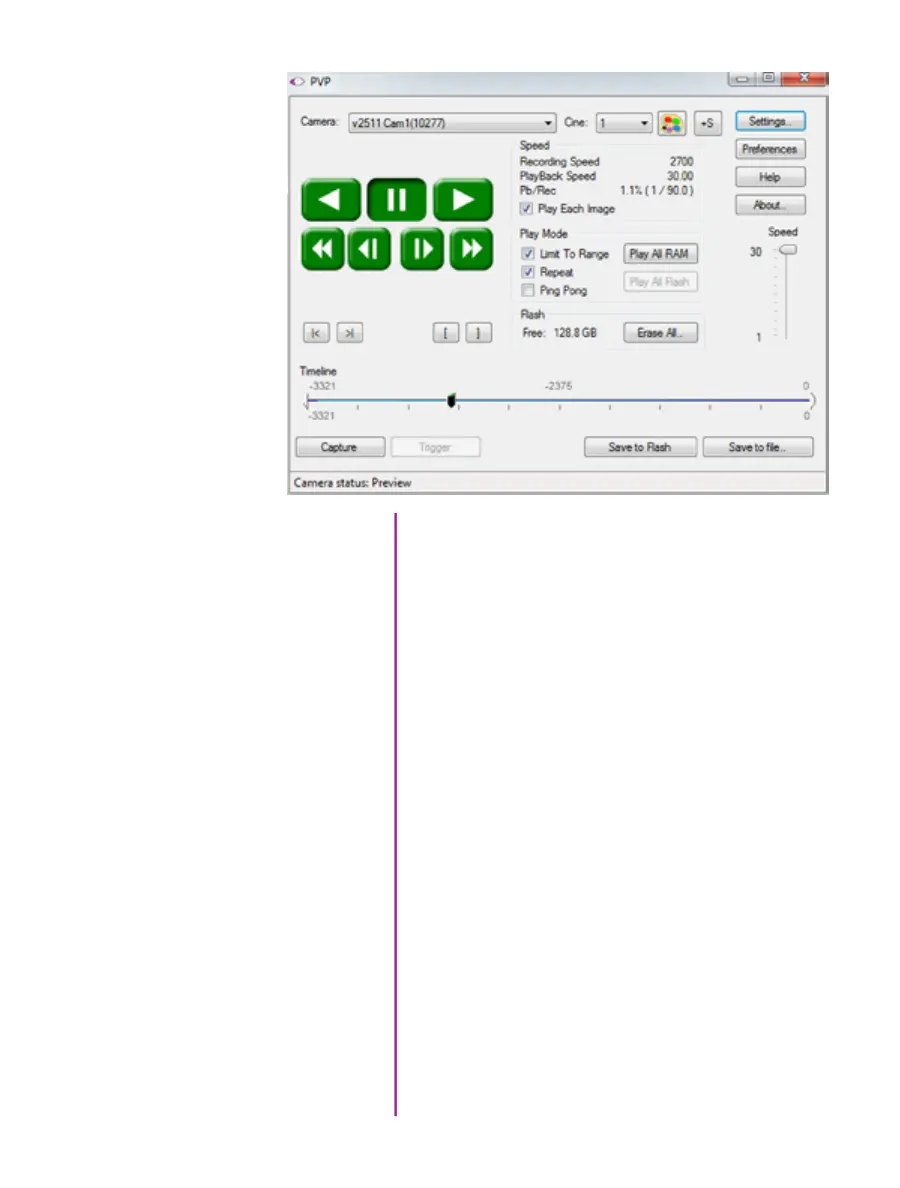
Basic capture and playback are performed from the main
‘PVP’ window. The ‘Capture’ button starts recording to
RAM when the camera is in ‘Loop’ mode. Press ‘Trigger’
to stop recording.
Switch to the desired clip to view by selecting it in the
‘Cine:’ pull-down menu. Clips from the Phantom CineMag
are preceded by the letter ‘F’. To return to the live output,
select ‘Live.’
Scroll through a Cine by dragging the play head back
and forth on the timeline. Use the playback controls
to play forward and in reverse. Use the speed slider
to change the playback speed.
Use the ‘[‘ and ‘]’ buttons to mark in and out points.
After trimming a clip, press the ‘Save to Flash’ button
to save it to the Phantom CineMag, or ‘Save to File…’
to download it to the computer.
It is also possible to erase the entire contents of a
CineMag by clicking the ‘Erase All…’ button.
The Main PVP Window



 To Next Page