EasyManua.ls Logo

Phcbi MIR-554 Series - User Manual

Phcbi MIR-554 Series
68 pages
Print Icon
To Next Page IconTo Next Page
Loading...
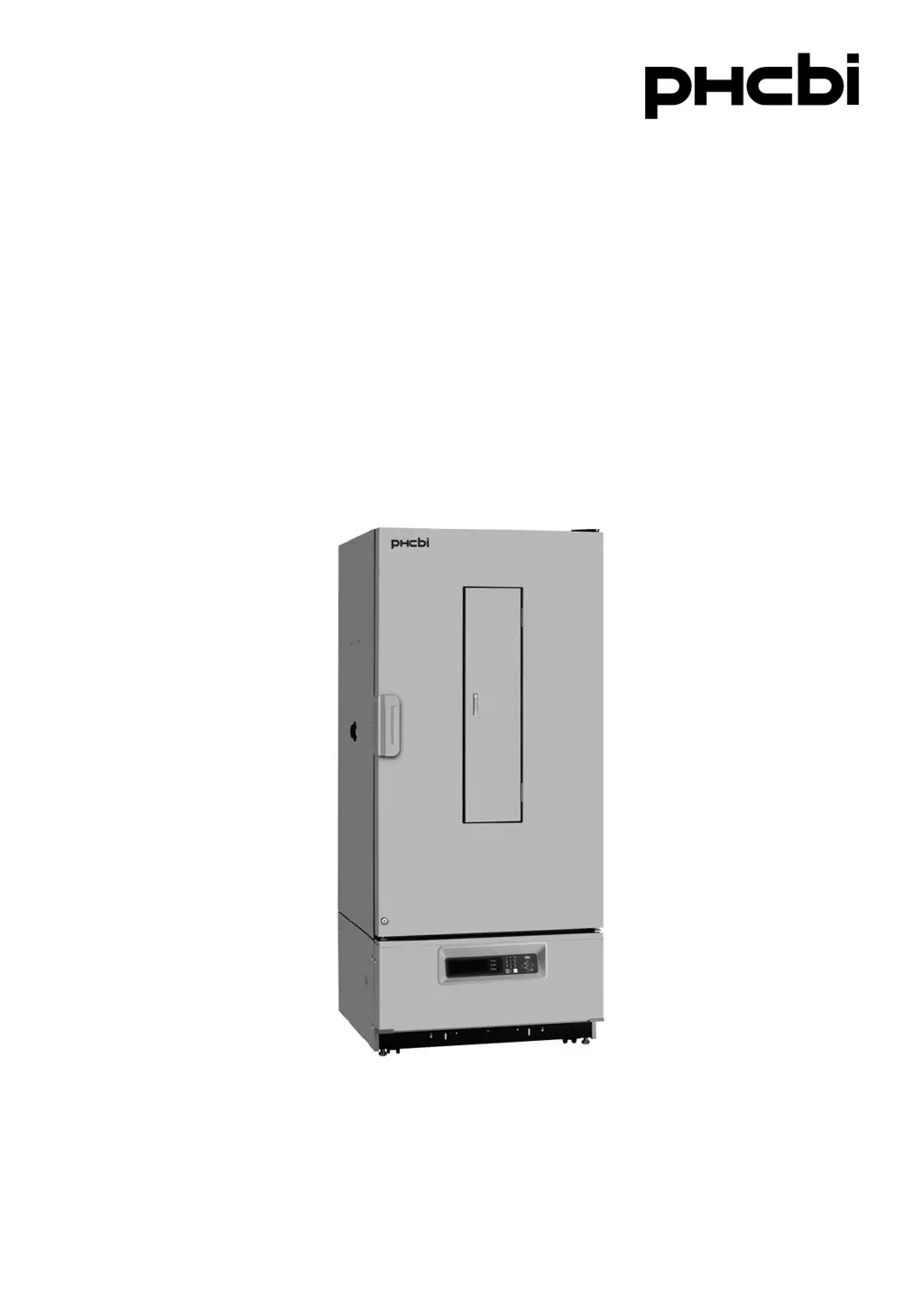
MIR-554Series
Please read the operating instructions carefully before using this product, and keep the operating
instructions for future use.
See page 61 for model number.
Operating Instructions
Cooled Indubator

Questions and Answers

Summary

INTRODUCTION

IMPORTANT NOTICE

Important warranty conditions and limitations of PHC Corporation's responsibility.

Intended Use

Describes the intended applications of the equipment in laboratory settings.

PRECAUTIONS FOR SAFE OPERATION

Warning and Caution Symbols

Explains the meaning of different symbols used for caution, prohibition, and instructions.

PRECAUTIONS FOR SAFE OPERATION

Hazardous Material Information

Information regarding mercury in the fluorescent lamp and perchlorate material in the battery.

PRECAUTIONS FOR SAFE OPERATION

General Operational Safety

Critical safety instructions for installation, operation, and maintenance to prevent hazards.

PRECAUTIONS FOR SAFE OPERATION

Handling and Storage Safety

Covers safety regarding inhalation, liquids, power cords, disassembly, and storage.

PRECAUTIONS FOR SAFE OPERATION

Electrical and Chemical Safety Precautions

Precautions for dedicated circuits, corrosive substances, and chemical exposure.

ENVIRONMENTAL CONDITIONS

Operating Environment Requirements

Specifies conditions like indoor use, altitude, temperature, humidity, and voltage fluctuations for safe operation.

INCUBATOR COMPONENTS

Component Identification

Illustrates the incubator with numbered parts for easy identification.

INCUBATOR COMPONENTS

Component Descriptions

Detailed descriptions of each numbered component of the incubator.

INCUBATOR COMPONENTS

Control Panel Details

Explains the function of each button and the LCD panel on the control interface.

INCUBATOR COMPONENTS

Switch Box Functions

Describes the power switch, remote alarm terminals, and glow starter.

INSTALLATION SITE

Site Selection Criteria

Guidelines for choosing an appropriate location, considering sunlight, ventilation, and stability.

INSTALLATION

Installation Steps and Grounding

Covers removing fixtures, packaging, adjusting feet, and grounding instructions.

TOP SCREEN

Display Elements Explained

Explains the information displayed on the top screen, including status, program, and date/time.

FUNCTIONS THROUGH CONTROL PANEL

Control Panel Function Overview

Lists main functions accessible via the control panel, like setting standby and programming.

STANDBY OPERATION (MENU;Std-by)

Standby Operation Setup

Details how to set standby mode, including temperature and key lock.

STANDBY OPERATION (MENU;Std-by)

Setting and Unlocking Key Lock

Instructions on enabling, disabling, and managing the key lock feature.

PROCEDURES OF SETTING VALUE

Setting Chamber Temperature

Step-by-step guide on how to change the chamber temperature setting.

PROCEDURES OF SETTING VALUE

Key Lock Password Management

Detailed procedure for setting and unlocking the key lock feature, including password input.

HIGH LIMIT;LOW LIMIT ALARM (MENU;Std-by)

Adjusting Alarm Limits

How to set the high and low temperature alarm limits using the control panel.

PROGRAMMING (MENU;Edit)

Creating and Editing Programs

Guide to setting up custom temperature and light programs.

PROGRAMMING (MENU;Edit)

Program Step and Cycle Configuration

Details on modifying step numbers, cycle numbers, and program parameters.

PROGRAMMING (MENU;Edit)

Setting Program Time and Temperature

Instructions for setting time intervals and corresponding temperatures for program steps.

PROGRAMMING (MENU;Edit)

Setting Light Step and Saving Programs

How to set the light step and save the created program.

PROGRAMMING (MENU;Edit)

Program Naming and Storage

Procedure for inputting a program name and saving it, including character editing.

PROGRAMMING (MENU;Edit)

Timer Mode Program Example

Example of creating a program using timer mode with a specific cycle.

EDIT OF SAVED PROGRAM (MENU;Edit)

Modifying Existing Programs

Steps to select, edit, and resave existing programs.

START OF PROGRAM (MENU;Run)

Initiating Program Execution

How to select a program and set start options like timer mode and date.

START OF PROGRAM (MENU;Run)

Monitoring Program Status

How to view program status and switch between graphic and top screens.

JOIN FUNCTION

Linking Multiple Programs Sequentially

Instructions on how to join multiple programs to run continuously in sequence.

SKIP OF STEP (MENU;Skip)

Skipping Program Steps

Procedure to skip the current step in a running program.

STOP OF PROGRAM (MENU;Stop)

Halting Program Execution

Steps to stop the running program at any point.

AUTOMATIC DEFROST (MENU;Tools;Date Time)

Configuring Automatic Defrost

How to enable and configure automatic defrosting for the unit.

MANUAL DEFROST (MENU;M.def)

Performing Manual Defrost

Steps to manually initiate the defrost cycle for the evaporator.

VARIOUS SETTING (MENU;Tools)

Displaying Log Data

How to access and view recorded log data, including temperature and light steps.

VARIOUS SETTING (MENU;Tools)

Adjusting Log Data Display Ranges

How to change the upper and lower limits for displaying log data.

VARIOUS SETTING (MENU;Tools)

Data Transmission to PC

Procedure for transmitting log data from the unit to a personal computer.

SETTING OF DATE, TIME, LOG (Tools;Date Time)

Configuring Date, Time, and Log Interval

Steps to set the unit's date, time, and the interval for data logging.

VARIOUS SETTING (MENU;Tools)

Alarm and Option Settings

Configuration of temperature alarms, delay times, and optional components like inner doors or lights.

VARIOUS SETTING (MENU;Tools)

Key Lock Password Management

Instructions for changing the password used for the key lock feature.

VARIOUS SETTING (MENU;Tools)

Default Setting Configuration

How to restore factory default settings for various parameters like LCD color and buzzer.

VARIOUS SETTING (MENU;Tools)

Deleting Specific User Programs

Steps to select and delete specific user-created programs.

VARIOUS SETTING (MENU;Tools)

Deleting All User Programs

Procedure to delete all user-created programs from the unit.

ADJUSTMENT OF SHELVES

Shelf Installation and Usage Notes

Guide on how to adjust and install shelves, including important operational notes.

ALARMS AND SAFETY FUNCTIONS

Alarm Conditions and Safety Operations

Details of various alarm conditions, their displays, buzzers, and safety operations.

ALARMS AND SAFETY FUNCTIONS

Additional Alarm and Safety Features

Covers alarms related to fan lock, compressor, sensors, door, and power failure.

ALARMS AND SAFETY FUNCTIONS

Auto-Set Temperature Alarm Explained

Explains the auto-set temperature alarm function and its activation criteria.

MAINTENANCE

General Cleaning Procedures and Warnings

Instructions for cleaning the unit, including warnings and precautions.

MAINTENANCE

Cleaning the Evaporating Tray

Steps for cleaning the evaporating tray, including removal and reinstallation.

MAINTENANCE

Lamp and Glow Starter Replacement

Procedures for replacing the unit's lamp and glow starters.

TROUBLESHOOTING

Common Malfunctions and Solutions

Guides users on how to diagnose and resolve common issues like buzzer sounds or program errors.

DISPOSAL OF UNIT

Storage and Disposal Safety Precautions

Safety precautions for storing unused units and proper disposal procedures.

DISPOSAL OF UNIT

European Recycling Guidelines (English)

Information on disposing of old equipment and batteries according to EU recycling systems.

DISPOSAL OF UNIT

European Recycling Guidelines (French;Spanish)

Recycling information for old equipment and batteries in French and Spanish.

DISPOSAL OF UNIT

European Recycling Guidelines (Portuguese;Italian)

Recycling information for old equipment and batteries in Portuguese and Italian.

PERFORMANCE DATA

Temperature Response Characteristics

Graph showing chamber temperature response over time.

LOW HUMIDITY MODE

Operating in Low Humidity Mode

Explains the low humidity mode for reducing condensation and its operational effects.

PERFORMANCE DATA

Heat Load vs. Attainable Temperature

Graph illustrating the relationship between heat load and achievable chamber temperature.

SPECIFICATIONS

Technical Specifications Summary

Comprehensive list of the incubator's technical details and features.

PERFORMANCE

Key Performance Metrics

Details on control range, temperature fluctuation, uniformity, noise, and power consumption.

SAFETY CHECK SHEET

Pre-Service Safety Checklist

A checklist for service engineers regarding incubator contents and contamination before maintenance.

Summary

INTRODUCTION

IMPORTANT NOTICE

Important warranty conditions and limitations of PHC Corporation's responsibility.

Intended Use

Describes the intended applications of the equipment in laboratory settings.

PRECAUTIONS FOR SAFE OPERATION

Warning and Caution Symbols

Explains the meaning of different symbols used for caution, prohibition, and instructions.

PRECAUTIONS FOR SAFE OPERATION

Hazardous Material Information

Information regarding mercury in the fluorescent lamp and perchlorate material in the battery.

PRECAUTIONS FOR SAFE OPERATION

General Operational Safety

Critical safety instructions for installation, operation, and maintenance to prevent hazards.

PRECAUTIONS FOR SAFE OPERATION

Handling and Storage Safety

Covers safety regarding inhalation, liquids, power cords, disassembly, and storage.

PRECAUTIONS FOR SAFE OPERATION

Electrical and Chemical Safety Precautions

Precautions for dedicated circuits, corrosive substances, and chemical exposure.

ENVIRONMENTAL CONDITIONS

Operating Environment Requirements

Specifies conditions like indoor use, altitude, temperature, humidity, and voltage fluctuations for safe operation.

INCUBATOR COMPONENTS

Component Identification

Illustrates the incubator with numbered parts for easy identification.

INCUBATOR COMPONENTS

Component Descriptions

Detailed descriptions of each numbered component of the incubator.

INCUBATOR COMPONENTS

Control Panel Details

Explains the function of each button and the LCD panel on the control interface.

INCUBATOR COMPONENTS

Switch Box Functions

Describes the power switch, remote alarm terminals, and glow starter.

INSTALLATION SITE

Site Selection Criteria

Guidelines for choosing an appropriate location, considering sunlight, ventilation, and stability.

INSTALLATION

Installation Steps and Grounding

Covers removing fixtures, packaging, adjusting feet, and grounding instructions.

TOP SCREEN

Display Elements Explained

Explains the information displayed on the top screen, including status, program, and date/time.

FUNCTIONS THROUGH CONTROL PANEL

Control Panel Function Overview

Lists main functions accessible via the control panel, like setting standby and programming.

STANDBY OPERATION (MENU;Std-by)

Standby Operation Setup

Details how to set standby mode, including temperature and key lock.

STANDBY OPERATION (MENU;Std-by)

Setting and Unlocking Key Lock

Instructions on enabling, disabling, and managing the key lock feature.

PROCEDURES OF SETTING VALUE

Setting Chamber Temperature

Step-by-step guide on how to change the chamber temperature setting.

PROCEDURES OF SETTING VALUE

Key Lock Password Management

Detailed procedure for setting and unlocking the key lock feature, including password input.

HIGH LIMIT;LOW LIMIT ALARM (MENU;Std-by)

Adjusting Alarm Limits

How to set the high and low temperature alarm limits using the control panel.

PROGRAMMING (MENU;Edit)

Creating and Editing Programs

Guide to setting up custom temperature and light programs.

PROGRAMMING (MENU;Edit)

Program Step and Cycle Configuration

Details on modifying step numbers, cycle numbers, and program parameters.

PROGRAMMING (MENU;Edit)

Setting Program Time and Temperature

Instructions for setting time intervals and corresponding temperatures for program steps.

PROGRAMMING (MENU;Edit)

Setting Light Step and Saving Programs

How to set the light step and save the created program.

PROGRAMMING (MENU;Edit)

Program Naming and Storage

Procedure for inputting a program name and saving it, including character editing.

PROGRAMMING (MENU;Edit)

Timer Mode Program Example

Example of creating a program using timer mode with a specific cycle.

EDIT OF SAVED PROGRAM (MENU;Edit)

Modifying Existing Programs

Steps to select, edit, and resave existing programs.

START OF PROGRAM (MENU;Run)

Initiating Program Execution

How to select a program and set start options like timer mode and date.

START OF PROGRAM (MENU;Run)

Monitoring Program Status

How to view program status and switch between graphic and top screens.

JOIN FUNCTION

Linking Multiple Programs Sequentially

Instructions on how to join multiple programs to run continuously in sequence.

SKIP OF STEP (MENU;Skip)

Skipping Program Steps

Procedure to skip the current step in a running program.

STOP OF PROGRAM (MENU;Stop)

Halting Program Execution

Steps to stop the running program at any point.

AUTOMATIC DEFROST (MENU;Tools;Date Time)

Configuring Automatic Defrost

How to enable and configure automatic defrosting for the unit.

MANUAL DEFROST (MENU;M.def)

Performing Manual Defrost

Steps to manually initiate the defrost cycle for the evaporator.

VARIOUS SETTING (MENU;Tools)

Displaying Log Data

How to access and view recorded log data, including temperature and light steps.

VARIOUS SETTING (MENU;Tools)

Adjusting Log Data Display Ranges

How to change the upper and lower limits for displaying log data.

VARIOUS SETTING (MENU;Tools)

Data Transmission to PC

Procedure for transmitting log data from the unit to a personal computer.

SETTING OF DATE, TIME, LOG (Tools;Date Time)

Configuring Date, Time, and Log Interval

Steps to set the unit's date, time, and the interval for data logging.

VARIOUS SETTING (MENU;Tools)

Alarm and Option Settings

Configuration of temperature alarms, delay times, and optional components like inner doors or lights.

VARIOUS SETTING (MENU;Tools)

Key Lock Password Management

Instructions for changing the password used for the key lock feature.

VARIOUS SETTING (MENU;Tools)

Default Setting Configuration

How to restore factory default settings for various parameters like LCD color and buzzer.

VARIOUS SETTING (MENU;Tools)

Deleting Specific User Programs

Steps to select and delete specific user-created programs.

VARIOUS SETTING (MENU;Tools)

Deleting All User Programs

Procedure to delete all user-created programs from the unit.

ADJUSTMENT OF SHELVES

Shelf Installation and Usage Notes

Guide on how to adjust and install shelves, including important operational notes.

ALARMS AND SAFETY FUNCTIONS

Alarm Conditions and Safety Operations

Details of various alarm conditions, their displays, buzzers, and safety operations.

ALARMS AND SAFETY FUNCTIONS

Additional Alarm and Safety Features

Covers alarms related to fan lock, compressor, sensors, door, and power failure.

ALARMS AND SAFETY FUNCTIONS

Auto-Set Temperature Alarm Explained

Explains the auto-set temperature alarm function and its activation criteria.

MAINTENANCE

General Cleaning Procedures and Warnings

Instructions for cleaning the unit, including warnings and precautions.

MAINTENANCE

Cleaning the Evaporating Tray

Steps for cleaning the evaporating tray, including removal and reinstallation.

MAINTENANCE

Lamp and Glow Starter Replacement

Procedures for replacing the unit's lamp and glow starters.

TROUBLESHOOTING

Common Malfunctions and Solutions

Guides users on how to diagnose and resolve common issues like buzzer sounds or program errors.

DISPOSAL OF UNIT

Storage and Disposal Safety Precautions

Safety precautions for storing unused units and proper disposal procedures.

DISPOSAL OF UNIT

European Recycling Guidelines (English)

Information on disposing of old equipment and batteries according to EU recycling systems.

DISPOSAL OF UNIT

European Recycling Guidelines (French;Spanish)

Recycling information for old equipment and batteries in French and Spanish.

DISPOSAL OF UNIT

European Recycling Guidelines (Portuguese;Italian)

Recycling information for old equipment and batteries in Portuguese and Italian.

PERFORMANCE DATA

Temperature Response Characteristics

Graph showing chamber temperature response over time.

LOW HUMIDITY MODE

Operating in Low Humidity Mode

Explains the low humidity mode for reducing condensation and its operational effects.

PERFORMANCE DATA

Heat Load vs. Attainable Temperature

Graph illustrating the relationship between heat load and achievable chamber temperature.

SPECIFICATIONS

Technical Specifications Summary

Comprehensive list of the incubator's technical details and features.

PERFORMANCE

Key Performance Metrics

Details on control range, temperature fluctuation, uniformity, noise, and power consumption.

SAFETY CHECK SHEET

Pre-Service Safety Checklist

A checklist for service engineers regarding incubator contents and contamination before maintenance.

Phcbi MIR-554 Series Specifications

General IconGeneral
BrandPhcbi
ModelMIR-554 Series
CategoryLaboratory Equipment
LanguageEnglish

Related product manuals