EasyManua.ls Logo

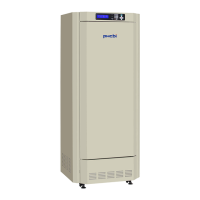
Phcbi MLR-352 Series - User Manual

Phcbi MLR-352 Series
72 pages
Print Icon
To Next Page IconTo Next Page
Loading...
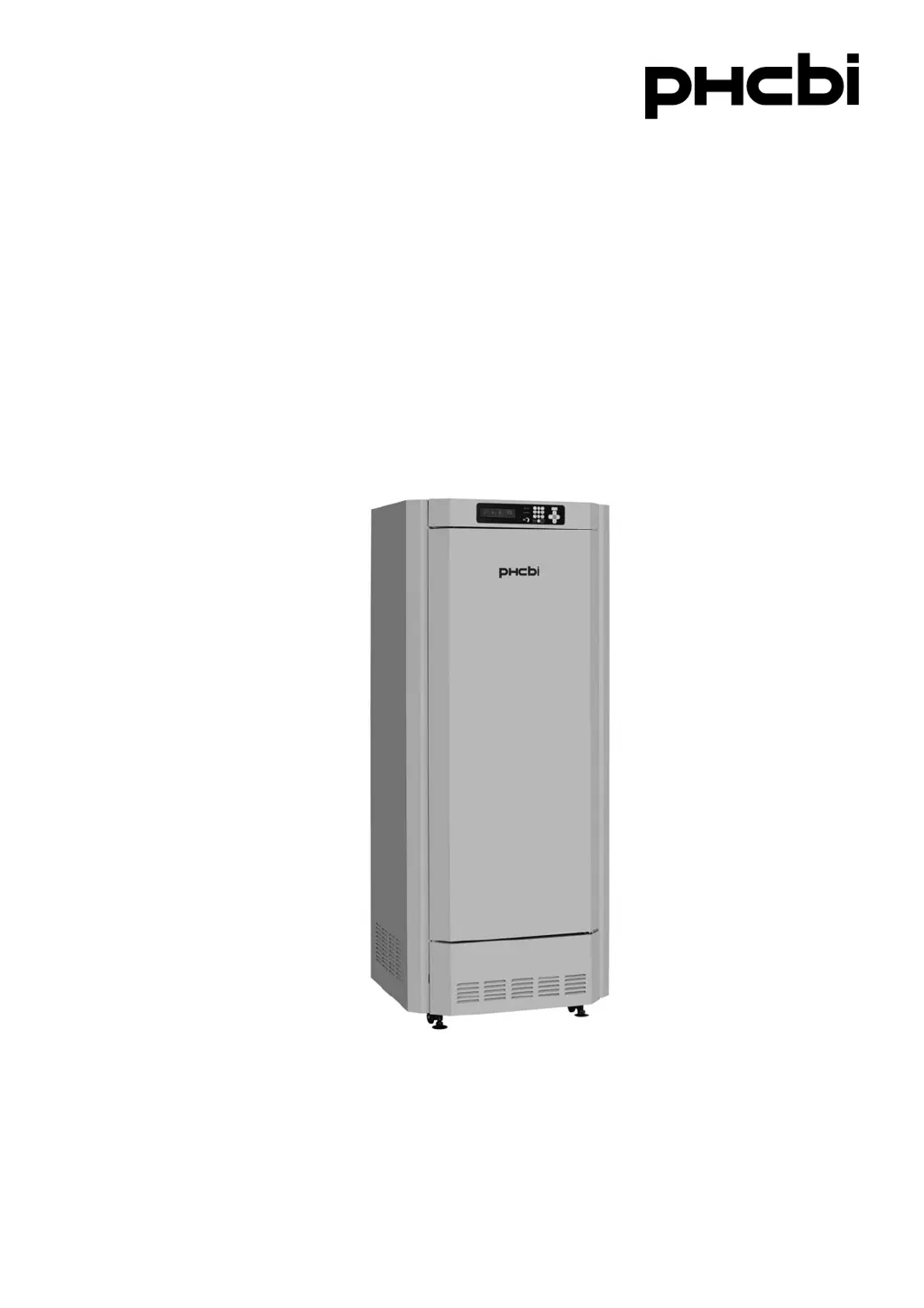
MLR-352
MLR-352HSeries
MLR-352H
Please read the operating instructions carefully before using this product, and keep the operating
instructions for future use.
See page 65 for model number.
Operating Instructions
Versatile Environmental Test Chamber

Table of Contents

Questions and Answers

Summary

Introduction to PHCbi Environmental Test Chamber

Precautions for Safe Operation

Environmental Conditions for Unit Operation

Chamber Components Overview

Switch Box Functionality

Control Panel Operations

Remote Record Terminal

Remote Alarm Terminal

Installation Site Requirements

Caution for Installation Environment

Provides specific guidance on suitable temperature ranges and potential issues like frost formation.

Unit Installation Procedure

Before Commencing Operation

Installing Inner Attachments

Details on how to correctly set up shelves and the air exhaust vent cover for optimal chamber performance.

Preventing Chamber Contamination

Top Screen Display Overview

Functions Through Control Panel

Standby Operation Settings

Setting of Key Lock (MENU;Std-by)

Setting of Key Lock (Key Lock)

Procedure to enable the key lock function on the control panel to prevent unintended changes.

Setting of Key Unlock (Key Unlock)

High Limit;Low Limit Alarm Settings

Programming and Editing Functions

Edit Saved Program

Start Program Execution

Join Function for Continuous Programs

Skip Step Functionality

Stop Program Execution

Automatic Defrost Settings

Manual Defrost Procedure

Various Setting Options

Display of Log Data

How to view recorded operational data for temperature, light, and humidity.

Setting of Date, Time, and Log Interval

Alarm Setting Configuration

Key Lock Password Setting

Default Setting Options

Delete Program Data

Light Step and Illuminance Setting

Humidity Control for MLR-352 H

Routine Maintenance Procedures

Cleaning of Unit

Guidelines for regular cleaning of the unit's interior and exterior to maintain its condition.

Replacement of Fluorescent Lamp

Procedure for safely replacing fluorescent lamps and glow starters within the chamber.

Cleaning of Evaporating Tray

Cleaning of Filter

Alarms and Safety Functions

Automatic Set Temperature Alarm

Details on how the unit alerts users when chamber temperature deviates from the set limits.

Automatic Set Humidity Alarm (MLR-352 H only)

Information on humidity deviation alerts for the MLR-352H model.

Safety Functions

Overview of built-in safety features designed to maintain chamber conditions and protect the unit.

Operation After Power Failure

Explanation of how the unit resumes operation after a power interruption, preserving settings.

Troubleshooting Common Issues

Unit Disposal Guidelines

Performance Data (MLR-352 H)

Technical Specifications

Performance Characteristics

Safety Check Sheet for Servicing

Summary

Introduction to PHCbi Environmental Test Chamber

Precautions for Safe Operation

Environmental Conditions for Unit Operation

Chamber Components Overview

Switch Box Functionality

Control Panel Operations

Remote Record Terminal

Remote Alarm Terminal

Installation Site Requirements

Caution for Installation Environment

Provides specific guidance on suitable temperature ranges and potential issues like frost formation.

Unit Installation Procedure

Before Commencing Operation

Installing Inner Attachments

Details on how to correctly set up shelves and the air exhaust vent cover for optimal chamber performance.

Preventing Chamber Contamination

Top Screen Display Overview

Functions Through Control Panel

Standby Operation Settings

Setting of Key Lock (MENU;Std-by)

Setting of Key Lock (Key Lock)

Procedure to enable the key lock function on the control panel to prevent unintended changes.

Setting of Key Unlock (Key Unlock)

High Limit;Low Limit Alarm Settings

Programming and Editing Functions

Edit Saved Program

Start Program Execution

Join Function for Continuous Programs

Skip Step Functionality

Stop Program Execution

Automatic Defrost Settings

Manual Defrost Procedure

Various Setting Options

Display of Log Data

How to view recorded operational data for temperature, light, and humidity.

Setting of Date, Time, and Log Interval

Alarm Setting Configuration

Key Lock Password Setting

Default Setting Options

Delete Program Data

Light Step and Illuminance Setting

Humidity Control for MLR-352 H

Routine Maintenance Procedures

Cleaning of Unit

Guidelines for regular cleaning of the unit's interior and exterior to maintain its condition.

Replacement of Fluorescent Lamp

Procedure for safely replacing fluorescent lamps and glow starters within the chamber.

Cleaning of Evaporating Tray

Cleaning of Filter

Alarms and Safety Functions

Automatic Set Temperature Alarm

Details on how the unit alerts users when chamber temperature deviates from the set limits.

Automatic Set Humidity Alarm (MLR-352 H only)

Information on humidity deviation alerts for the MLR-352H model.

Safety Functions

Overview of built-in safety features designed to maintain chamber conditions and protect the unit.

Operation After Power Failure

Explanation of how the unit resumes operation after a power interruption, preserving settings.

Troubleshooting Common Issues

Unit Disposal Guidelines

Performance Data (MLR-352 H)

Technical Specifications

Performance Characteristics

Safety Check Sheet for Servicing

Phcbi MLR-352 Series Specifications

General IconGeneral
Weight120 kg
TypeRefrigerator
Capacity352 liters
Frequency60Hz
External Dimensions (W x D x H)700 x 700 x 1900 mm
Internal Dimensions (W x D x H)550 x 550 x 1200 mm
Internal Volume352 liters
Shelves4
Dimensions (H x W x D)1900 x 700 x 700 mm

Related product manuals