EasyManua.ls Logo

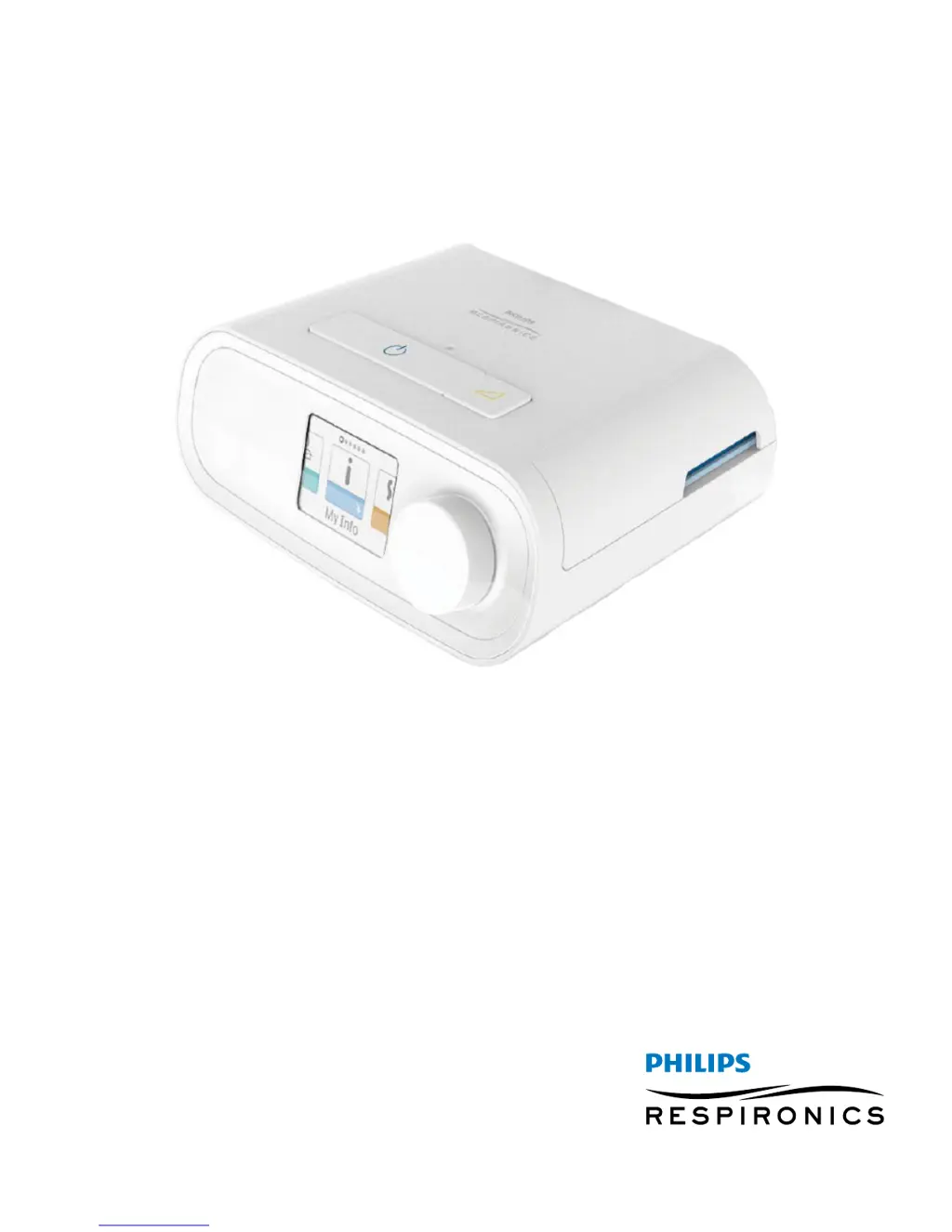
PHILIPS Respironics DreamStation CPAP - User Manual

PHILIPS Respironics DreamStation CPAP
32 pages
Print Icon
To Next Page IconTo Next Page
Loading...
User manual
DreamStation CPAP
DreamStation CPAP Pro
DreamStation Auto CPAP

Questions and Answers

  • O
    odonnelljoeAug 16, 2025
    How to adjust humidifier settings on PHILIPS Respironics DreamStation CPAP Medical Equipment?
    • A
      aaron23Aug 16, 2025
      To adjust the heated humidifier or heated tube temperature settings on your PHILIPS Respironics Medical Equipment, ensure the blower is turned on. The humidifier setting and tube temperature settings can only be adjusted from the Therapy ON display screen. Confirm that the settings are visible on the right side of the screen, then adjust to your desired comfort. If the Blower is on but the humidifier settings are not displayed on the Therapy ON screen, then unplug the device. Confirm that the humidifier and/or heated tube electrical contacts are not obstructed or damaged. Then reconnect the humidifier and/or heated tube and reconnect the device·s power supply. Turn the Blower on; if the settings are still not visible, contact your provider for assistance.
  • C
    Charles ChandlerAug 19, 2025
    What to do if my PHILIPS Respironics DreamStation CPAP Medical Equipment doesn't turn on?
    • A
      Anthony RobinsonAug 19, 2025
      If your PHILIPS Respironics Medical Equipment does not power on, first ensure it is properly plugged into a working outlet. If using a power cord, verify the cord is securely connected to both the power supply and the device's power inlet, and that there is power available at the outlet. If using a battery, ensure the battery cord and adapter cable connections are secure and that the battery is charged or replaced. If the problem persists with a power cord, check the cord's fuse. If using a battery, it may need recharged or replaced.
  • K
    kimberlymckinneyAug 21, 2025
    Why is the air from my PHILIPS Respironics Medical Equipment too warm?
    • T
      Thomas BarnesAug 21, 2025
      If the airflow from your PHILIPS Respironics Medical Equipment is warmer than usual, the air filters may be dirty, or the device might be operating in direct sunlight or near a heater. Clean or replace the air filters. Ensure the device is properly ventilated and away from bedding or curtains that could block airflow. Keep it away from direct sunlight and heating equipment. If you're using a humidifier, check its settings to ensure it's working correctly. The temperature of the air may vary somewhat based on your room temperature.
  • T
    Timothy BradleyAug 25, 2025
    Why does the water in my PHILIPS Respironics DreamStation CPAP humidifier run out so quickly?
    • C
      Charles HunterAug 25, 2025
      If the water in your PHILIPS Respironics Medical Equipment's humidifier chamber runs out before morning, several factors could be responsible. Initially, ensure the water chamber is filled to the maximum fill line before starting your sleep session. Check your mask fit and adjust it to minimize leaks. Verify that the device, humidifier, seals, and tube are correctly connected and not leaking. If the issue continues, consider lowering your humidifier or heated tube settings, or switch from Fixed to Adaptive humidification mode. These adjustments can help extend the duration the humidifier water lasts. Also, consider that ambient conditions such as temperature and humidity can affect water consumption.
  • J
    justinmartinAug 28, 2025
    What to do if my PHILIPS Respironics DreamStation CPAP Medical Equipment display is acting erratically?
    • M
      Mitchell BlackAug 28, 2025
      If your PHILIPS Respironics Medical Equipment display is erratic, unplug the device and then reapply power. If the problem continues, relocate the device to an area with lower electromagnetic interference (EMI), away from electronic equipment such as cellular phones, cordless phones, computers, TVs, electronic games, and hair dryers.
  • N
    Nancy GonzalezAug 31, 2025
    Why does the air pressure feel wrong on my PHILIPS Respironics DreamStation CPAP?
    • B
      Briana JonesAug 31, 2025
      If the airflow pressure on your PHILIPS Respironics Medical Equipment feels too high or too low, ensure that the Tubing type setting (15 or 14) matches the tubing you are using (Philips Respironics 15 or 14 mm tubing). If you are using the Heated Tubing, this setting will be 14H and you cannot change it.
  • B
    bdiazSep 3, 2025
    Why is my PHILIPS Respironics DreamStation CPAP Medical Equipment making a whistling sound?
    • B
      Bryan MunozSep 3, 2025
      If you hear a leak or whistling sound coming from your PHILIPS Respironics Medical Equipment or humidifier (not related to mask leak), check that the therapy device air inlet is not obstructed and that the filters are clean and properly inserted. Confirm that the device, humidifier, and tube are connected properly and are not leaking. Also, verify that the humidifier lid seal and dry top seal are present and properly seated. If needed, gently press around the perimeter of the seals to reseat them.
  • C
    Christopher TannerSep 6, 2025
    How to turn on the air flow on PHILIPS Respironics DreamStation CPAP?
    • D
      deborahgilbertSep 6, 2025
      To turn on the airflow on your PHILIPS Respironics Medical Equipment, ensure the device is powered correctly and the Home screen is displayed. Press the Therapy Button on top of the device to start airflow.
  • S
    swilliamsSep 9, 2025
    Why doesn't the ramp feature work on my PHILIPS Respironics DreamStation CPAP Medical Equipment?
    • M
      millerlauraSep 9, 2025
      The Ramp feature on your PHILIPS Respironics Medical Equipment may not work if your home care provider did not prescribe it for you, or if your therapy pressure is already set to the minimum setting. If Ramp has been enabled, check the current pressure setting on the Therapy screen. If the therapy pressure is set to the minimum setting (17, 13 cm H2O), or the Ramp starting pressure is the same as the therapy pressure, the Ramp feature will not function. Also, make sure that the ramp time setting is >0.
  • C
    courtneybentonSep 12, 2025
    What to do if I spill water in PHILIPS Respironics DreamStation CPAP Medical Equipment humidifier?
    • S
      Stephen Ortiz IVSep 12, 2025
      If you accidentally spill water into your PHILIPS Respironics Medical Equipment humidifier basin, disconnect power from the device. Remove the water chamber and pour out any excess water until the water level is at or below the maximum fill line, then set the chamber aside. Separate the humidifier from the therapy device and pour out the spilled water. Once the heater plate has cooled, wipe the inside of the humidifier with a paper towel or soft cloth. If needed, dry the underside of the humidifier and confirm that your tabletop is dry. Reconnect the humidifier and power supply, and reinstall the water chamber. A small amount of water spilled in the basin of the humidifier will not harm your device.

Summary

Intended Use

Important Information

Warnings and Safety

Cautions

Warns about potential device damage or performance degradation.

Contraindications

Lists medical conditions that may prevent safe use of the therapy.

Device Reference

System Contents

Lists all items included in the DreamStation system package.

System Overview

Installing and Replacing Air Filters

Device Placement and Power

Supplying AC Power

Details the procedure for connecting the device to an AC power source.

Connecting Breathing Circuit

Navigating Device Screens

Starting the Device

Outlines the steps to power on the device and begin therapy.

Menu Navigation During Therapy

Ramp Feature

Reduces air pressure when trying to fall asleep, gradually increasing it.

Menu Navigation When Therapy is OFF

Check Mask Fit

Guides users through a process to check and ensure proper mask seal.

Bluetooth Wireless Technology

Device Alerts

Troubleshooting Common Issues

Available Accessories

Specialized Usage Scenarios

Adding Supplemental Oxygen

Explains how to safely add supplemental oxygen to the therapy circuit.

Device Maintenance

Cleaning the Device

Instructions for safely cleaning the exterior of the therapy device.

Cleaning or Replacing Filters

Procedures for maintaining the device's air filtration system.

Cleaning the Tubing

Steps for cleaning the flexible tubing for hygiene and performance.

Technical Specifications

Limited Warranty Information

PHILIPS Respironics DreamStation CPAP Specifications

General IconGeneral
Device TypeCPAP
BrandPhilips Respironics
ModelDreamStation
Pressure Range4-20 cm H2O
Power Supply100-240 VAC, 50/60 Hz, 2.0-1.0 A
Therapy ModesCPAP, Auto CPAP
Altitude CompensationAutomatic
Data StorageSD card
DisplayColor LCD
Ramp Time0 to 45 min (5-minute increments)
HumidificationIntegrated heated humidifier
CompatibilityDreamMapper
Dimensions7.6 in L x 6.2 in W x 3.3 in H

Related product manuals