Circuit Diagram
PHILIPS Confidential – Do Not Copy 105S5
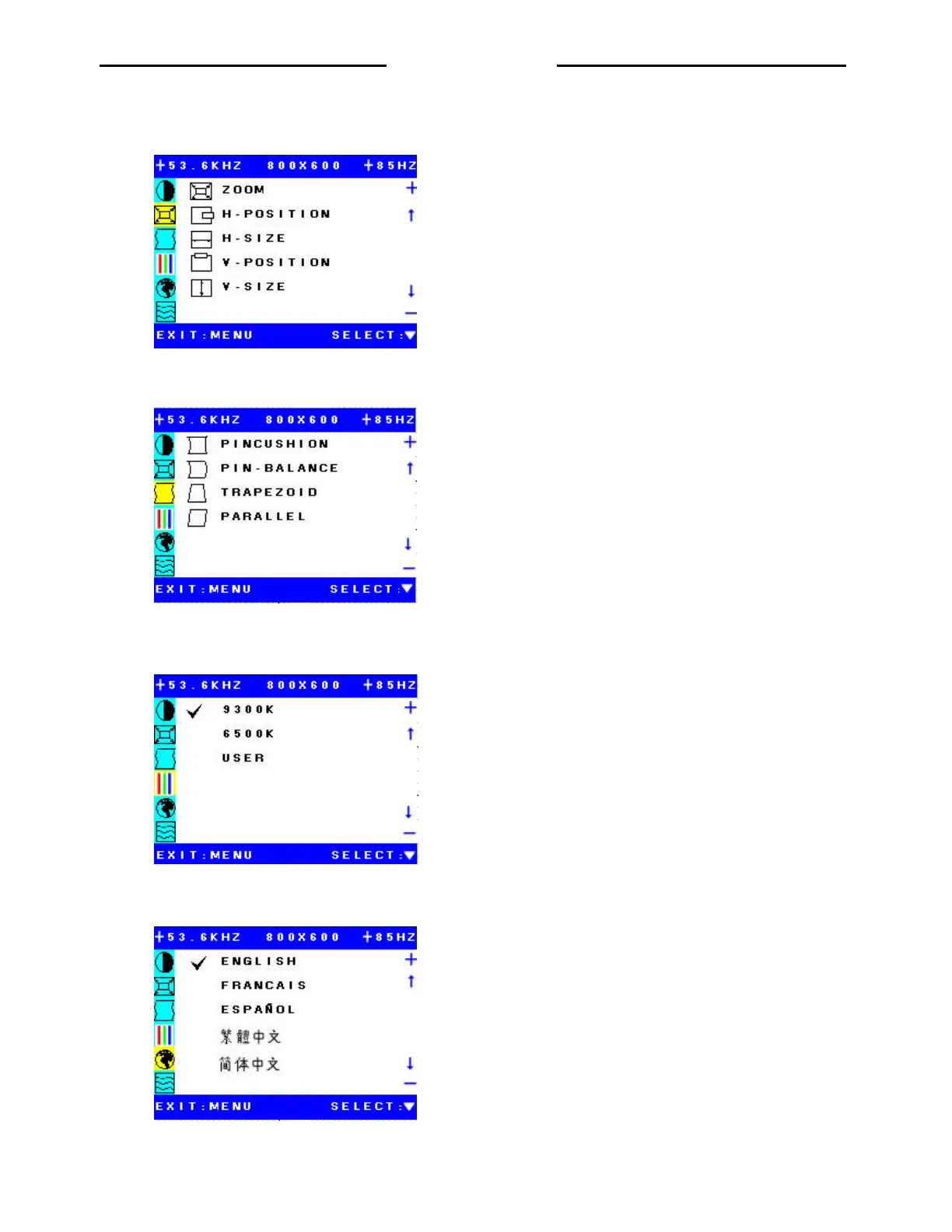
2. Submenu 2
Zoom: Increase or decrease H-size and V-size together.
H-Position: Move the picture toward right or lift sides.
H-size: Increase or decrease horizontal size of picture.
V-Position: Move the picture toward top or bottom.
V-size: Increase or decrease vertical size of picture.
3. Submenu 3
2.
PINCUSHION: Cause right and lift sides become barrel or pin.
PIN-BALANCE: Cause right and lift sides become balance curve.
TRAPIZOID: Adjust ratio between the horizontal size at top and the
horizontal size at bottom of picture
PARALLEL: Cause the picture become parallel.
4. Submenu 4
9300K: Selectable color temperature 9300K
6500K: Selectable color temperature 6500K
USER: Selectable color temperature USER colors.
5. Submenu 5
ENGLISH: Selectable English language menu.
FRANCAIS: Selectable France language menu
ESPANAL: Selectable Spanish language menu
Traditional Chinese: Selectable traditional Chinese language menu.
Simplified Chinese: Selectable Simplified Chinese language menu.
6. Submenu 6
http://jdwxzlw.com/?fromuser=华盛维修


 To Next Page