4
BRIEF CIRCUIT DESCRIPTION
107T6 CRT
55
Go to cover page
BRAND : PHILIPS
1 inch Monitor7CRT
TYPE :107T60/00
8639 000 15483
2004-04-19
2004-04-19
4
The red, green and blue video signals are amplified by pre-amplifier and post-amplifier, then AC coupled to CRT
cathodes via DC restoration circuits (LM2480). Three cut-off adjustments are provided to set the video black level at
cathode for all three guns. Three individual gain adjustments are also provided to adjust the white balance. Both cut-off
and gain controls are digital control via micro-controller (included in Demic IC).
Aspot-killer circuit (7502, etc) is also provided to prevent the CRT damage due to spot burn-out when the set is
switched off.
DDC 2B:.
Via SDA and SCL, the data about the information of the monitor, including the serial number, production codes, CRT
type and applicable timings, are stored in the EEPROM. To avoid picture interference, the reading and writing
processes are executed during vertical blanking which is informed by the vertical SYNC.
D.MICRO-CONTROLLER
GENERAL DESCRIPTION:
The micro-controller (included in Demic IC) is used to control all required functions of monitors. The preset data
are stored in EEPROMM24C16. The most important point is using
interrupt to do the fast detect of mode
change. Then the MCU, through the deflection part of Demic IC, delivers a good protection behavior for
horizontal output transistor during mode change.
HARDWARE DEFINITIONS:
a) KEY BOARD
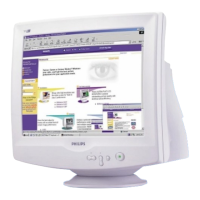
There is a keypad with five keys at the front of monitor for Power-on/off ,
LightFrame on/off,
and the OSD control.
-Power-on/off
Toswitchon/off the set.
-LightFrame on/off
To enable/disable the LightFrame function
-OSDfunction keys:
-Enter (OK)
Push it, to confirm the entrance or exit from the OSD window.
- +(DOWN/RIGHT/INCREASE/BRIGHTNESS)
To select downward or rightward the parameters which are chosen from
OSD.
To increase the scale of the selected parameter.
To call for brightness adjustment.
- (UP/LEFT/DECREASE/CONTRAST)
To select upward or leftward the parameters which are chosen from OSD.
T
o decrease the scale of the selected parameter.
To call for contrast adjustment.
b) OSD will disappear and SAVE AUTOMATICALLY after non-operation.
c) Software will control the DPMS according to the SYNC status.



 To Next Page