107T6 CRT
97
Go to cover page
LightFrame for Windows (Continued)
On button
Add/Remove button
Off button
Full screen button
Help button
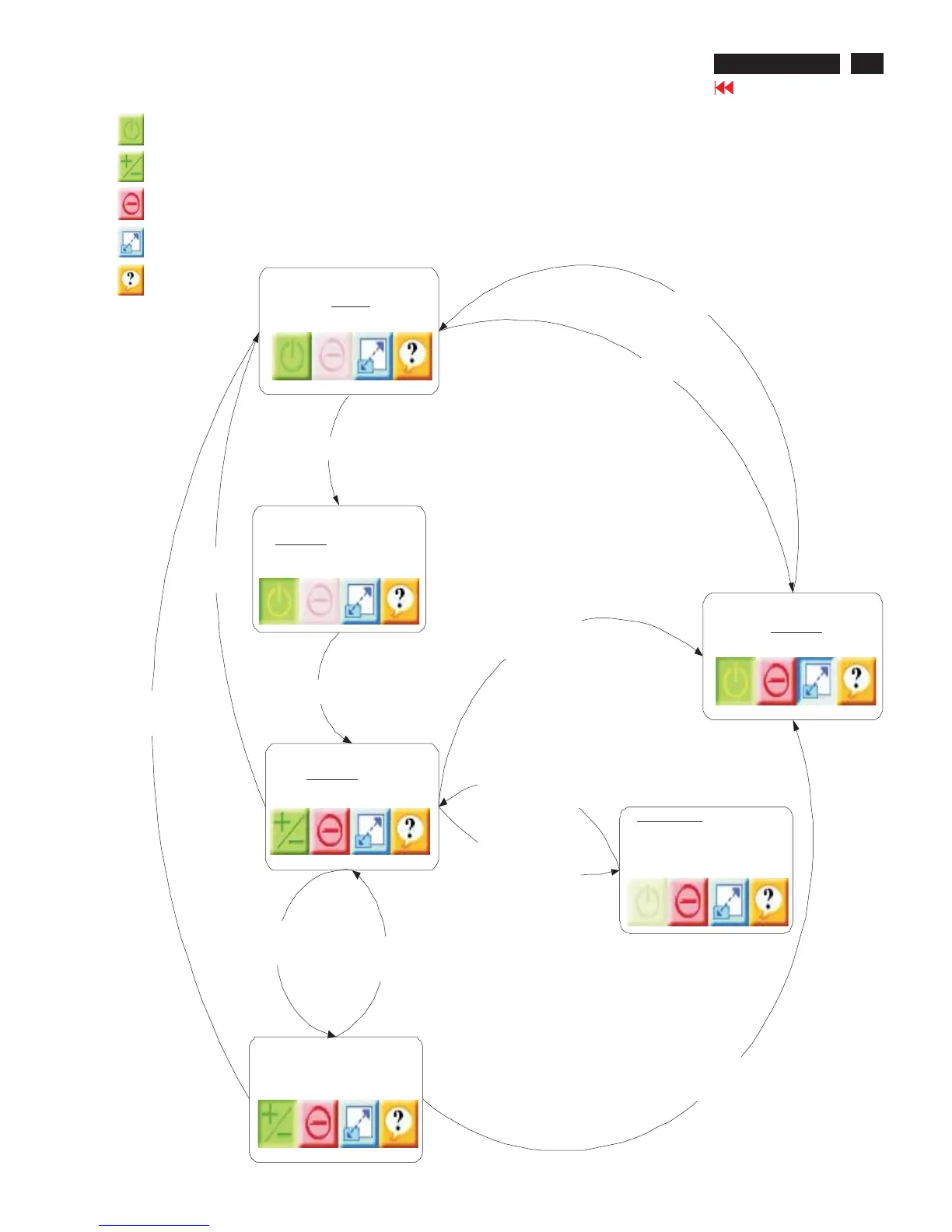
LightFrame 3State and transition diagram
Combined with controlbar appearance
LF Idle
User clicksofforfull screen
User clicksfull screen button
LF active
Full screen
User clicksfull
screen button
User clicksonbutton
LF active
Select first target
User clicksfull
screen button
LF active
Add/Removeselections
User clicks
Add/Remove button
User (de)selects
targets
LF suspend
All highlighted areas are
overlapped by other
application
User selects first target
LF active
First target selected
Overlap or
minimize situation
Overlap removed or
window restored
User clicks
Off button
User clicks
Off button



 To Next Page