107T6 CRT
95
Go to cover page
LightFrame for Windows (Continued)
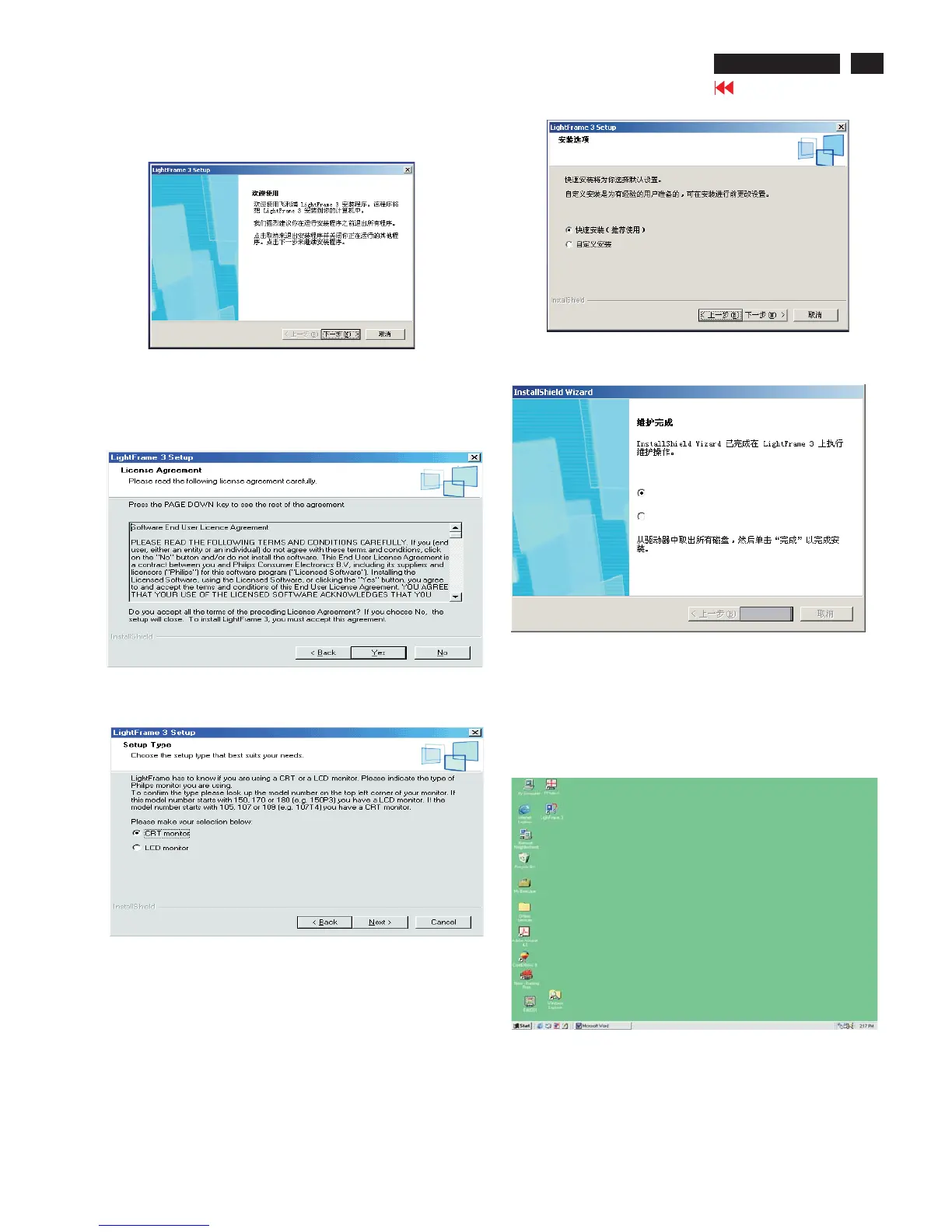
5. Click Yes.
Bring up Fig.5.
7. Click "Yes", Bring up Fig.7.
8. Click" Next", Bring up Fig.8.
Fig.5
Fig.6
Fig.7
Fig.8
Note:Please exit all the other program before you install
"LightFrame"program.
6. Click "Next", Bring up Fig.6.
9. Click "Next", Bring up Fig.9.
Yes, re-startup the computer immediately.
No, re-startup the computer after a while.
Finish
10. Choose "Yes, re-startup the monitor immediately." Then
click "Finish", the computer will re-startup automatically,
the installation havealreadycompleted.
Fig.9
11. After the computer re-startup, you will find the"LightFrame"
icon on the desktop shown as Fig. 10.
Fig.10
<-----------



 To Next Page