A
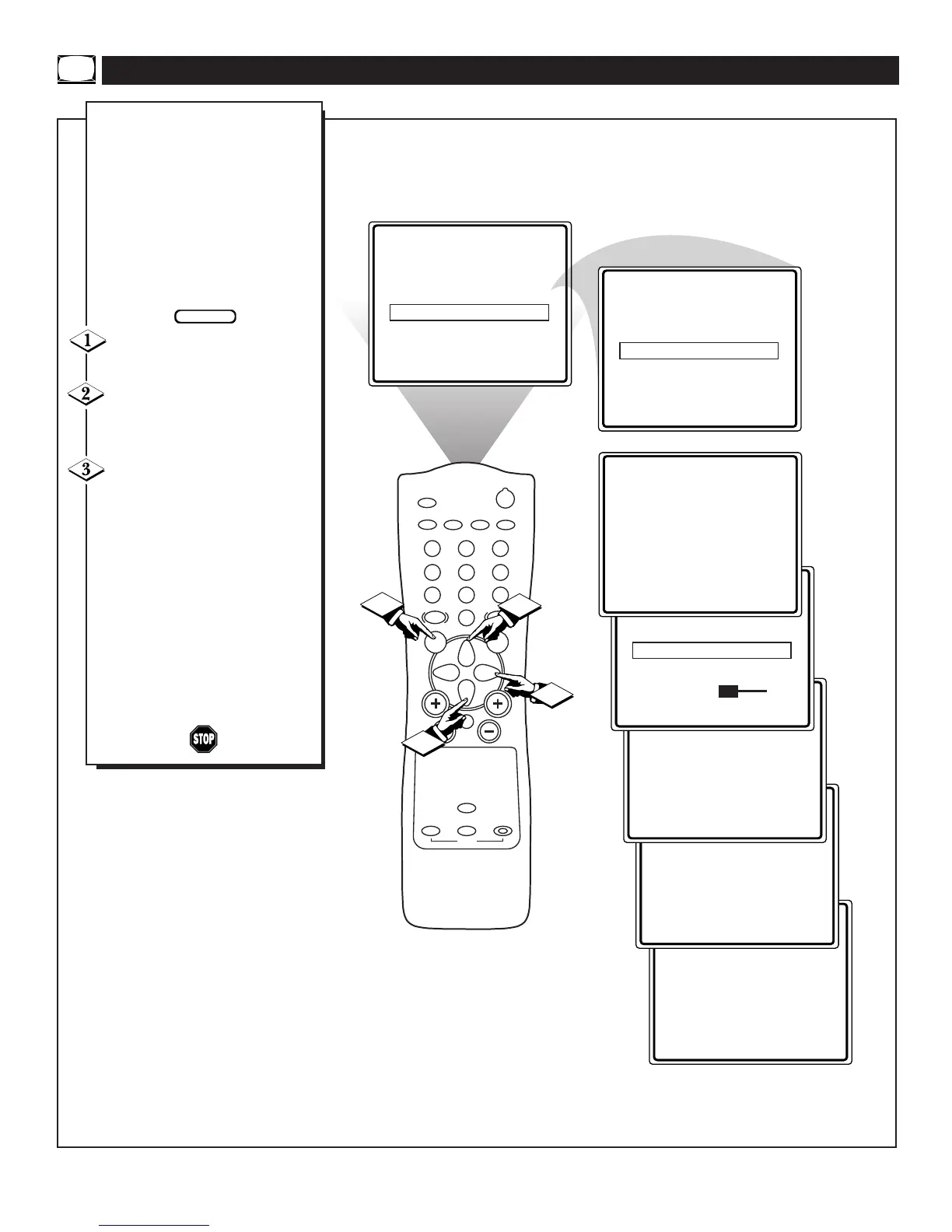
DEMO Control has been added
to this television to display var-
ious features of the set. This is
intended for sales floors were limit-
ed numbers of sales personal are
available. It displays for the cus-
tomer some of the unique features
built into the set.
To turn the DEMO control OFF,
follow the steps below:
Press the MENU button to dis-
play the onscreen menu.
Press the CURSOR UP ▲ or
CURSOR DOWN ▼ button until
the word DEMO is highlighted.
Press the CURSOR RIGHT ©
button to toggle the DEMO control
ON or OFF.
Note: When the DEMO control is in
the ON position, pressing any button
on the remote or TV will eliminate it
from the screen until the TV is pow-
ered off. When the TV is powered
ON, the DEMO will begin again.
We recommend that the DEMO con-
trol be set to the OFF position when
used in the home.
ACTIVATING THE DEMO CONTROL


 To Next Page