A
unique feature of this television
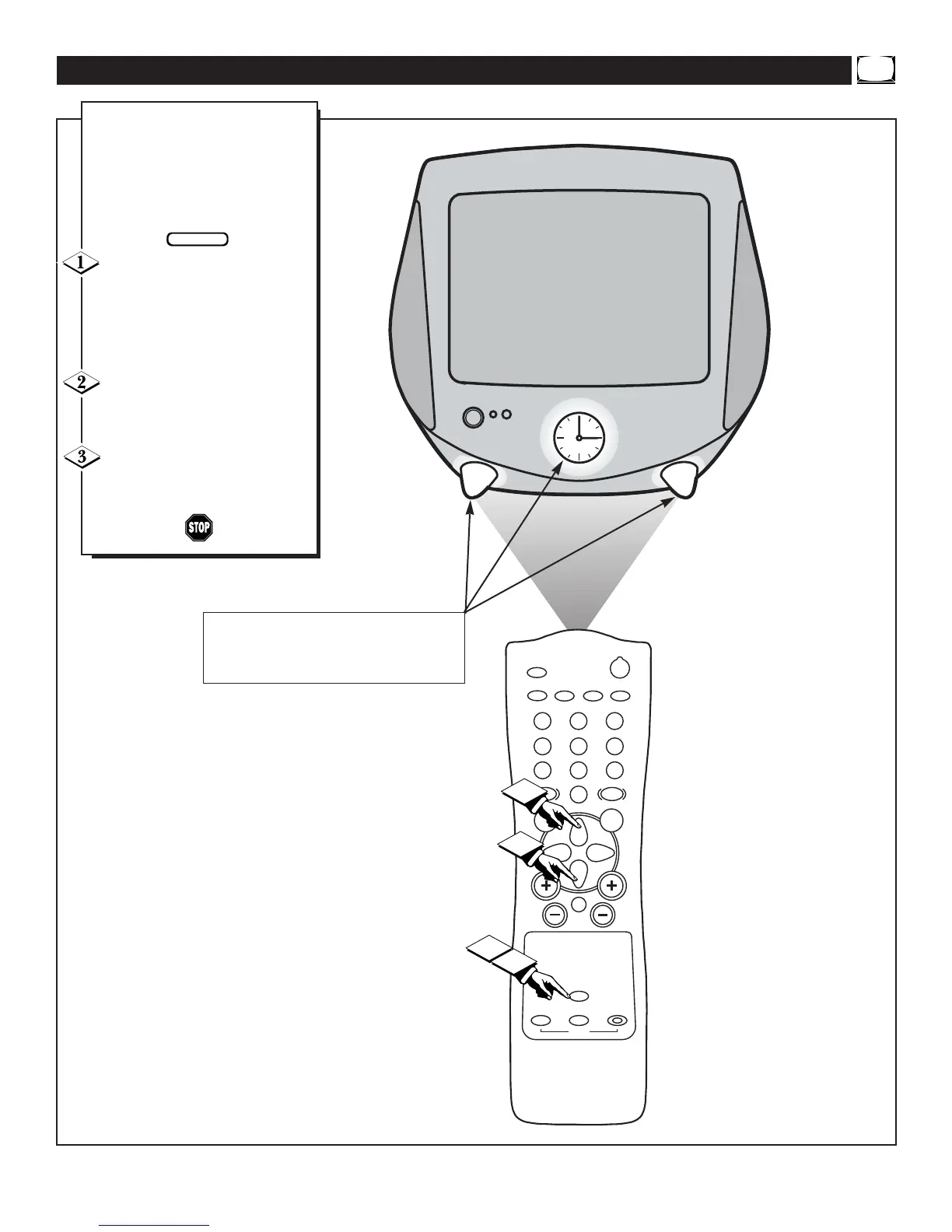
is it’s Night Light. This feature
allows vision of the Clock while
also lighting the “feet” of the TV.
It’s a great feature for a child’s
room or the kitchen area.
Press the NIGHT LIGHT but-
ton on the remote control to turn the
televisions Night Light ON.
The Clock and the television’s feet
will be lit with a soft blue light.
Press the CURSOR UP ▲ or
DOWN ▼ buttons to increase or
decrease the light’s brightness.
Press the NIGHT LIGHT but-
ton on the remote again to turn the
light OFF.
USING THE TV’S NIGHT LIGHT
NOTE: The Clock and both legs (feet)
will light when the NIGHT LIGHT but-
ton on the remote is pressed.


 To Next Page