83
170S6 LCD
Firmware Upgrade for CPU
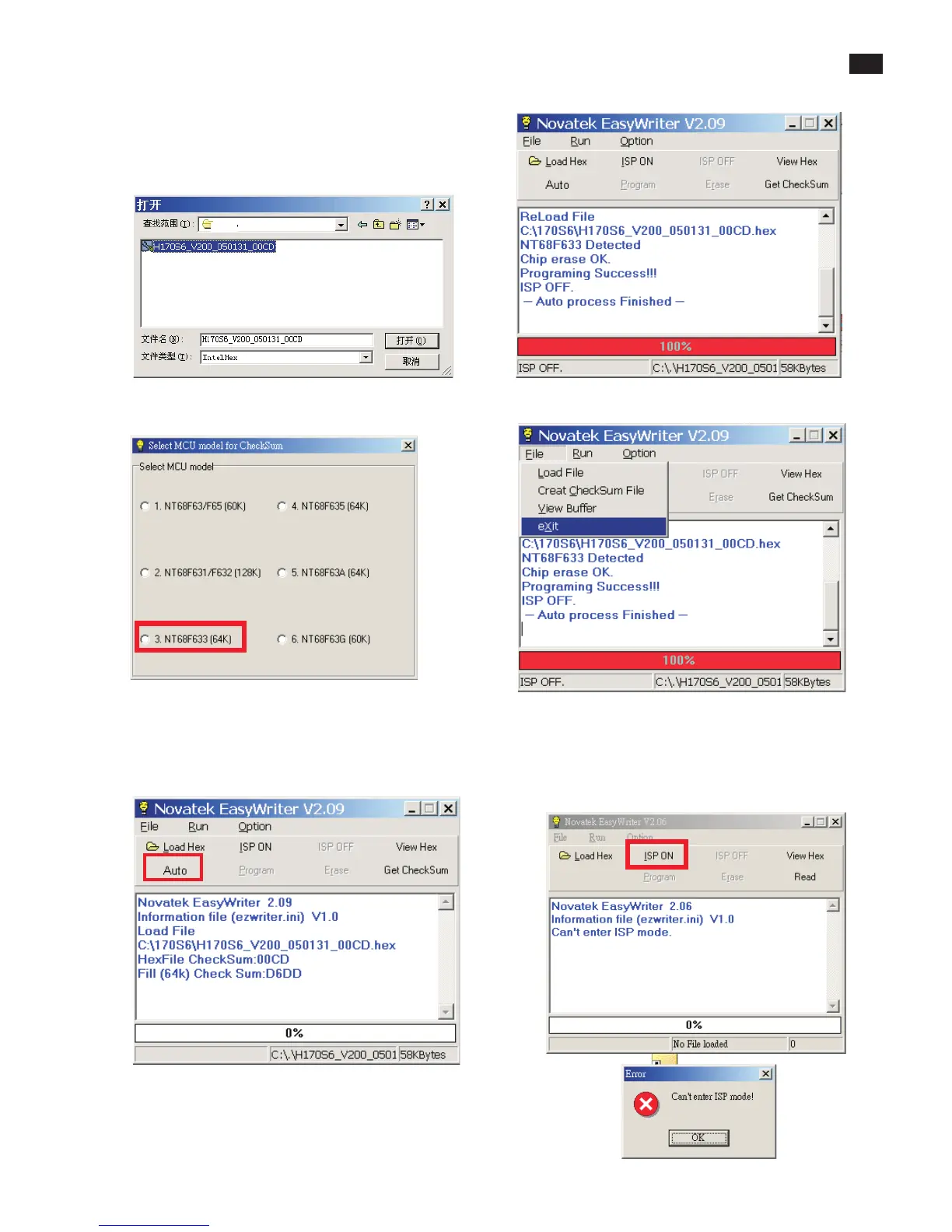
2. Press the Load hex then select the hex file as shown
in Fig. 8.
3. From the menu that appears, choose the "NT68F633(64K)" as
showninFig.9
4 Press the AUTO to running program , the firmware be
updated as shown in Fig. 10~11.
4 Pressthe file-->exit toend program ,asshown inFig.12.
.
Fig. 8
If there is a warring message coming as shown in Fig 13. , you
havetochecktheACpower,Videocable,orNovatekMCU.
Fig. 9
Fig. 10
Fig. 11
Fig. 12
Fig. 13



 To Next Page