Remove and Re-install the Base
Your LCD Monitor : Front View Product Description • Accessory Pack • Connecting to Your
PC • Getting Started • Optimizing Performance • Accessories (optional)
Remove and Re-install the Base : Remove the base • Re-install the base
Condition:
for VESA standard mounting applications
●
for optional bases replacement●
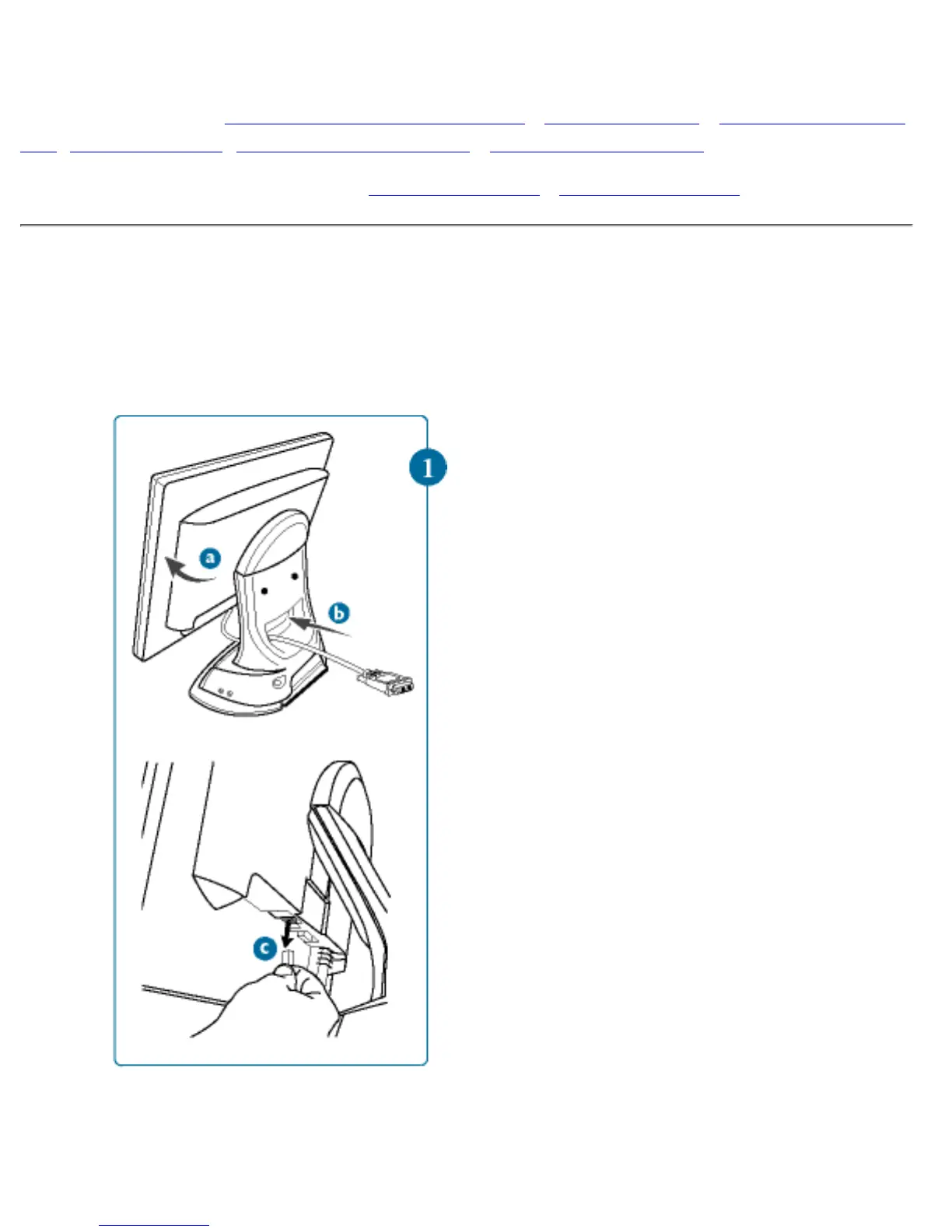
Remove the Base
1)
(a) Tilt monitor on
certain angle.
(b) Pull cables out of
the hole at the bottom
of base.
(c) For Multimedia
base, disconnect the
DC flying cable from
monitor body also.
file:///D|/Grace/K1/english/170b2m/install/base.htm (1 of 4) [11/22/2001 1:38:07 PM]



 To Next Page