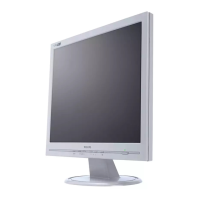
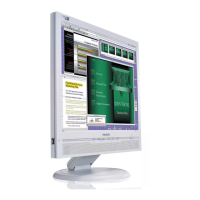
8
Factory Mode
Front control panel
Access Factory Mode
How to get into Factory Mode Menu
Step1:
Turn off monitor.
Step2:
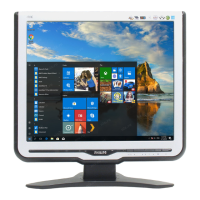
[Push AUTO " " & OK " " buttons at the same time and hold it]
+[Press power " " button untill comes out "Windows screen" ]
=> then release all buttons
Step3:
Press OK " " button, bring up Factory mode indication as shown
in Fig2.
Hudson 170C6 V004 2005/03/21
BL :
0
SUB - BRI :
0 255
SUB - CON : 78 128 178
9300K R Xxx G xxx B xxx
6500K R Xxx G xxx B xxx
SRGB R Xxx G xxx B xxx B 255 C 128
OFFSET2 R Xxx G xxx B xxx
GAIN R Xxx G xxx B xxx M 255 m 0
AUTO-SUB OK! OSDTIMER 60
IDX : 40
OFFSET1 R Xxx G xxx B xxx
SCALER:ADD:
VAL: READ
WRITE
NVRAM:ADD:
VAL: READ
WRITE
PANEL:
LG
17
1024x768 48.3KHz @60Hz
BL blacklevel value
SUB-BRI : Brightness value range(Min Max)
SUB-CONContrast value range(Min Mid Max)
SRGB-B : Brightness of sRGB
SRGB-C : Contrast of sRGB
Gain-m : Minimum value of User Gain
Gain-M: Maximum value of User Gain
AUTO-SUB: To d o Auto color function when push
Menu key in white pattern
OSDTIM ER :OSD time out control(sec)
IDX : Limit current of inverter
SCALER : Read/Write scaler register
Panel : HS (Hannstar panel)
CPT (CPT panel
)
LG (LG.Philips panel)
AU
QDI (Quanta Display Inc.)
DEFAULT
HUDSON 170C6 V004 2005/03/21
Factory mode indicaor
Factory Menu
Cursor can move on gray color area
Hot key function: by pressing " up " and " DOWN " key
Simultaneously at User Mode (or Factory Mode)
(PS: The Offset RGBfunction can be used on reduce or eliminate
snowy noise on the background when the resolution of video signal
is 1280*1024 vertical 60Hz. Slightly increase or decrease the value
until snowy noise completely disappear


 To Next Page