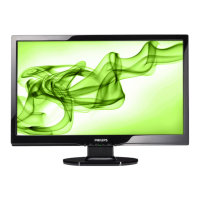
220B2 22” Wide 16:10 LCD Monitor
2010/02/10 PHILIPS 16 of 29
220BL2 LCD 69
General Product Specification
C. Photo
i. Purpose: Design for image viewing application, especially in slide show. The screen
is dominated by picture. Power point presentation could use this profile also.
ii. Enhancement Point:
1. Dynamic contrast enhancement by histogram analysis (DLC) should be off.
2. Sharpness and color to be enhanced 75%.
3. Color temperature 6500°K
4. Brightness level sets to maximum.
5. Smart
Response set to “Off”. (N/A for this model)
6. Smart Contrast set to “Off”.
D. Economy
i. Purpose: Adjust brightness level for reducing power consumptions
ii. No optimization by Smart Image.
iii. Design:
1. Brightness level set to 50%, a little higher brightness level than laptop PC,
fine tune brightness level before DVT exit.
2. Color temperature set to 6500K.
3. Gamma Table set to 2.2.
E. Game
i. Purpose: Design for video application, Like Microsoft Media Player or Real Player.
The screen is dominated by video.
ii. Enhancement Point:
1. Dynamic contrast enhancement by histogram analysis (DLC) should be
implemented.
2. Sharpness enhanced 90%.
3. Color enhancement set as the same with Video.
4. Color temperature set to User Define (if higher)
5. Brightness level sets to maximum.
6. Gamma Table turn off to achieve
7. Fastest response time. (N/A for this model)
8. Smart Contrast set to “On”
9. Gamma set to 2.4



 To Next Page