HUDSON 9
9
3.3 Adjusting the Picture
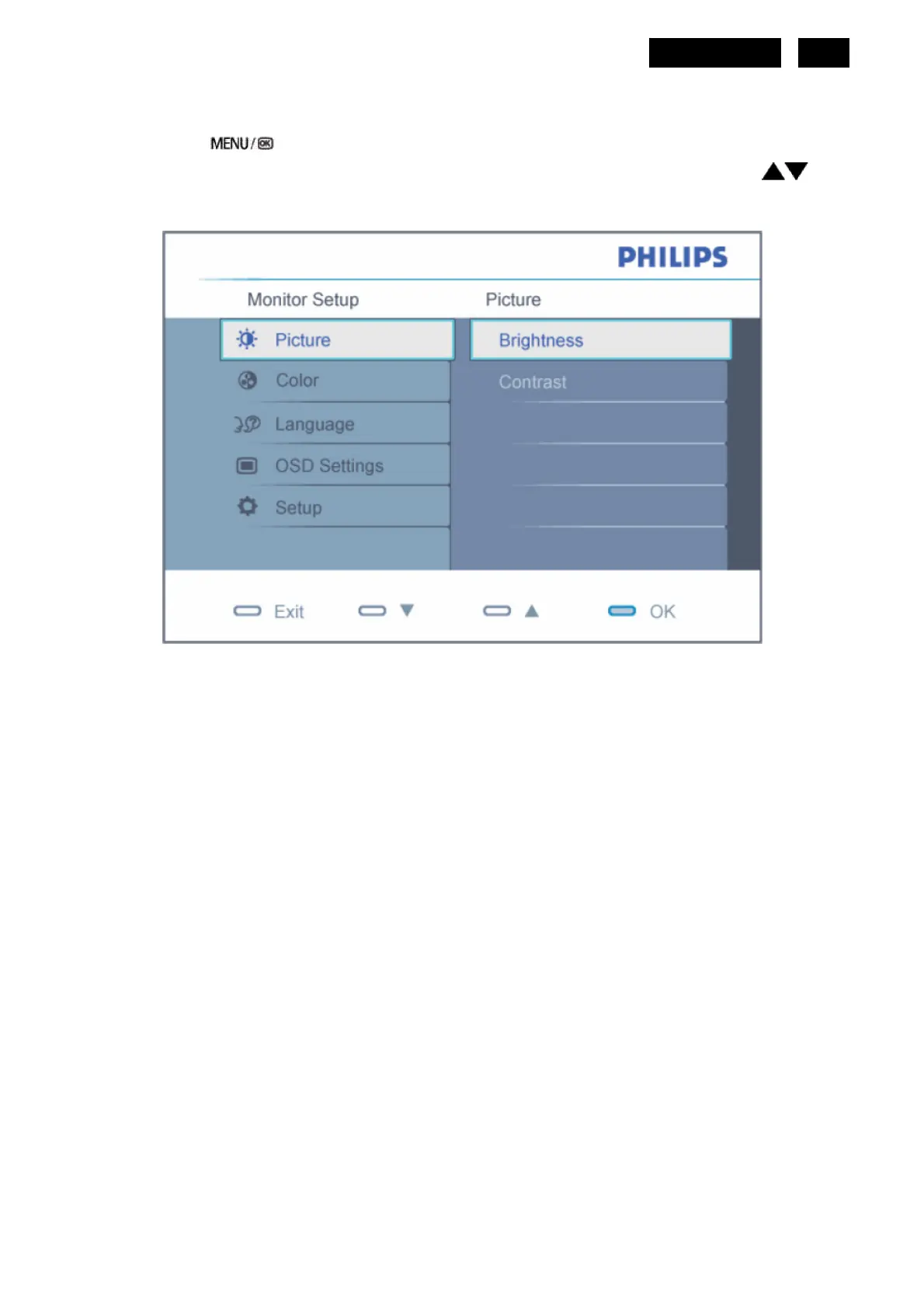
Description of the On Screen Display
When you press the button on the front control of your monitor, the On-Screen Display (OSD) Main Controls
window will pop up and you can then start making adjustments to your monitor's various features. Use the
keys to
make your adjustments.
To Lock/Unlock OSD function (User Mode)
The OSD function can be locked by pressing “MENU” button for more than 10 seconds.
Locked OSD function can be released by pressing “MENU” button for more than 10 seconds again.
http://www.wjel.net


 To Next Page