EasyManua.ls Logo

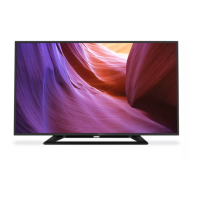
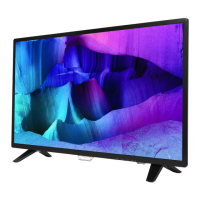
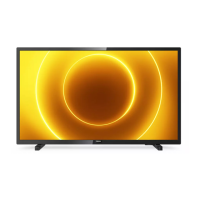
Philips 32PHT5505 - User Manual

Philips 32PHT5505
30 pages
Print Icon
To Next Page IconTo Next Page
Loading...
32PHT5505
43PFT5505
Register your product and get support at:
www.philips.com/TVsupport
EN User Manual

Questions and Answers

  • G
    Gregory GarciaSep 8, 2025
    How to stabilize a computer display on a Philips 32PHT5505?
    • A
      April WestSep 8, 2025
      If the computer display on your Philips TV is not stable, check that your PC uses the supported resolution and refresh rate. Additionally, set the TV picture format to unscaled.
  • V
    vegacalvinSep 10, 2025
    Why didn't my Philips 32PHT5505 save picture settings?
    • S
      sarah63Sep 10, 2025
      If your Philips TV did not save your picture settings, check that the TV location is set to the home setting. This mode allows you to change and save settings.
  • D
    Dr. Sandra ByrdSep 12, 2025
    Why is sound coming from one speaker only on my Philips TV?
    • M
      Michelle JacksonSep 12, 2025
      If your Philips TV pictures are showing but sound comes from one speaker only, verify that the sound balance is set to the center.
  • K
    kvelezSep 13, 2025
    How to adjust picture size on Philips 32PHT5505 TV to fit the screen?
    • C
      cooperpeggySep 14, 2025
      If the picture does not fit the screen on your Philips TV and is either too big or too small, try using a different picture format.
  • S
    sjamesSep 15, 2025
    What is the unlock code for Philips 32PHT5505?
    • M
      Melissa FrancisSep 15, 2025
      If you forgot the code to unlock the TV lock feature on your Philips TV, enter ‘3448’.
  • B
    Brett DominguezSep 18, 2025
    What to do if I have problems with HDMI devices on my Philips TV?
    • D
      Donald LynchSep 18, 2025
      Please note that HDCP (High-bandwidth Digital Content Protection) support can delay the time taken for a Philips TV to display content from a HDMI device. If the TV does not recognise the HDMI device and no picture is displayed, please try switching the signal source to another device before switching it back again. If there are intermittent sound disruptions, please check that output settings from the HDMI device are correct. If you are using a HDMI to DVI adapter or cable, please check if the audio cable that comes with the product is connected to AUDIO (only for mini jacks).

Summary

1 Caution

2 Important

Safety Precautions

General safety advice, including risks of electric shock, fire, personal injury, child safety, and overheating.

3 Overview of Your TV

Using the Remote Control

Instructions on how to properly operate the TV using the remote control.

4 Using the TV

Switching the TV On or Off

Step-by-step guide to powering the TV on and putting it into standby mode.

Changing TV Channels

Methods for selecting and switching between different TV channels.

Watching Connected Devices

Instructions for selecting and viewing content from external devices connected to the TV.

Adjusting TV Volume

Steps for increasing, decreasing, and muting the TV's audio volume.

5 Other Uses of the TV

Picture and Sound Settings

Guide to adjusting personal preferences for picture quality and audio output.

Adjusting Picture Settings

Detailed options for fine-tuning picture parameters like brightness, contrast, and color.

Updating TV Software

Information on checking for and installing TV software updates for improved performance.

6 Setting Up Channels

Automatic Channel Scan

How to automatically find and save all available TV channels.

Recording TV Programs

How to record TV programs using the recording option.

7 Connecting the TV

Connecting a Computer to the TV

Guide to connecting a PC to the TV for display and audio output.

Using Philips EasyLink (HDMI-CEC)

How to enable and utilize the HDMI-CEC feature for device control.

9 Troubleshooting

General TV Operational Issues

Solutions for common problems like TV not switching on or remote control issues.

Picture Quality Issues

Solutions for problems such as no picture, poor picture quality, or incorrect picture size.

HDMI Connection Problems

Solutions for issues encountered when connecting HDMI devices to the TV.

Philips 32PHT5505 Specifications

General IconGeneral
Screen shapeFlat
Response time- ms
Display diagonal32 \
Display brightness- cd/m²
Display resolution1366 x 768 pixels
Display technologyLED
Native aspect ratio16:9
Native refresh rate60 Hz
Display diagonal (metric)80 cm
Supported graphics resolutions1366 x 768
Motion interpolation technology-
USB recordingYes
Audio formats supportedAAC, MP3, WAV, WMA
Image formats supportedBMP, GIF, JPEG, PNG
Video formats supportedAVC, MPEG1, MPEG2, MPEG4, WMV9
Video compression formatsAVI, H.264, MKV
Subtitle formats supportedASS, SMI, SRT, SSA, SUB, TXT
Firmware upgradeable viaUSB
Product colorBlack
Tuner typeAnalog & digital
Analog signal format systemNTSC, PAL, SECAM
Digital signal format systemDVB, DVB-S, DVB-S2, DVB-T, DVB-T2
USB 2.0 ports quantity1
USB 3.2 Gen 1 (3.1 Gen 1) Type-A ports quantity0
AC input voltage220 - 240 V
AC input frequency50 - 60 Hz
Energy efficiency scaleA to G
Power consumption (standby)0.3 W
Operating temperature (T-T)5 - 35 °C
RMS rated power10 W
Package depth133 mm
Package width798 mm
Package height520 mm
Package weight5700 g
Weight and Dimensions IconWeight and Dimensions
Stand width550.8 mm
Depth (with stand)166.5 mm
Width (with stand)732.6 mm
Height (with stand)453.9 mm
Weight (with stand)4000 g

Related product manuals