2
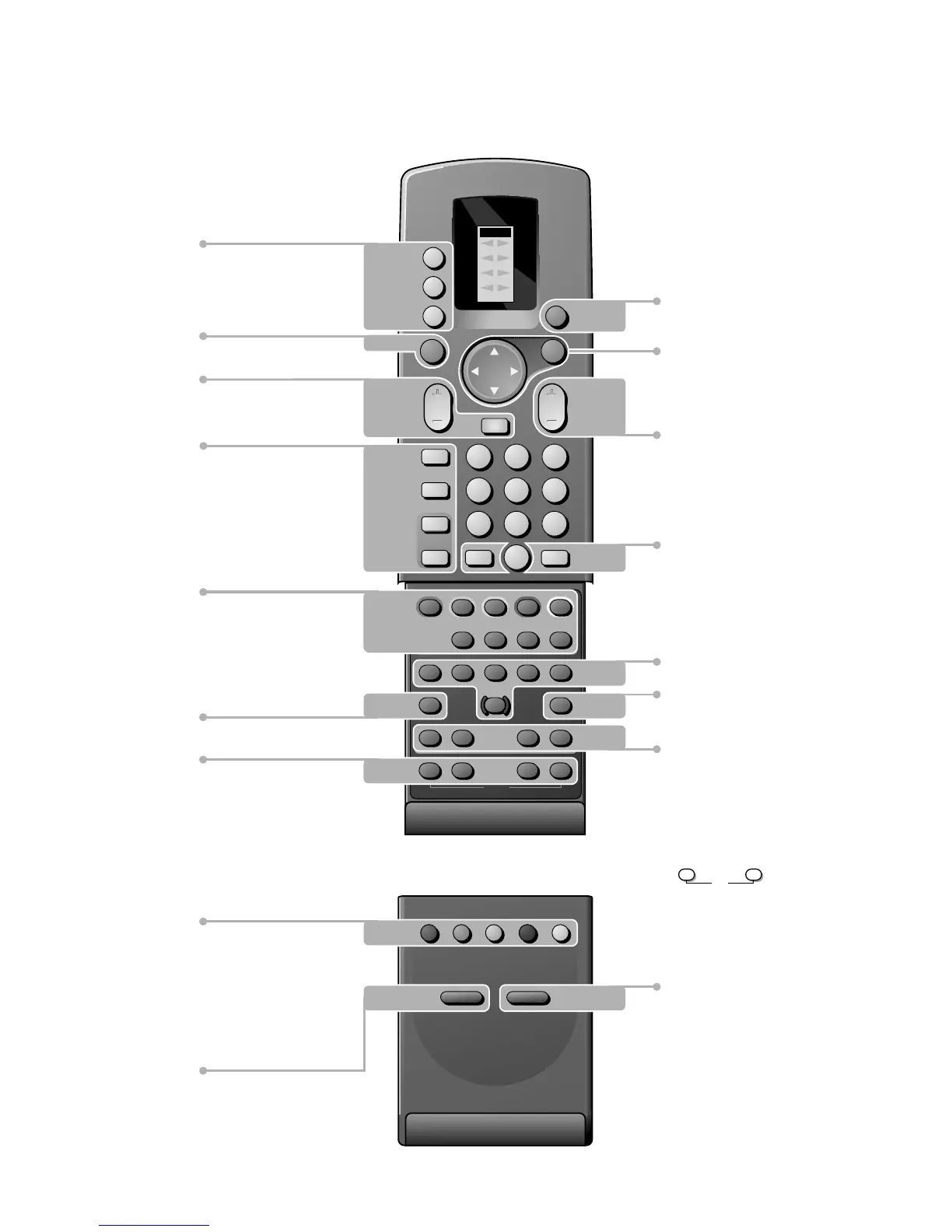
Your remote control
p. 10 V volume key
¬ temporarily sound
switch off
p. 17
b dual screen on/off
p. 10 q picture format
Smart Controls
p. 11 picture and
sound settings
p. 11 X bilingual choice and sound info
j continuous subtitles p. 11
p. 22 b teletext on/off
Dual screen p. 17
- P+ channel selection
c switching screens
d still picture
B switch to standby p. 10
i on screeninfo p. 10
0 previous programme p. 10
Video recorder p. 27
‡ stop
Ò rewind
π play
† wind
C programme timer
® record
p. 11 S freeze the picture
P reduce image noise
fi multi screen
s personal preferences
Installation p. 4
A select your choice p. 12
OK activate your choice
P programme selection p. 10
æ NEXTVIEW on/off p. 18
yÚ
VCR 1
VCR 2
SAT
AMP
TUNER
TAPE
DCC
CD
TV
1
23
4
56
789
0
B
TV
M
u
P
¬
a
ZOOM
b
SMART
q
PICTURE
SOUND
i
0
TXT
c
fh
U
®
‡
C
π
†
Ò
X
j
+
-
P
c
d
S
P
fi
s
b
æ
OK
p. 27 u selection of EXT1, EXT2,
EXT3 or FRONT
M peripheral selection
TV TV selection
p. 10
ZOOM zoom on/off
p. 11
PICTURE, SOUND, FEATURES menus,
programme list, surround mode selection
p. 18 NexTVIEW selection
p. 22 direct txt page or subject selection
p. 22 Teletext
direct txt page or subject selection
d mix tv/txt picture - hold
h enlarge
f solution to riddles
U time display/subpage selection
3104 305 34730.5.gb 28-05-1999 11:06 Pagina 2









 To Next Page