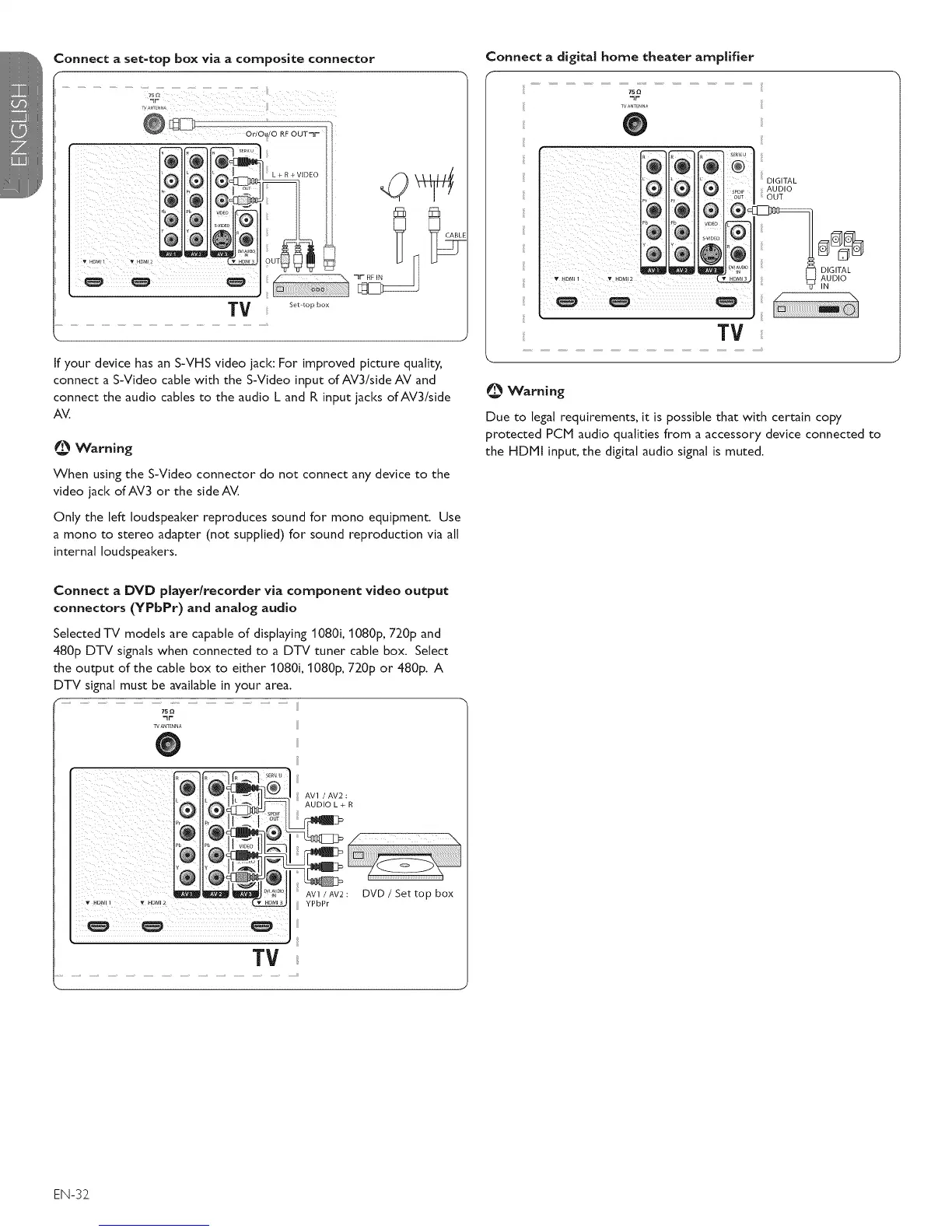
Connect a set-top box via a composite connector
@@
TV .............
k 1
If your device has an S-VHS video jack: For improved picture quality,
connect a S-Video cable with the S-Video input ofAV3/side AV and
connect the audio cables to the audio L and R input jacks of AV3/side
AV.
Warning
When using the S-Video connector do not connect any device to the
video jack of AV3 or the side AV.
Only the left loudspeaker reproduces sound for mono equipment. Use
a mono to stereo adapter (not supplied) for sound reproduction via all
internal loudspeakers.
Connect a DVD player/recorder via component video output
connectors (YPbPr) and analog audio
Selected TV models are capable of displaying 1080i, 1080p, 720p and
480p DTV signals when connected to a DTV tuner cable box. Select
the output of the cable box to either 1080i, 1080p, 720p or 480p. A
DTV signal must be available in your area.
r
75
_r
TVANTENNA
@
ii: _i_ii_ i_ _i_ : , i,_ I0
iliiiiiii!_i_iiiii_iiiii_ii!_i!i!iiiiiii_iiii!_!!_iii_i_iii__
TV
AV1 / AV2 :
AUDIO L + R
AV1 / AV2 :
YPbPr
DVD / Set top box
Connect a digital home theater amplifier
75Q
WANTENnA
0
Tv
O Warning
Due to legal requirements, it is possible that with certain copy
protected PCM audio qualities from a accessory device connected to
the HDPll input, the digital audio signal is muted.
EN-32_









 To Next Page