24
Multi View
24.1
TV and TV
With Multi View, you can watch a second programme
in a small screen.
To open the Multi View screen…
1 - Press to open Quick Menu.
2 - Select Multi View, and press OK.
3 - Select Multi View: On on screen. The channel
you were watching appears in the small screen.
To hide the small screen, select Multi View: Off on
screen.
Conditions
• Multi View can only show digital TV channels, not
available for analogue TV channels.
• The Multi View screen cannot display video in Ultra
HD, only supports up to 1080p (FHD).
• While the TV is recording or on Pause TV, Multi View
is not available.
• To use Multi View with satellite TV channels, you
must connect the 2 satellite tuners SAT 1 and SAT
2 to your satellite dish.
• If both TV channels need a CAM to decode, Multi
View is not possible.
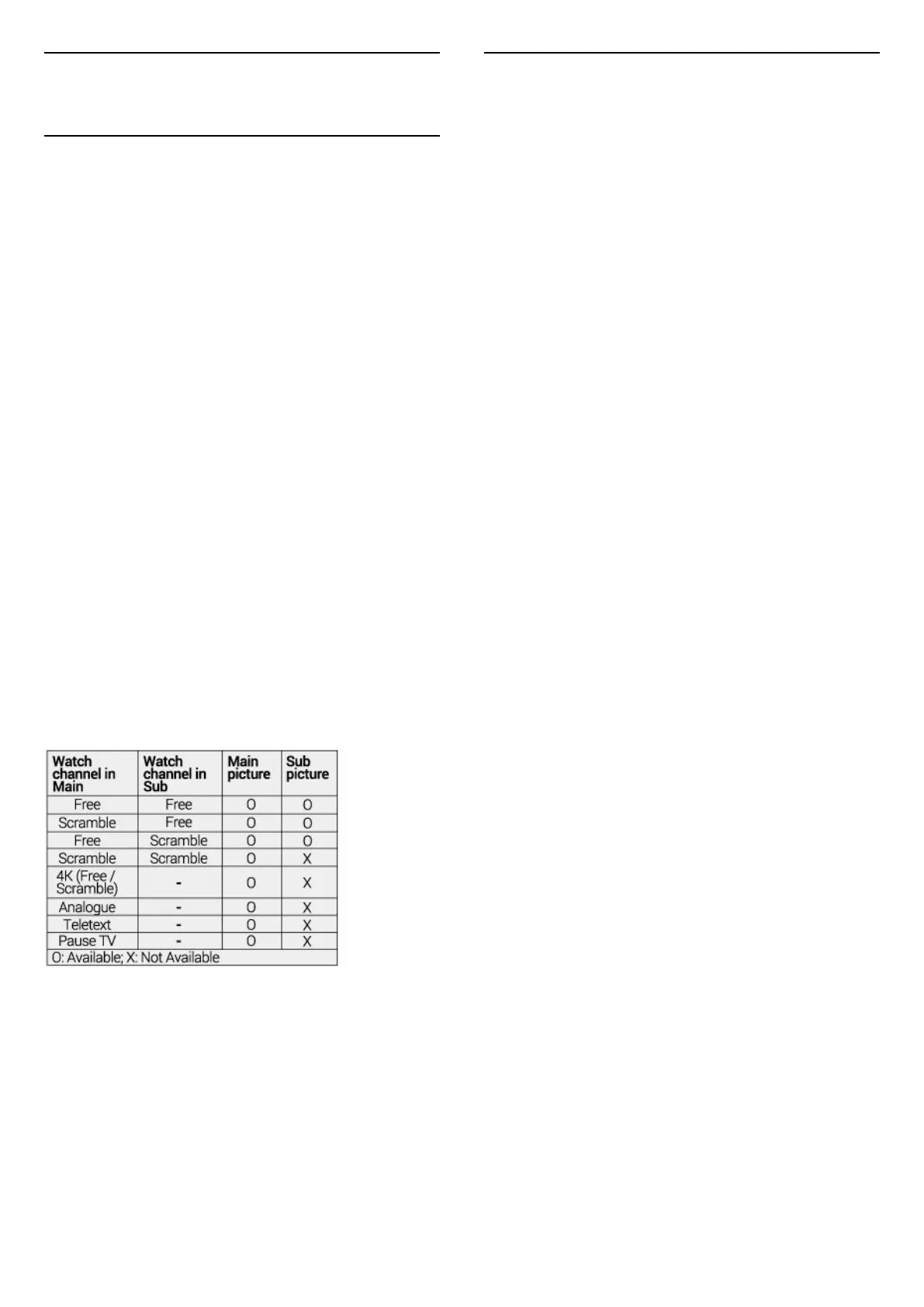
Refer to below table for Multi view availability.
Multiview (TV and TV)
* For more information about two tuner setting,
please refer to “Multi view and recording with two
tuners” chapter.
24.2
HDMI and TV
You can watch a TV channel in the small screen of
Multi View when you're watching video from a
connected HDMI device.
To watch a TV channel while watching video from
connected HDMI device*…
1 - Press to open Quick Menu.
2 - Select Multi View, and press OK.
3 - Select Multi View: On on screen. The channel
you were watching appears in the small screen.
To hide the small screen, select Multi View: Off on
screen.
* You can only watch TV channel image in Multi view
mode, the audio of TV channel will be mute.
76



 To Next Page